

STK Push Deposit
STK Push Deposit launches a mobile-money collection by sending an M-Pesa STK push prompt directly to the member's phone. The member approves on their handset, and on a successful callback the deposit is matched and posted to their savings account without a teller handling cash.
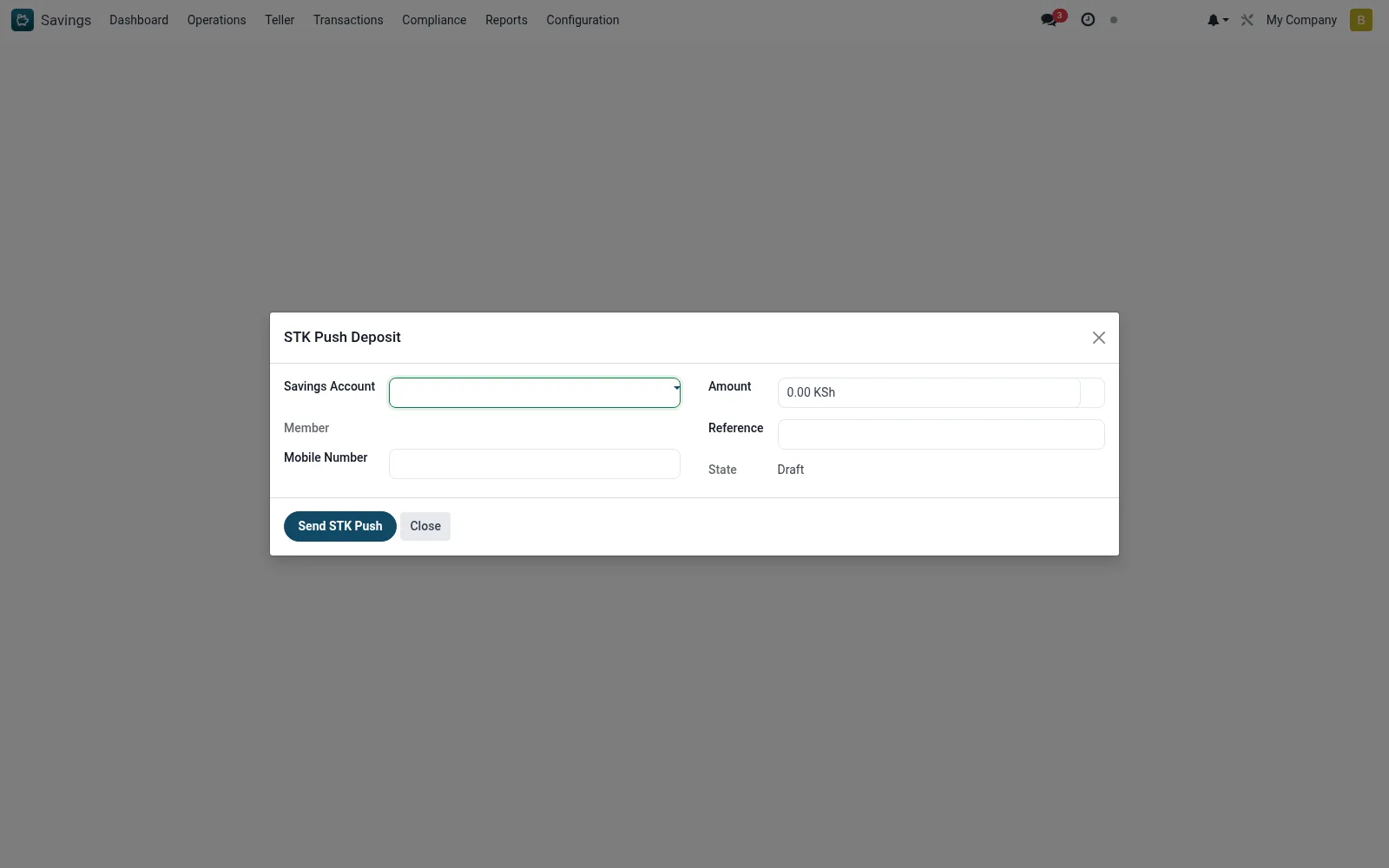
Workflow
- Open Savings > Operations > STK Push Deposit.
- Select the target savings account or member.
- Enter the deposit amount and confirm the registered phone number.
- Send the STK push and ask the member to approve the prompt on their phone.
- Watch for the success callback; the deposit posts automatically to the account.
- If no callback arrives, check the M-Pesa Logs and Unmatched Queue.
Fields reference
Every field on this screen, drawn from the live data model.
| Field | Type | Required | Description |
|---|---|---|---|
Savings Accountaccount_id | Link → mfi.savings.account | Yes | Savings Account |
Amountamount | Money | Yes | Amount |
Mobile Numberphone | Text | Yes | Mobile Number |
Membermember_id | Link → mfi.member | — | Member |
Currencycurrency_id | Link → res.currency | — | Currency |
Referencereference | Text | — | Reference |
Checkout Request IDcheckout_request_id | Text | — | Checkout Request ID |
Merchant Request IDmerchant_request_id | Text | — | Merchant Request ID |
Statestate | Choice: Draft, Requested, Failed | — | State |
Responseresponse_message | Long text | — | Response |
Actions & buttons
Buttons available on this screen and what they do:
- Send STK Push
Status lifecycle
Records on this screen move through these statuses:
Draft → Requested → Failed
Notes & rules
- Wizard on mfi.mpesa.stk.wizard initiating a Lipa Na M-Pesa STK prompt.
- Member approves with their own PIN on their device - no PIN is collected merchant-side.
- Successful callbacks auto-post; failures land in the M-Pesa Unmatched Queue.
Was this page helpful?