

Report Templates
Report Templates defines the reusable report blueprints -- layout, data source, columns and parameters -- that drive both regulatory filings and management reports. Configuring templates here lets the institution standardise outputs to central-bank or board formats. Admins maintain templates so report runs stay consistent and compliant.
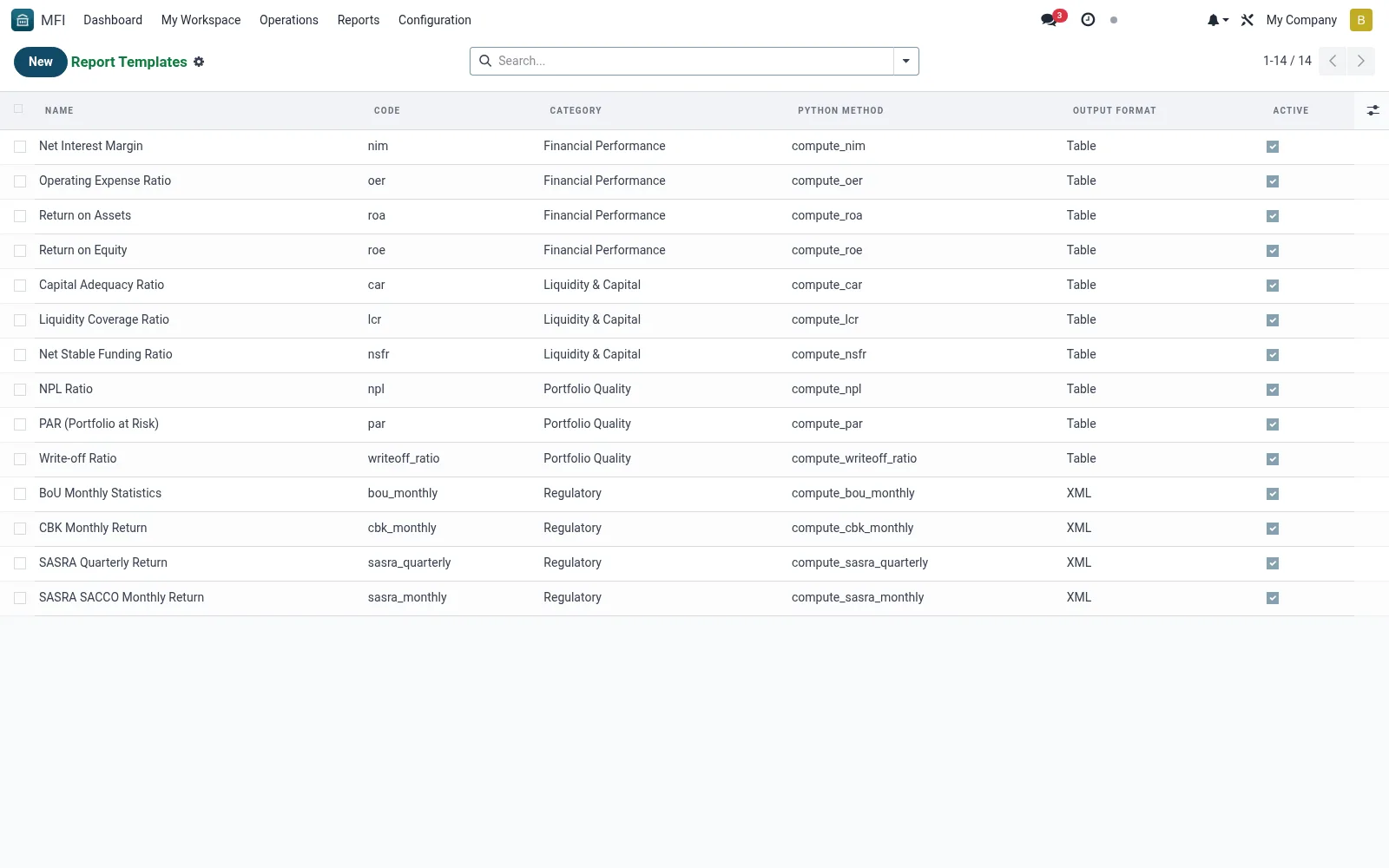
Workflow
- Open MFI > Operations > Reports > Reports & Regulatory > Report Templates
- Click New and name the template and its purpose
- Define the data source, columns and parameters
- Set the output format and any regulatory layout rules
- Save, then test by generating a Report Run from it
Fields reference
Every field on this screen, drawn from the live data model.
| Field | Type | Required | Description |
|---|---|---|---|
Python Methodmethod_name | Text | — | Method name on mfi.report.engine model that returns lines |
Namename | Text | Yes | Name |
Codecode | Text | Yes | Code |
Categorycategory | Choice: Management, Regulatory, Board Pack, Financial Performance, Portfolio Quality, Liquidity & Capital | Yes | Category |
Output Formatoutput_format | Choice: Table, XML, CSV, XLSX | — | Output Format |
Descriptiondescription | Long text | — | Description |
Activeactive | Yes/No | — | Active |
Notes & rules
- Model mfi.report.template -- report blueprints
- Key fields: data source, columns, parameters, format
- Related: Report Runs, Scheduled Reports
- Used by finance and reporting admins
Was this page helpful?