

Branch Analysis
Branch Analysis is the cross-branch performance report, presenting balances, growth, arrears and activity as pivots and graphs so leadership can compare outlets side by side. It turns the branch directory into a benchmarking tool for spotting strong and weak locations. Executives use it to allocate resources and set branch targets.
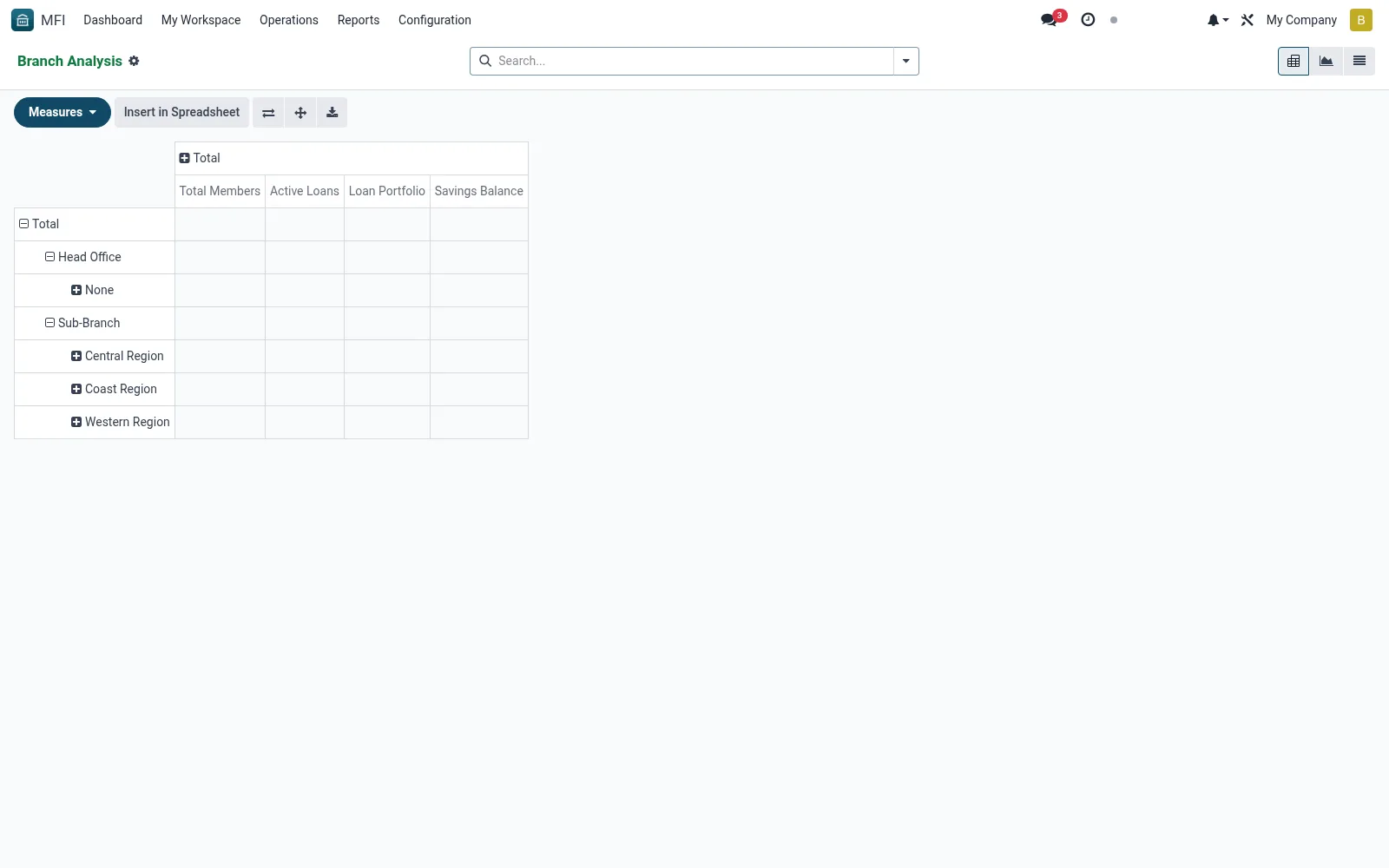
Workflow
- Open MFI > Operations > Reports > Branch Analysis
- Choose pivot or graph view for the analysis style you need
- Set rows, columns and measures (e.g. branch vs portfolio)
- Apply period and zone filters to scope the comparison
- Export the pivot for board packs and target-setting
Fields reference
Every field on this screen, drawn from the live data model.
| Field | Type | Required | Description |
|---|---|---|---|
Website Messageswebsite_message_ids | List | — | Website communication history |
Maximum Cash Holdingmax_cash_holding | Money | — | Maximum cash this branch can hold |
Loan Approval Limitapproval_limit | Money | — | Maximum loan amount this branch can approve |
Branch Namename | Text | Yes | Branch Name |
Branch Codecode | Text | Yes | Branch Code |
Branch Typebranch_type_id | Link → mfi.branch.type | Yes | Branch Type |
Companycompany_id | Link → res.company | Yes | Company |
My Activity Deadlinemy_activity_date_deadline | Date | — | My Activity Deadline |
Has Messagehas_message | Yes/No | — | Has Message |
Ratingsrating_ids | List | — | Ratings |
Sequencesequence | Number | — | Sequence |
Activeactive | Yes/No | — | Active |
Is Head Officeis_head_office | Yes/No | — | Is Head Office |
Parent Branchparent_id | Link → mfi.branch | — | Parent Branch |
Child Brancheschild_ids | List | — | Child Branches |
Sub-Brancheschild_count | Number | — | Sub-Branches |
Zone / Regionzone_id | Link → mfi.branch.zone | — | Zone / Region |
Branch Managermanager_id | Link → res.users | — | Branch Manager |
Assistant Managerassistant_manager_id | Link → res.users | — | Assistant Manager |
Staff Membersstaff_ids | Tags | — | Staff Members |
Staff Countstaff_count | Number | — | Staff Count |
Streetstreet | Text | — | Street |
Street2street2 | Text | — | Street2 |
Citycity | Text | — | City |
Statestate_id | Link → res.country.state | — | State |
Countrycountry_id | Link → res.country | — | Country |
ZIPzip | Text | — | ZIP |
Phonephone | Text | — | Phone |
Mobilemobile | Text | — | Mobile |
Emailemail | Text | — | |
Websitewebsite | Text | — | Website |
Latitudelatitude | Decimal | — | Latitude |
Longitudelongitude | Decimal | — | Longitude |
Opening Timeopening_time | Decimal | — | Opening Time |
Closing Timeclosing_time | Decimal | — | Closing Time |
Working Daysworking_days | Choice: Monday - Friday, Monday - Saturday, All Days | — | Working Days |
Can Disburse Loanscan_disburse_loans | Yes/No | — | Can Disburse Loans |
Can Accept Depositscan_accept_deposits | Yes/No | — | Can Accept Deposits |
Can Open Accountscan_open_accounts | Yes/No | — | Can Open Accounts |
Total Membersmember_count | Number | — | Total Members |
Active Membersactive_member_count | Number | — | Active Members |
Active Loansactive_loan_count | Number | — | Active Loans |
Loan Portfolioloan_portfolio | Money | — | Loan Portfolio |
Savings Balancesavings_balance | Money | — | Savings Balance |
Savings Accountssavings_account_count | Number | — | Savings Accounts |
Actions & buttons
Buttons available on this screen and what they do:
- Refresh Statistics
Notes & rules
- Model mfi.branch in pivot, graph, list views
- Measures: balances, growth, arrears, member counts
- Related: All Branches, Dashboard, Officer Performance
- Used by executives and operations analysts
Was this page helpful?