

Officer Performance (Cross-App)
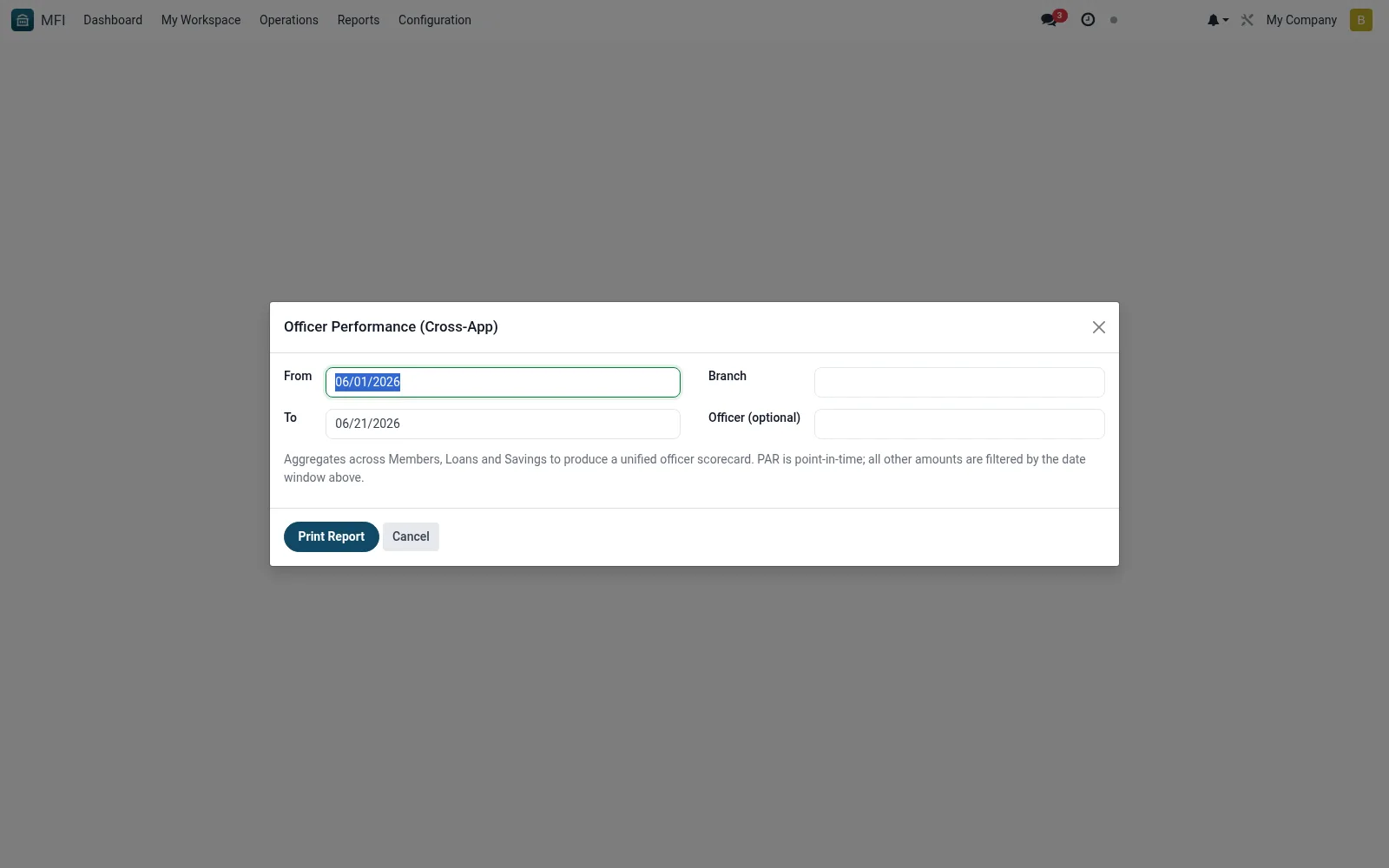
Officer Performance (Cross-App) is a wizard that compiles a consolidated scorecard for each officer by pulling activity across savings, loans and collections in one run. It lets management measure productivity and portfolio quality per officer beyond a single module. It is key for incentive schemes and performance reviews.
Workflow
- Open MFI > Operations > Reports > Officer Performance (Cross-App)
- Select the officers, branch and reporting period
- Choose the metrics to include across the apps
- Run the wizard to generate the consolidated scorecard
- Review or export results for performance reviews
Fields reference
Every field on this screen, drawn from the live data model.
| Field | Type | Required | Description |
|---|---|---|---|
Fromdate_from | Date | Yes | From |
Todate_to | Date | Yes | To |
Companycompany_id | Link → res.company | Yes | Company |
Branchbranch_id | Link → mfi.branch | — | Branch |
Officer (optional)officer_id | Link → res.users | — | Officer (optional) |
Actions & buttons
Buttons available on this screen and what they do:
- Print Report
Notes & rules
- Wizard model mfi.officer.performance.xapp.wizard
- Aggregates across savings, loans and collections
- Related: Credit workspace, Branch Analysis
- Used by HR and branch managers
Was this page helpful?