

Report Runs
Report Runs is the history of every report generated from the engine, capturing the parameters used, who ran it and the resulting output file. It provides a reproducible, auditable trail of reports filed with regulators or shared internally. Compliance teams use it to prove what was submitted and when.
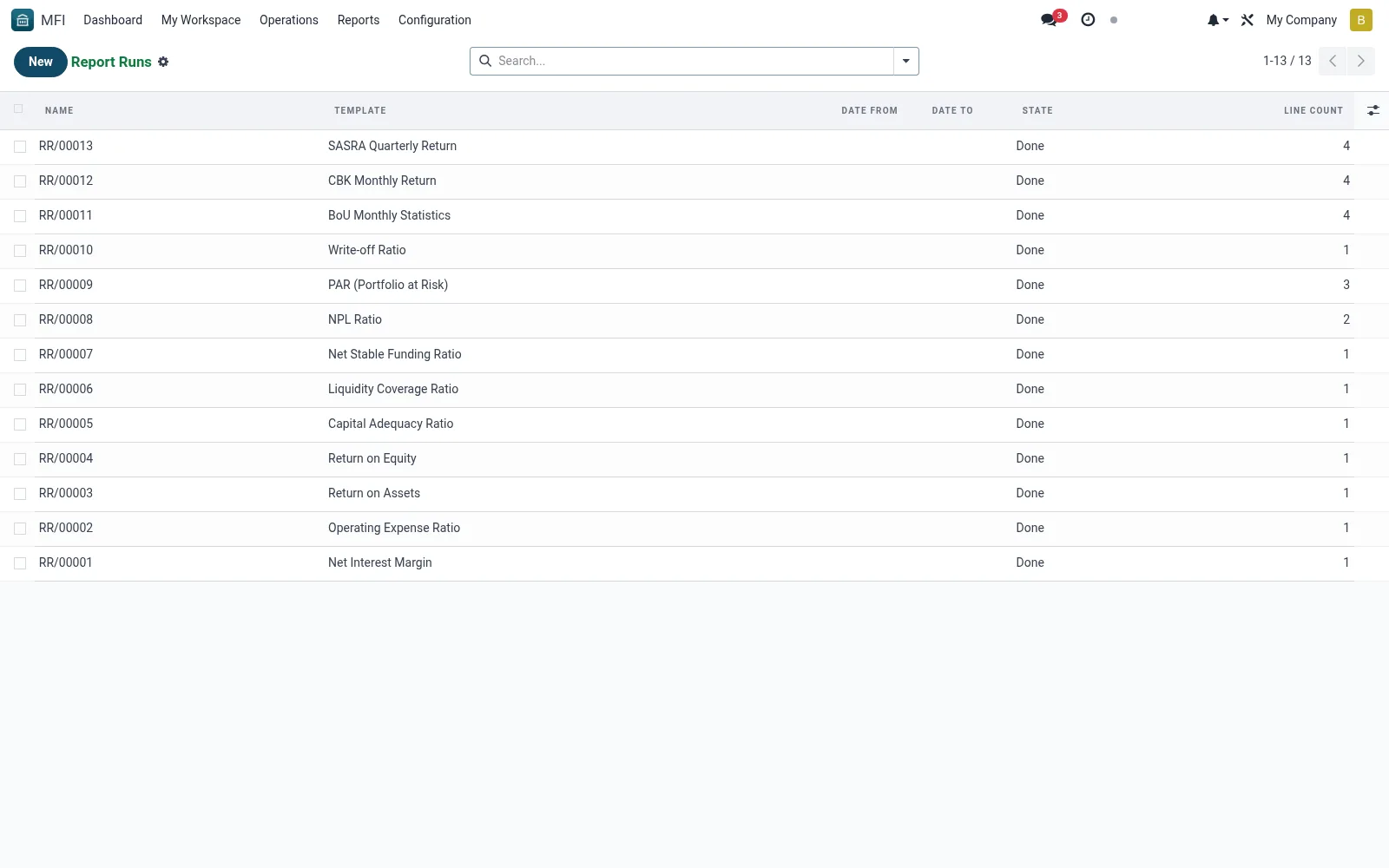
Workflow
- Open MFI > Operations > Reports > Reports & Regulatory > Report Runs
- Filter by template, date or user to find a run
- Open a run to view its parameters and download the output
- Re-run from the same parameters where a refresh is needed
- Archive or export runs for the regulatory file
Fields reference
Every field on this screen, drawn from the live data model.
| Field | Type | Required | Description |
|---|---|---|---|
Namename | Text | Yes | Name |
Templatetemplate_id | Link → mfi.report.template | Yes | Template |
Codecode | Text | — | Code |
Date Fromdate_from | Date | — | Date From |
Date Todate_to | Date | — | Date To |
Companycompany_id | Link → res.company | — | Company |
Statestate | Choice: Draft, Running, Done, Failed | — | State |
Linesline_ids | List | — | Lines |
Line Countline_count | Number | — | Line Count |
Outputoutput | Long text | — | Output |
Errorerror | Long text | — | Error |
Useruser_id | Link → res.users | — | User |
Actions & buttons
Buttons available on this screen and what they do:
- Run
- Lines
- Export CSV
- Export XLSX
Status lifecycle
Records on this screen move through these statuses:
Draft → Running → Done → Failed
Notes & rules
- Model mfi.report.run -- generated report history
- Key fields: template, parameters, run-by, output
- Related: Report Templates, Scheduled Reports
- Used by compliance and finance staff
Was this page helpful?