

Credit Score Distribution
A wizard that charts how members are distributed across credit-score bands. Risk and credit teams use it to understand portfolio quality, calibrate lending limits and set risk-based pricing, and to spot concentrations of high-risk members.
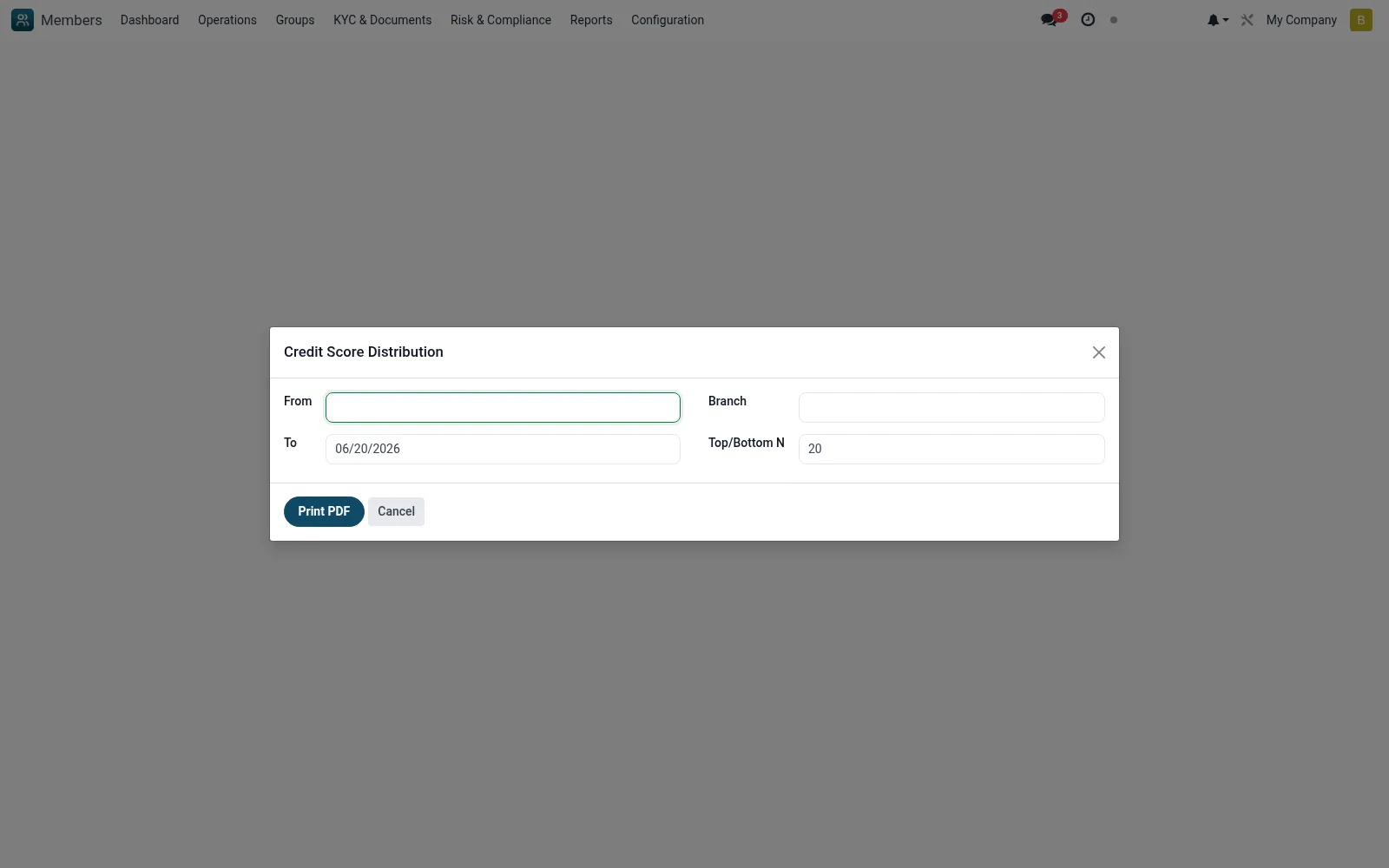
Workflow
- Go to Reports then Credit Score Distribution
- Select the branch, category and period
- Run the wizard to produce the score-band distribution
- Review concentrations in high and low score bands
- Export the chart for credit-committee or board review
Fields reference
Every field on this screen, drawn from the live data model.
| Field | Type | Required | Description |
|---|---|---|---|
Fromdate_from | Date | — | From |
Todate_to | Date | — | To |
Branchbranch_id | Link → mfi.branch | — | Branch |
Top/Bottom Ntop_n | Number | — | Top/Bottom N |
Actions & buttons
Buttons available on this screen and what they do:
- Print PDF
Notes & rules
- Wizard model mfi.credit.score.dist.wizard
- Distribution across credit-score bands
- Informs limits and risk-based pricing
- Portfolio-quality analytics
Was this page helpful?