

KYC Compliance Register
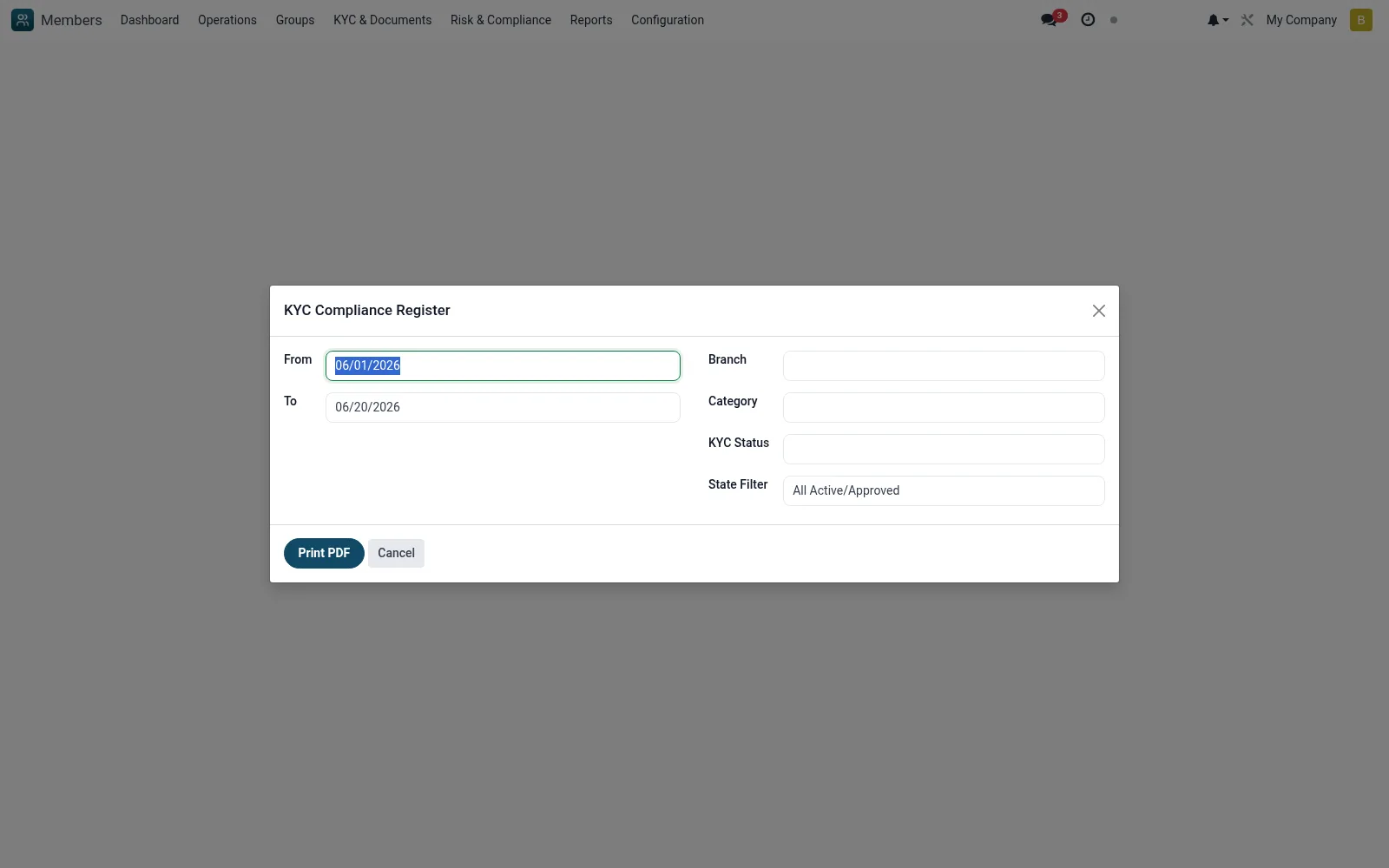
A wizard that generates a KYC compliance register showing each member's documentation and verification status across a chosen branch, category or date range. It is the report officers run to evidence due-diligence coverage to management and regulators and to find members with incomplete KYC.
Workflow
- Go to Reports then KYC Compliance Register
- Set the branch, category and date filters
- Run the wizard to generate the register
- Review members flagged with missing or expired KYC
- Export or print the register for compliance evidence
Fields reference
Every field on this screen, drawn from the live data model.
| Field | Type | Required | Description |
|---|---|---|---|
Fromdate_from | Date | — | From |
Todate_to | Date | — | To |
Branchbranch_id | Link → mfi.branch | — | Branch |
Categorycategory_id | Link → mfi.member.category | — | Category |
KYC Statuskyc_status | Choice: Pending, In Progress, Verified, Rejected, Expired | — | KYC Status |
State Filterstate_filter | Choice: All Active/Approved, Active Only | — | State Filter |
Actions & buttons
Buttons available on this screen and what they do:
- Print PDF
Notes & rules
- Wizard model mfi.kyc.compliance.wizard
- Outputs member KYC/verification status
- Filters by branch, category, date
- CDD evidence for examiners
Was this page helpful?