

Send Bulk SMS
A wizard to compose and send an SMS blast to a selected segment of members, for reminders, announcements, meeting notices or campaigns. It targets members by filter and queues the messages, logging the send for the communications history.
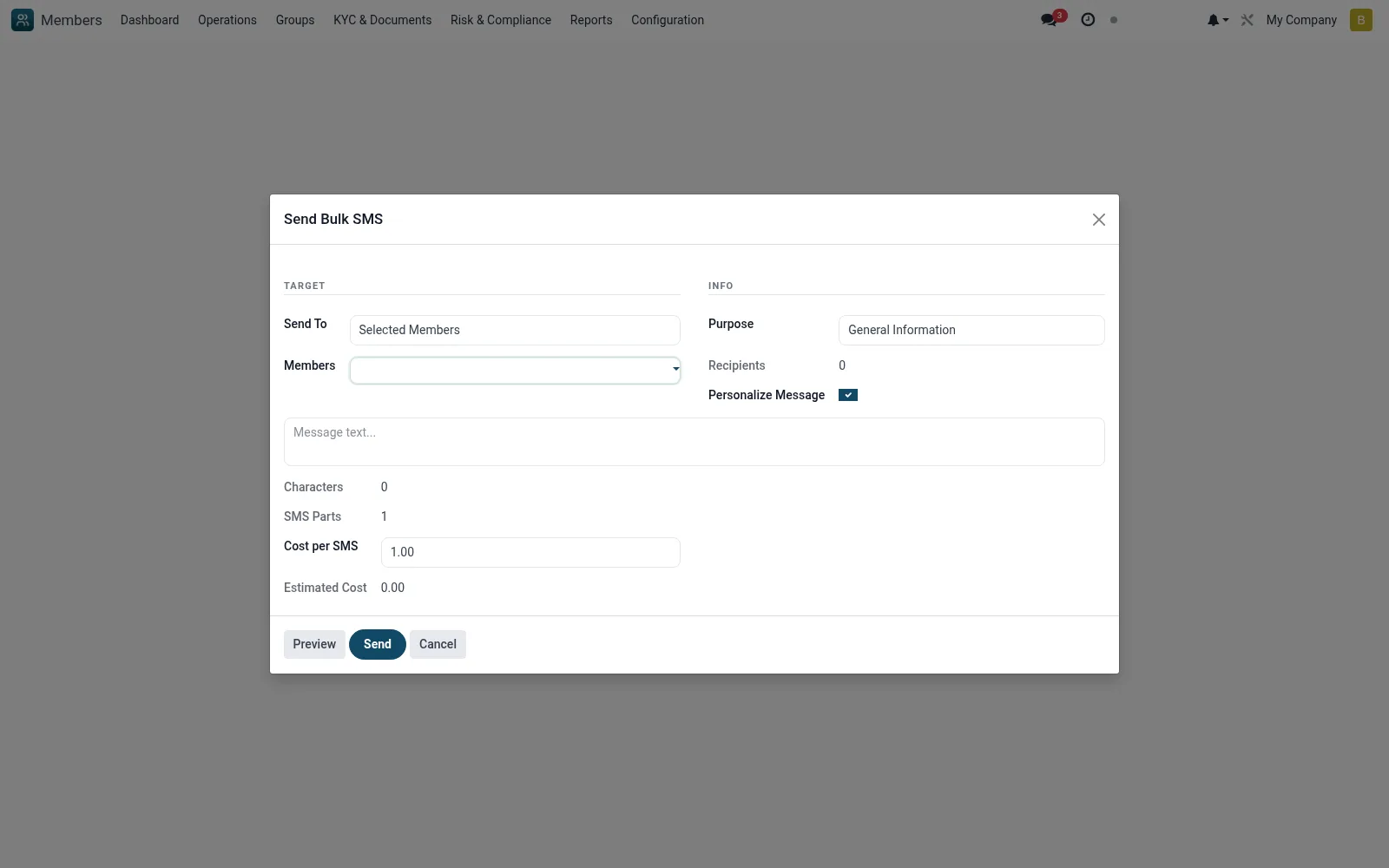
Workflow
- Go to Tools then Send Bulk SMS
- Define the recipient filter or segment
- Compose the message, using member merge fields if available
- Preview the recipient count and message
- Send the campaign and confirm it is logged
Fields reference
Every field on this screen, drawn from the live data model.
| Field | Type | Required | Description |
|---|---|---|---|
Send Totarget_type | Choice: Selected Members, All Active Members, By Branch, By Group, By Category | Yes | Send To |
Purposepurpose | Choice: Payment Reminder, Meeting Notice, Promotional, General Information, Survey/Feedback, Other | Yes | Purpose |
Messagemessage | Long text | Yes | Message |
Membersmember_ids | Tags | — | Members |
Recipientsmember_count | Number | — | Recipients |
Branchesbranch_ids | Tags | — | Branches |
Groupsgroup_ids | Tags | — | Groups |
Categoriescategory_ids | Tags | — | Categories |
SMS Partssms_parts | Number | — | SMS Parts |
Use Templateuse_template | Yes/No | — | Use Template |
Templatetemplate_id | Link → mfi.sms.template | — | Template |
Personalize Messagepersonalize | Yes/No | — | Personalize Message |
Available Variablesavailable_variables | Long text | — | Available Variables |
Cost per SMScost_per_sms | Decimal | — | Cost per SMS |
Estimated Costestimated_cost | Decimal | — | Estimated Cost |
Actions & buttons
Buttons available on this screen and what they do:
- Preview
- Send
Notes & rules
- Wizard model mfi.member.bulk.sms.wizard
- Targets member segments by filter
- Creates an SMS campaign record
- Send logged to Communications
Was this page helpful?