

Document Types
Configures the types of KYC documents the institution accepts, such as national ID, passport, photo, signature, proof of address and consent form, and whether each is mandatory and has an expiry. This master list defines the consent and KYC gate that onboarding enforces.
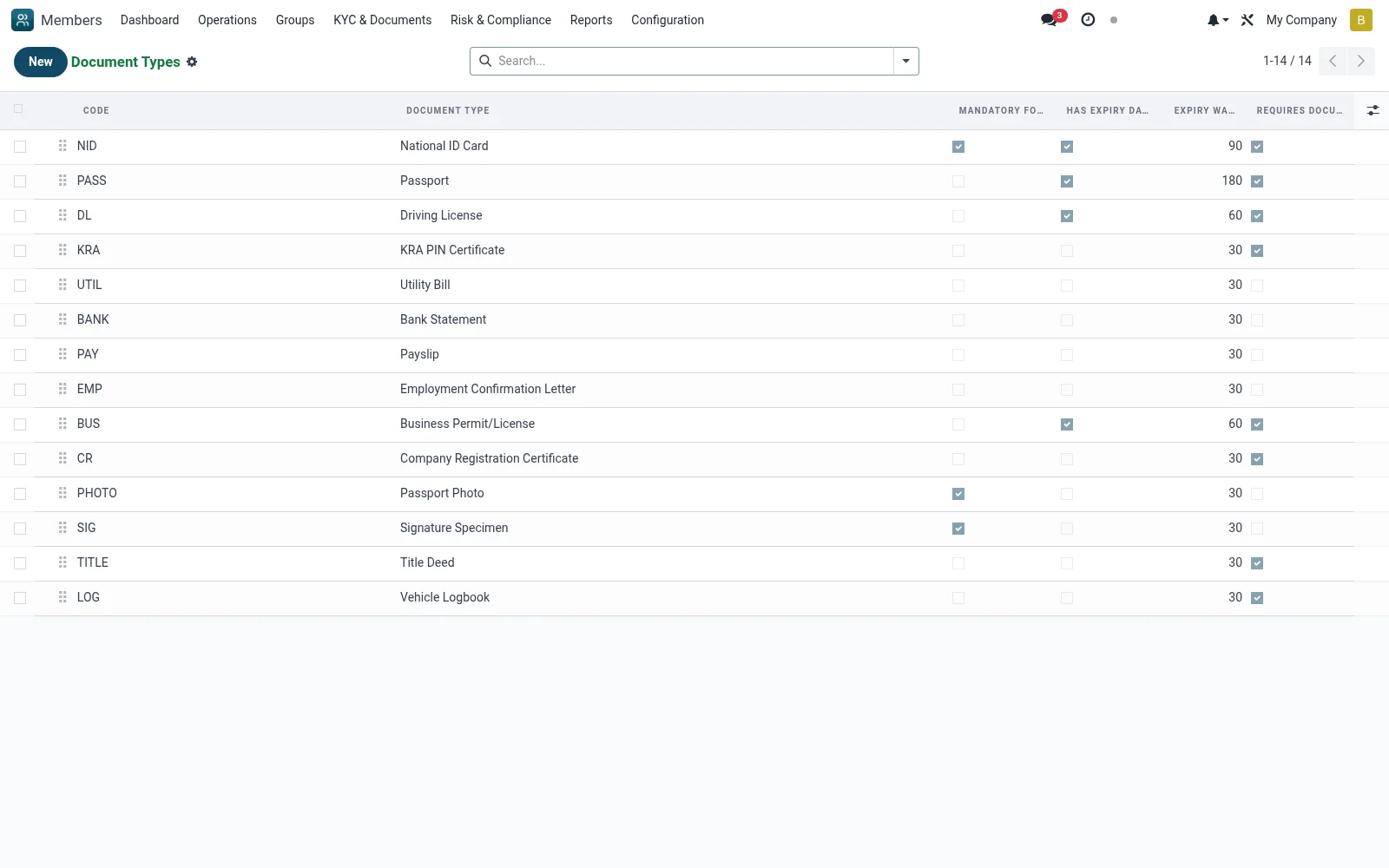
Workflow
- Go to Configuration then Document Types
- Click New to add a document type
- Set whether it is mandatory and whether it expires
- Mark which types satisfy the KYC gate
- Save so the type is selectable on member documents
Fields reference
Every field on this screen, drawn from the live data model.
| Field | Type | Required | Description |
|---|---|---|---|
Expiry Warning Daysexpiry_warning_days | Number | — | Days before expiry to send warning |
Number Format (Regex)number_format | Text | — | Regular expression for document number validation |
Applicable Categoriesapplicable_categories | Tags | — | Leave empty for all categories |
Document Typename | Text | Yes | Document Type |
Codecode | Text | Yes | Code |
Sequencesequence | Number | — | Sequence |
Activeactive | Yes/No | — | Active |
Descriptiondescription | Long text | — | Description |
Mandatory for KYCis_mandatory | Yes/No | — | Mandatory for KYC |
Has Expiry Datehas_expiry | Yes/No | — | Has Expiry Date |
Requires Document Numberrequires_number | Yes/No | — | Requires Document Number |
Companycompany_id | Link → res.company | — | Company |
Notes & rules
- Model mfi.member.document.type
- Defines mandatory vs optional documents
- Drives expiry tracking and KYC gate
- Referenced by All Documents
Was this page helpful?