

Import Members
A wizard for bulk-importing member CIFs from a spreadsheet, used during migration from a legacy system or onboarding a large group at once. It maps columns to member fields, validates the data and creates member records, saving manual capture for hundreds of members.
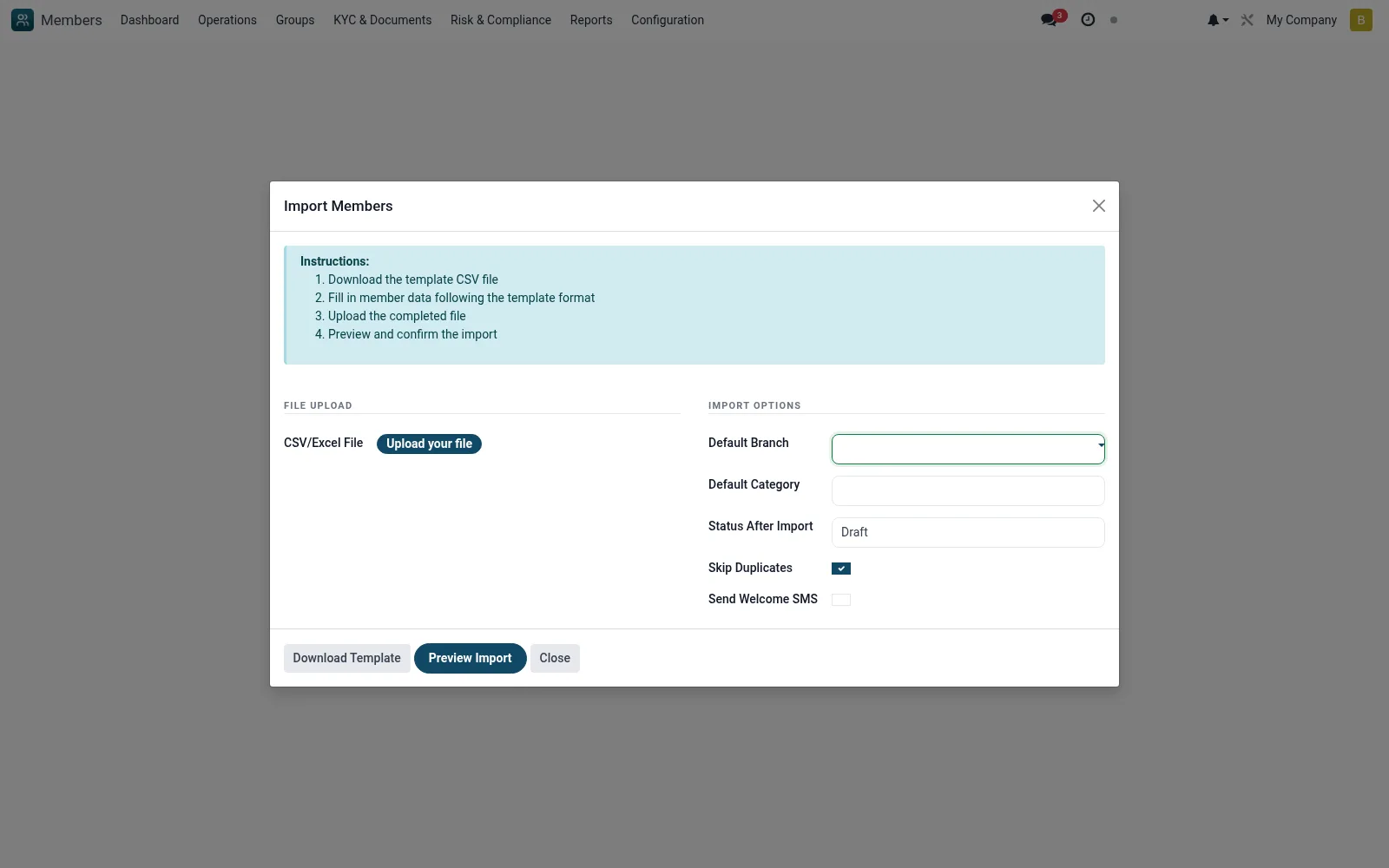
Workflow
- Go to Tools then Import Members
- Download or prepare the import template
- Upload the populated spreadsheet
- Map columns to member fields and validate
- Run the import and review the created records and any errors
Fields reference
Every field on this screen, drawn from the live data model.
| Field | Type | Required | Description |
|---|---|---|---|
Default Branchbranch_id | Link → mfi.branch | Yes | Default Branch |
Default Categorycategory_id | Link → mfi.member.category | Yes | Default Category |
Status After Importstate_after_import | Choice: Draft, Pending Approval, Active | Yes | Status After Import |
File Namefile_name | Text | — | File Name |
Skip Duplicatesskip_duplicates | Yes/No | — | Skip Duplicates |
Send Welcome SMSsend_welcome_sms | Yes/No | — | Send Welcome SMS |
Import Resultimport_result | Long text | — | Import Result |
Successfulsuccess_count | Number | — | Successful |
Errorserror_count | Number | — | Errors |
Skippedskip_count | Number | — | Skipped |
Statestate | Choice: Upload, Preview, Done | — | State |
Previewpreview_lines | Long text | — | Preview |
Validation Errorspreview_errors | Long text | — | Validation Errors |
Actions & buttons
Buttons available on this screen and what they do:
- Download Template
- Preview Import
- Confirm Import
Status lifecycle
Records on this screen move through these statuses:
Upload → Preview → Done
Notes & rules
- Wizard model mfi.member.import.wizard
- Bulk creates mfi.member records
- Column mapping and validation
- Used for migration / mass onboarding
Was this page helpful?