

Active Loans
Active Loans lists every disbursed account currently in repayment, forming the live outstanding loan book. Officers monitor running balances, next due dates and arrears status here, and it is the basis for portfolio outstanding (OLB) reporting.
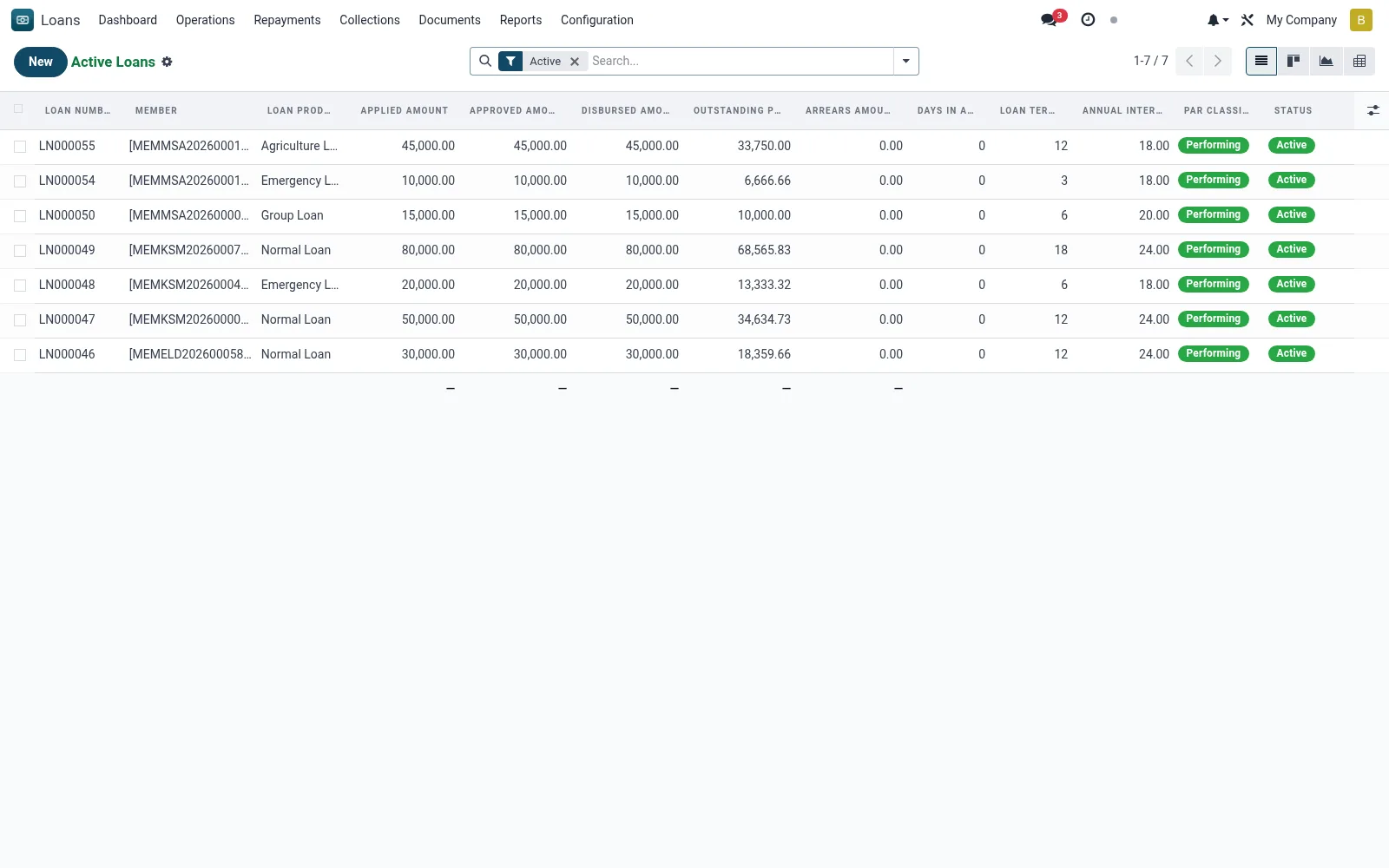
Workflow
- Filter to your branch or officer portfolio to see your active book.
- Open a loan to review the live amortisation schedule and outstanding balance.
- Check next-due and days-in-arrears columns to prioritise follow-up.
- Initiate a top-up, restructure or early settlement from the loan form.
- Group by product or officer in pivot view to measure portfolio size.
Fields reference
Every field on this screen, drawn from the live data model.
| Field | Type | Required | Description |
|---|---|---|---|
Portal Access URLaccess_url | Text | — | Customer Portal URL |
Dormantis_dormant | Yes/No | — | Flagged when no repayment activity within dormancy period |
Statusstate | Choice: Draft, Submitted, Under Appraisal, Appraised, Committee Review, Approved, Disbursed, Active | Yes | Status |
Membermember_id | Link → mfi.member | Yes | Member |
Loan Productproduct_id | Link → mfi.loan.product | Yes | Loan Product |
Branchbranch_id | Link → mfi.branch | Yes | Branch |
Applied Amountapplied_amount | Money | Yes | Applied Amount |
Loan Term (Months)loan_term | Number | Yes | Loan Term (Months) |
Access warningaccess_warning | Long text | — | Access warning |
Has Messagehas_message | Yes/No | — | Has Message |
Loan Numberloan_number | Text | — | Loan Number |
Namename | Text | — | Name |
Currencycurrency_id | Link → res.currency | — | Currency |
Companycompany_id | Link → res.company | — | Company |
Loan Officerofficer_id | Link → res.users | — | Loan Officer |
Lending Groupgroup_id | Link → mfi.member.group | — | Lending Group |
Approved Amountapproved_amount | Money | — | Approved Amount |
Disbursed Amountdisbursed_amount | Money | — | Disbursed Amount |
Loan Purposepurpose | Long text | — | Loan Purpose |
Loan Typeloan_type | Choice: Individual Loan, Group Loan, Emergency Loan, Asset Finance, Agriculture Loan, Education Loan, Business Loan, Salary Advance | — | Loan Type |
Interest Methodinterest_method | Choice: Flat Rate, Declining Balance (Reducing), Equal Principal Payments | — | Interest Method |
Annual Interest Rate (%)interest_rate | Decimal | — | Annual Interest Rate (%) |
Repayment Frequencyrepayment_frequency | Choice: Daily, Weekly, Bi-Weekly (Fortnightly), Monthly, Quarterly, Bullet (Lump Sum at End) | — | Repayment Frequency |
Grace Period - Principal (Months)grace_period_principal | Number | — | Grace Period - Principal (Months) |
Grace Period - Interest (Months)grace_period_interest | Number | — | Grace Period - Interest (Months) |
Application Dateapplication_date | Date | — | Application Date |
Appraisal Dateappraisal_date | Date | — | Appraisal Date |
Approval Dateapproval_date | Date | — | Approval Date |
Disbursement Datedisbursement_date | Date | — | Disbursement Date |
First Repayment Datefirst_repayment_date | Date | — | First Repayment Date |
Maturity Datematurity_date | Date | — | Maturity Date |
Closure Dateclosure_date | Date | — | Closure Date |
Total Principaltotal_principal | Money | — | Total Principal |
Total Interesttotal_interest | Money | — | Total Interest |
Total Feestotal_fees | Money | — | Total Fees |
Total Penaltiestotal_penalties | Money | — | Total Penalties |
Total Repayabletotal_repayable | Money | — | Total Repayable |
Principal Paidprincipal_paid | Money | — | Principal Paid |
Interest Paidinterest_paid | Money | — | Interest Paid |
Fees Paidfees_paid | Money | — | Fees Paid |
Penalties Paidpenalties_paid | Money | — | Penalties Paid |
Total Paidtotal_paid | Money | — | Total Paid |
Outstanding Principaloutstanding_principal | Money | — | Outstanding Principal |
Outstanding Interestoutstanding_interest | Money | — | Outstanding Interest |
Total Outstandingoutstanding_total | Money | — | Total Outstanding |
Actions & buttons
Buttons available on this screen and what they do:
- Submit
- Start Appraisal
- Complete Appraisal
- Approve
- Disburse
- Split into Tranches
- Calculate ECL
- Make Repayment
- Close Loan
- Reject
- Cancel
- Reset to Draft
- Generate NOC
- E-Sign Contract
Status lifecycle
Records on this screen move through these statuses:
Draft → Submitted → Under Appraisal → Appraised → Committee Review → Approved → Disbursed → Active → Closed → Written Off
Notes & rules
- Model: mfi.loan, active state only.
- Key columns: outstanding principal, interest accrued, next due date, arrears days.
- Drives OLB and PAR calculations.
Was this page helpful?