

Disbursements
Disbursements records the release of approved loan funds and the channel used (bank transfer, cash, or M-Pesa B2C). Each disbursement posts the loan principal to the member and triggers schedule generation, enforcing that only fully approved loans are paid out.
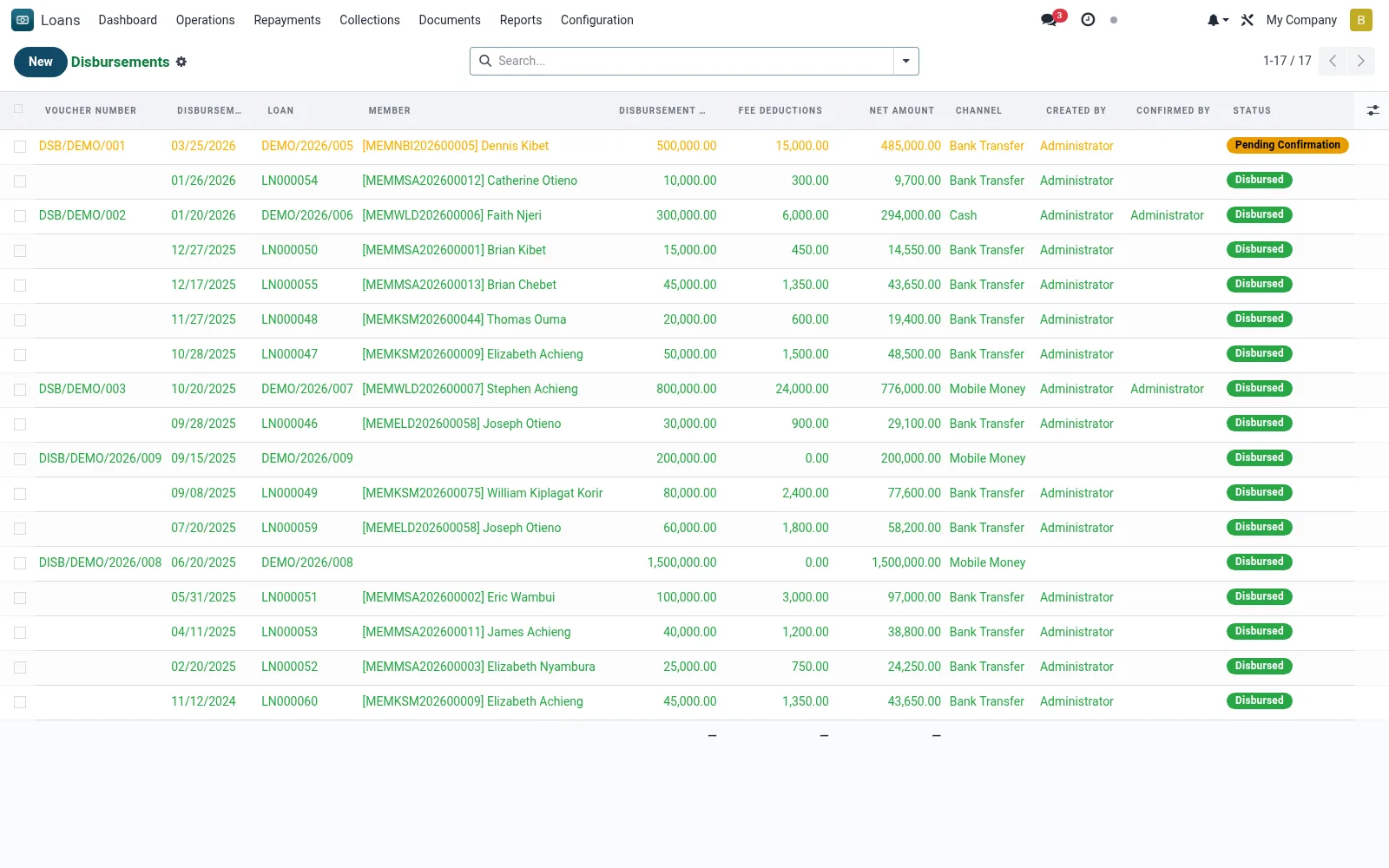
Workflow
- Select an approved loan awaiting disbursement.
- Confirm the disbursement amount, value date and payment channel.
- Capture bank or mobile-money payout reference for reconciliation.
- Validate to post the disbursement journal entry and generate the repayment schedule.
- Verify the loan moves to Active state.
Fields reference
Every field on this screen, drawn from the live data model.
| Field | Type | Required | Description |
|---|---|---|---|
Loanloan_id | Link → mfi.loan | Yes | Loan |
Disbursement Amountamount | Money | Yes | Disbursement Amount |
Disbursement Datedisbursement_date | Date | Yes | Disbursement Date |
Channelchannel | Choice: Cash, Bank Transfer, Cheque, Mobile Money, Credit to Savings | Yes | Channel |
Statusstate | Choice: Draft, Pending Confirmation, Disbursed, Cancelled | Yes | Status |
Has Messagehas_message | Yes/No | — | Has Message |
Voucher Numbername | Text | — | Voucher Number |
Membermember_id | Link → mfi.member | — | Member |
Branchbranch_id | Link → mfi.branch | — | Branch |
Currencycurrency_id | Link → res.currency | — | Currency |
Net Amountnet_amount | Money | — | Net Amount |
Fee Deductionsfee_deductions | Money | — | Fee Deductions |
Referencereference | Text | — | Reference |
Bank Accountbank_account | Text | — | Bank Account |
Mobile Numbermobile_number | Text | — | Mobile Number |
Created Bydisbursed_by | Link → res.users | — | Created By |
Confirmed Byconfirmed_by | Link → res.users | — | Confirmed By |
Confirmed Onconfirmed_date | Date & time | — | Confirmed On |
Notesnotes | Long text | — | Notes |
Companycompany_id | Link → res.company | — | Company |
Tranche #tranche_number | Number | — | Tranche # |
Conditions for Releaseconditions_for_release | Long text | — | Conditions for Release |
Parent Trancheparent_disbursement_id | Link → mfi.loan.disbursement | — | Parent Tranche |
Target Savings Accounttarget_savings_account_id | Link → mfi.savings.account | — | Target Savings Account |
Savings Txnsavings_txn_id | Link → mfi.savings.transaction | — | Savings Txn |
M-Pesa Conversation IDmpesa_conversation_id | Text | — | M-Pesa Conversation ID |
M-Pesa Originator IDmpesa_originator_id | Text | — | M-Pesa Originator ID |
M-Pesa Transaction IDmpesa_transaction_id | Text | — | M-Pesa Transaction ID |
M-Pesa Statempesa_state | Choice: Not Sent, Requested, Queued, Completed, Failed, Timeout | — | M-Pesa State |
Journal Entrymove_id | Link → account.move | — | Journal Entry |
Actions & buttons
Buttons available on this screen and what they do:
- Submit for Confirmation
- Confirm Disbursement
- Send via M-Pesa B2C
- Cancel
Status lifecycle
Records on this screen move through these statuses:
Draft → Pending Confirmation → Disbursed → Cancelled
Notes & rules
- Model: mfi.loan.disbursement.
- Channels: bank, cash, M-Pesa B2C.
- Posts principal to the loan account and starts the amortisation schedule.
- Two-person control: disbursement follows committee/approval sign-off.
Was this page helpful?