

Restructures
Restructures records the renegotiation of a loan's terms - rescheduling instalments, extending tenor, or refinancing - for borrowers in genuine difficulty. Restructured accounts are flagged for heightened monitoring and influence provisioning and IFRS 9 staging, since restructuring is an indicator of credit risk.
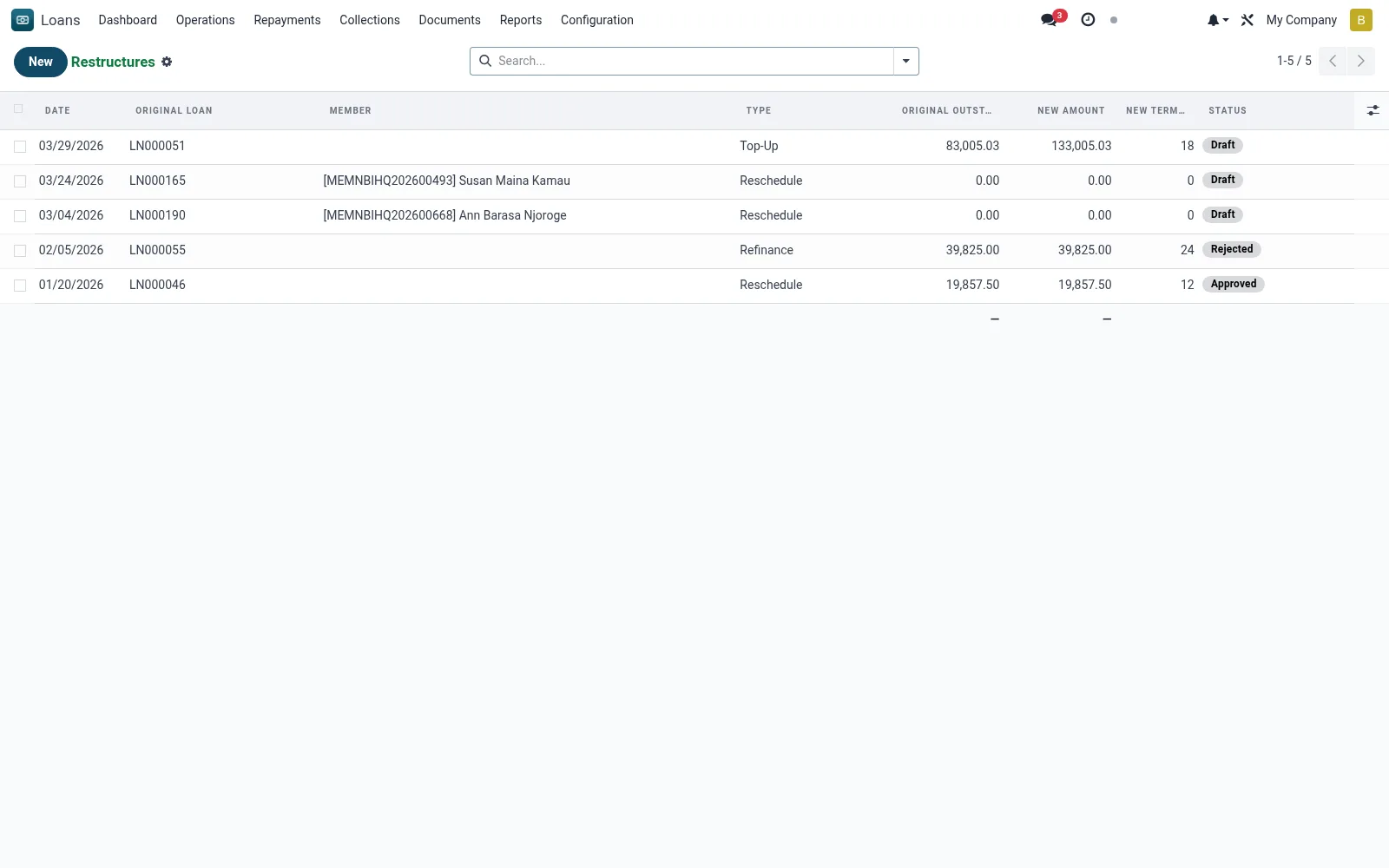
Workflow
- Select the loan to be restructured and choose the restructure type.
- Capture revised terms: new tenor, instalment, rate or capitalised arrears.
- Route the restructure for approval per policy.
- Generate the revised amortisation schedule on approval.
- Flag the account as restructured for monitoring and staging.
Fields reference
Every field on this screen, drawn from the live data model.
| Field | Type | Required | Description |
|---|---|---|---|
Capitalised Arrearscapitalised_arrears | Money | — | Outstanding balance carried over from original loan into the new principal |
Original Loanloan_id | Link → mfi.loan | Yes | Original Loan |
Daterestructure_date | Date | Yes | Date |
Typerestructure_type | Choice: Reschedule, Refinance, Top-Up | Yes | Type |
Reasonreason | Long text | Yes | Reason |
Statusstate | Choice: Draft, Approved, Processed, Rejected, Cancelled | Yes | Status |
Has Messagehas_message | Yes/No | — | Has Message |
Restructured Loannew_loan_id | Link → mfi.loan | — | Restructured Loan |
Membermember_id | Link → mfi.member | — | Member |
Branchbranch_id | Link → mfi.branch | — | Branch |
Currencycurrency_id | Link → res.currency | — | Currency |
Original Outstandingoriginal_outstanding | Money | — | Original Outstanding |
Original Arrearsoriginal_arrears | Money | — | Original Arrears |
Original Remaining Termoriginal_term_remaining | Number | — | Original Remaining Term |
New Amountnew_amount | Money | — | New Amount |
New Rate (%)new_interest_rate | Decimal | — | New Rate (%) |
New Term (Months)new_term | Number | — | New Term (Months) |
New First Repaymentnew_first_repayment_date | Date | — | New First Repayment |
Additional (Top-Up)additional_amount | Money | — | Additional (Top-Up) |
Notesnotes | Rich text | — | Notes |
Approved Byapproved_by | Link → res.users | — | Approved By |
Approval Dateapproval_date | Date | — | Approval Date |
Companycompany_id | Link → res.company | — | Company |
Actions & buttons
Buttons available on this screen and what they do:
- Approve
- Process
- Reject
- Cancel
Status lifecycle
Records on this screen move through these statuses:
Draft → Approved → Processed → Rejected → Cancelled
Notes & rules
- Model: mfi.loan.restructure.
- Types: reschedule, extend, refinance, capitalise arrears.
- Restructured status feeds ECL staging (often Stage 2/3).
- Regenerates mfi.loan.schedule rows.
Was this page helpful?