

Insurance Claims
Insurance Claims manages claims against credit-life or loan-protection cover when a borrower dies, is disabled, or collateral is lost, allowing the outstanding balance to be recovered from the insurer rather than written off. It tracks each claim from lodgement to settlement and links the payout to loan closure.
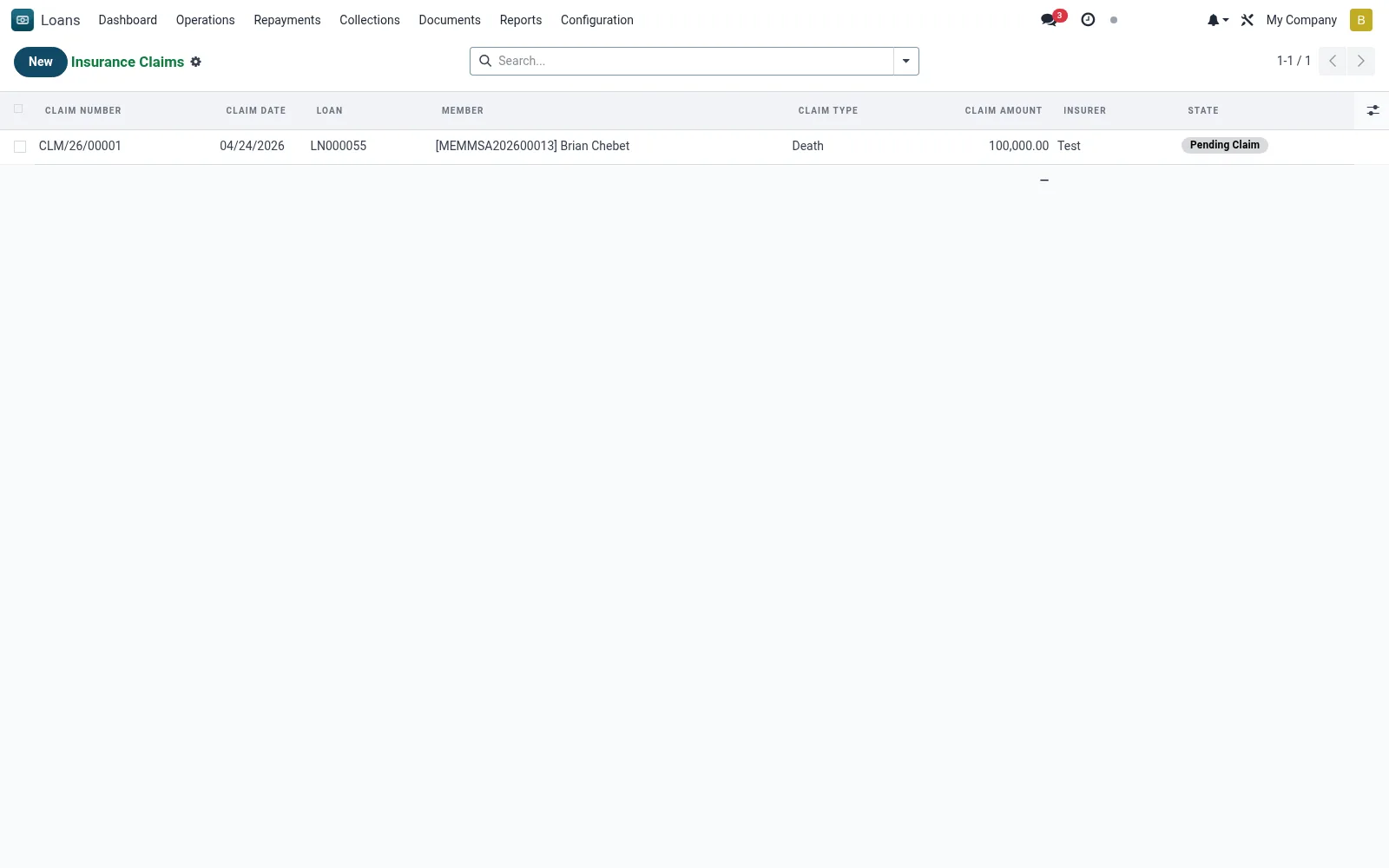
Workflow
- Raise a claim against the affected loan and select the cover type.
- Attach supporting documents (death certificate, police report, assessment).
- Submit the claim and record the insurer and policy reference.
- Track claim status through assessment to settlement.
- Apply the settlement to the loan and close or adjust the balance.
Fields reference
Every field on this screen, drawn from the live data model.
| Field | Type | Required | Description |
|---|---|---|---|
Loanloan_id | Link → mfi.loan | Yes | Loan |
Claim Dateclaim_date | Date | Yes | Claim Date |
Claim Typeclaim_type | Choice: Death, Permanent Total Disability, Asset Damage, Theft | Yes | Claim Type |
Claim Amountclaim_amount | Money | Yes | Claim Amount |
Statestate | Choice: Draft, Submitted, Approved, Rejected, Paid, Pending Claim, Documents Verified | Yes | State |
Has Messagehas_message | Yes/No | — | Has Message |
Claim Numbername | Text | — | Claim Number |
Membermember_id | Link → mfi.member | — | Member |
Branchbranch_id | Link → mfi.branch | — | Branch |
Currencycurrency_id | Link → res.currency | — | Currency |
Companycompany_id | Link → res.company | — | Company |
Insurerinsurer | Text | — | Insurer |
Insurance Policy Referenceinsurance_reference | Text | — | Insurance Policy Reference |
Descriptiondescription | Rich text | — | Description |
Submitted Bysubmitted_by | Link → res.users | — | Submitted By |
Approved Byapproved_by | Link → res.users | — | Approved By |
Paid Datepaid_date | Date | — | Paid Date |
Rejection Reasonrejection_reason | Long text | — | Rejection Reason |
Settlement Repaymentsettlement_repayment_id | Link → mfi.loan.repayment | — | Settlement Repayment |
Beneficiary Payoutsbeneficiary_payout_ids | List | — | Beneficiary Payouts |
Total Beneficiary Payoutbeneficiary_payout_total | Money | — | Total Beneficiary Payout |
Actions & buttons
Buttons available on this screen and what they do:
- Submit
- Approve
- Reject
- Mark Paid
- Verify Documents
- Beneficiary Payout
Status lifecycle
Records on this screen move through these statuses:
Draft → Submitted → Approved → Rejected → Paid → Pending Claim → Documents Verified
Notes & rules
- Model: mfi.loan.insurance.claim.
- Cover types: credit life, disability, asset/collateral.
- Settlement reduces outstanding balance and can close the loan.
- Alternative to write-off for insured events.
Was this page helpful?