

Templates
The library of pre-approved message templates required by the WhatsApp Business API for proactive outreach outside the customer session window. Each template defines the body, placeholders, language and category. Maintaining approved templates is what allows compliant transactional and marketing messaging at scale.
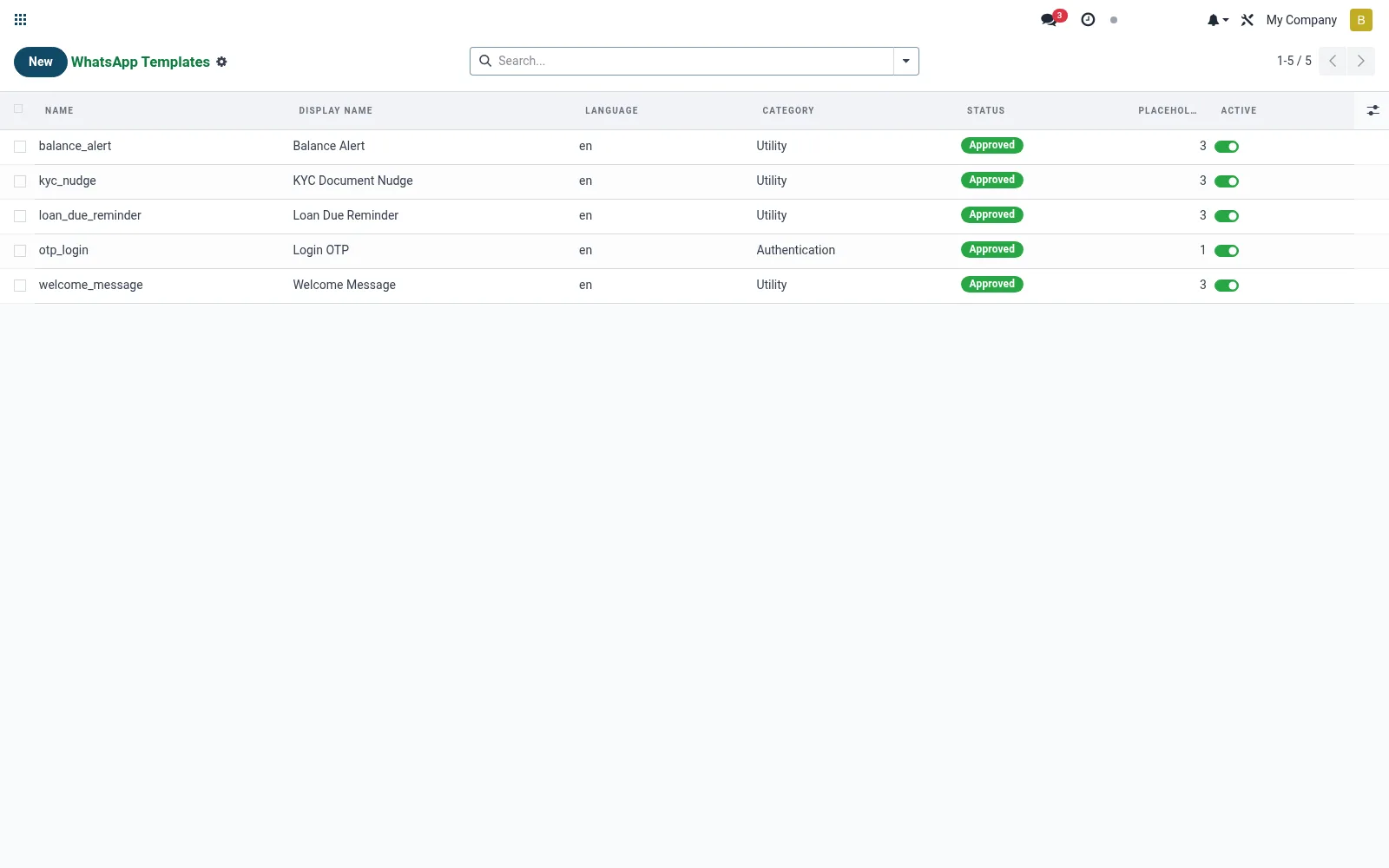
Workflow
- Open Templates under Configuration.
- Create a template and set its name, language and category.
- Write the body with variable placeholders.
- Submit it for provider approval and record the approval status.
- Use the approved template in the Send Message wizard.
Fields reference
Every field on this screen, drawn from the live data model.
| Field | Type | Required | Description |
|---|---|---|---|
Namename | Text | Yes | Exact template name as approved by Meta. Use lowercase + underscores, no spaces. |
Languagelanguage | Text | Yes | BCP-47 language code, e.g. en, en_US, sw. |
Body Templatebody_template | Long text | Yes | Body with {{1}}, {{2}} placeholders. Mirror what was submitted to Meta. |
Header Templateheader_template | Text | — | Optional header text/media token. |
Components Jsoncomponents_json | Long text | — | Raw Meta components JSON — overrides body/header/footer. |
Categorycategory | Choice: Utility, Marketing, Authentication | Yes | Category |
Statusstatus | Choice: Draft (local), Pending (Meta review), Approved, Rejected, Disabled | Yes | Status |
Footer Templatefooter_template | Text | — | Footer Template |
Placeholder Countplaceholder_count | Number | — | Placeholder Count |
Activeactive | Yes/No | — | Active |
Notesnotes | Long text | — | Notes |
Notes & rules
- Model mfi.whatsapp.template; the pre-approved message catalogue.
- Holds body, placeholders, language and category (utility/marketing).
- Approval status must be cleared before broadcast use.
- Required for messaging members outside the 24-hour session window.
Was this page helpful?