

Send Message
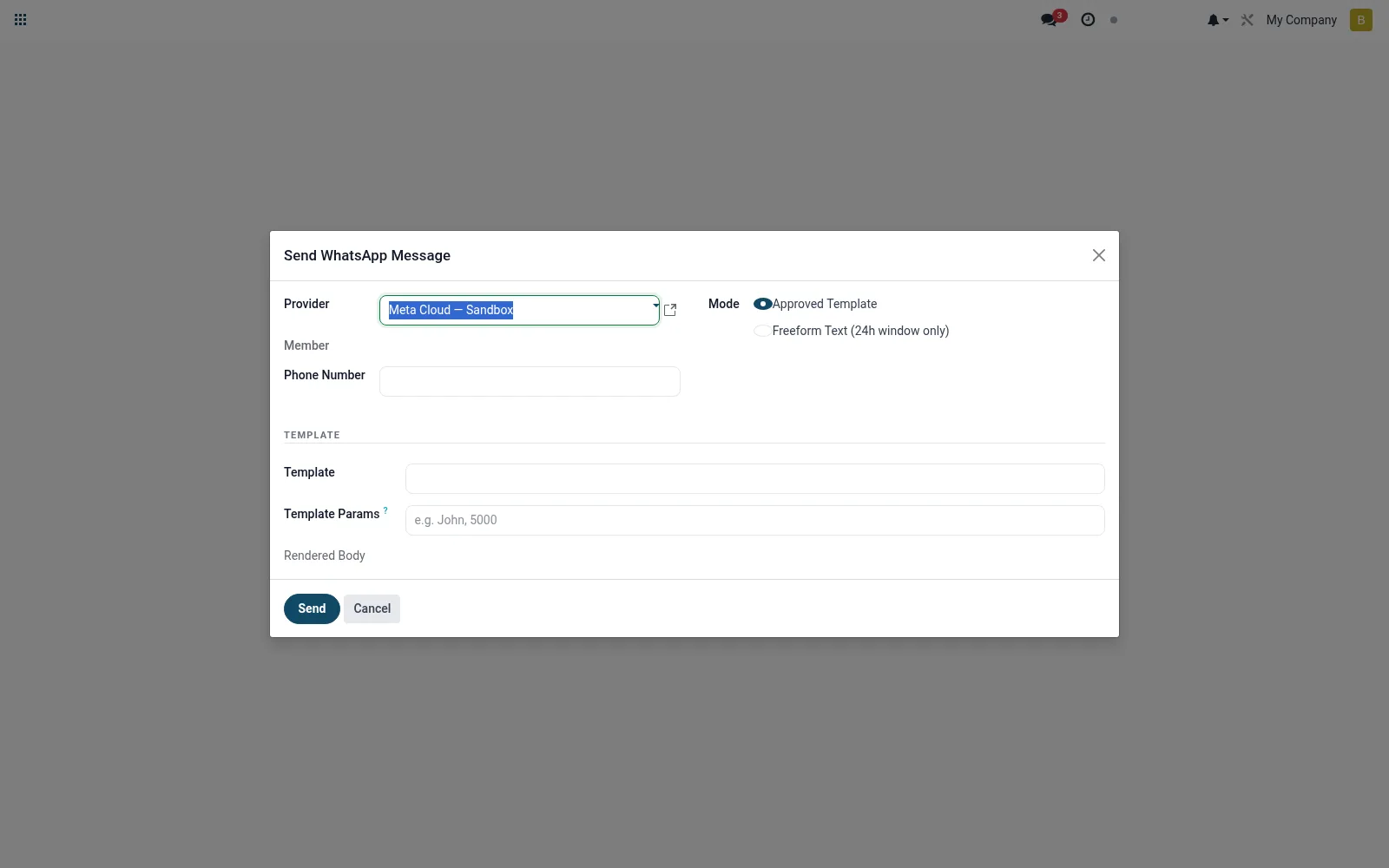
A wizard for sending a WhatsApp message or notification to one or many members, typically using an approved template. Staff use it for transactional alerts, reminders and broadcast campaigns such as repayment due notices. It puts proactive, templated outreach in officers' hands without leaving the suite.
Workflow
- Open Send Message from the WhatsApp banking menu.
- Select the recipient member(s) or apply a filter.
- Choose an approved template and fill its variables.
- Preview the rendered message.
- Send and confirm the messages were queued for delivery.
Fields reference
Every field on this screen, drawn from the live data model.
| Field | Type | Required | Description |
|---|---|---|---|
Template Paramstemplate_params | Text | — | Comma-separated values for {{1}}, {{2}}, ... placeholders. |
Providerprovider_id | Link → mfi.whatsapp.provider | Yes | Provider |
Phone Numberphone_number | Text | Yes | Phone Number |
Modemode | Choice: Approved Template, Freeform Text (24h window only) | Yes | Mode |
Membermember_id | Link → mfi.member | — | Member |
Templatetemplate_id | Link → mfi.whatsapp.template | — | Template |
Rendered Bodyrendered_body | Long text | — | Rendered Body |
Text Bodytext_body | Long text | — | Text Body |
Actions & buttons
Buttons available on this screen and what they do:
- Send
Notes & rules
- Model mfi.whatsapp.send.wizard is transient and creates message records.
- Supports single sends and broadcast campaigns.
- Business-API rules require approved templates outside the session window.
- Common uses: repayment reminders, statements, marketing opt-in messages.
Was this page helpful?