

Conversations
The inbox of member conversations conducted over WhatsApp, each tracking the chat thread, the linked member and the session state. Agents and the automated assistant pick up enquiries here — balance checks, statements, loan questions — within one continuous thread. It is the front door of the chat banking channel and the record of every member interaction.
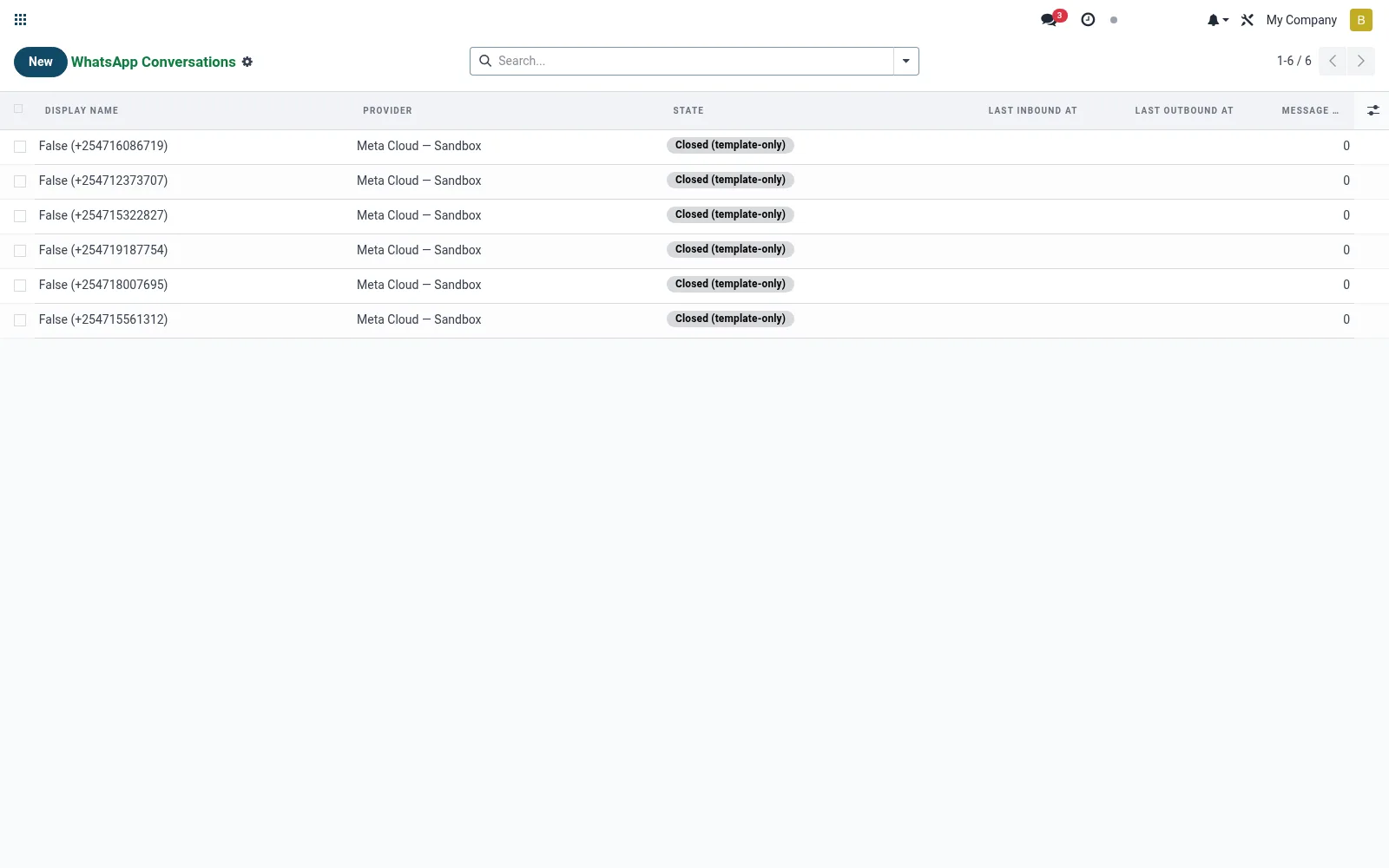
Workflow
- Open Conversations to see active and recent chat threads.
- Open a conversation to read the full message history.
- Identify the linked member and the session state.
- Reply or hand off to the automated flow as needed.
- Close or mark resolved when the enquiry is handled.
Fields reference
Every field on this screen, drawn from the live data model.
| Field | Type | Required | Description |
|---|---|---|---|
Providerprovider_id | Link → mfi.whatsapp.provider | Yes | Provider |
Phone Numberphone_number | Text | Yes | Phone Number |
Statestate | Choice: Open (24h window), Closed (template-only), Closed | Yes | State |
Membermember_id | Link → mfi.member | — | Member |
Last Inbound Atlast_inbound_at | Date & time | — | Last Inbound At |
Last Outbound Atlast_outbound_at | Date & time | — | Last Outbound At |
Last Message Atlast_message_at | Date & time | — | Last Message At |
Inbound Countinbound_count | Number | — | Inbound Count |
Outbound Countoutbound_count | Number | — | Outbound Count |
Status lifecycle
Records on this screen move through these statuses:
Open (24h window) → Closed (template-only) → Closed
Notes & rules
- Model mfi.whatsapp.conversation; one thread per member session.
- Holds member link, channel phone and open/closed state.
- Parent of individual message records.
- Session windows matter for business-API messaging rules.
Was this page helpful?