

Providers
Configuration for the WhatsApp Business API providers (BSPs) that connect the suite to the WhatsApp network. Each record holds the phone-number ID, API credentials and webhook settings used to send and receive messages. Correct provider setup is the prerequisite for the entire channel to operate.
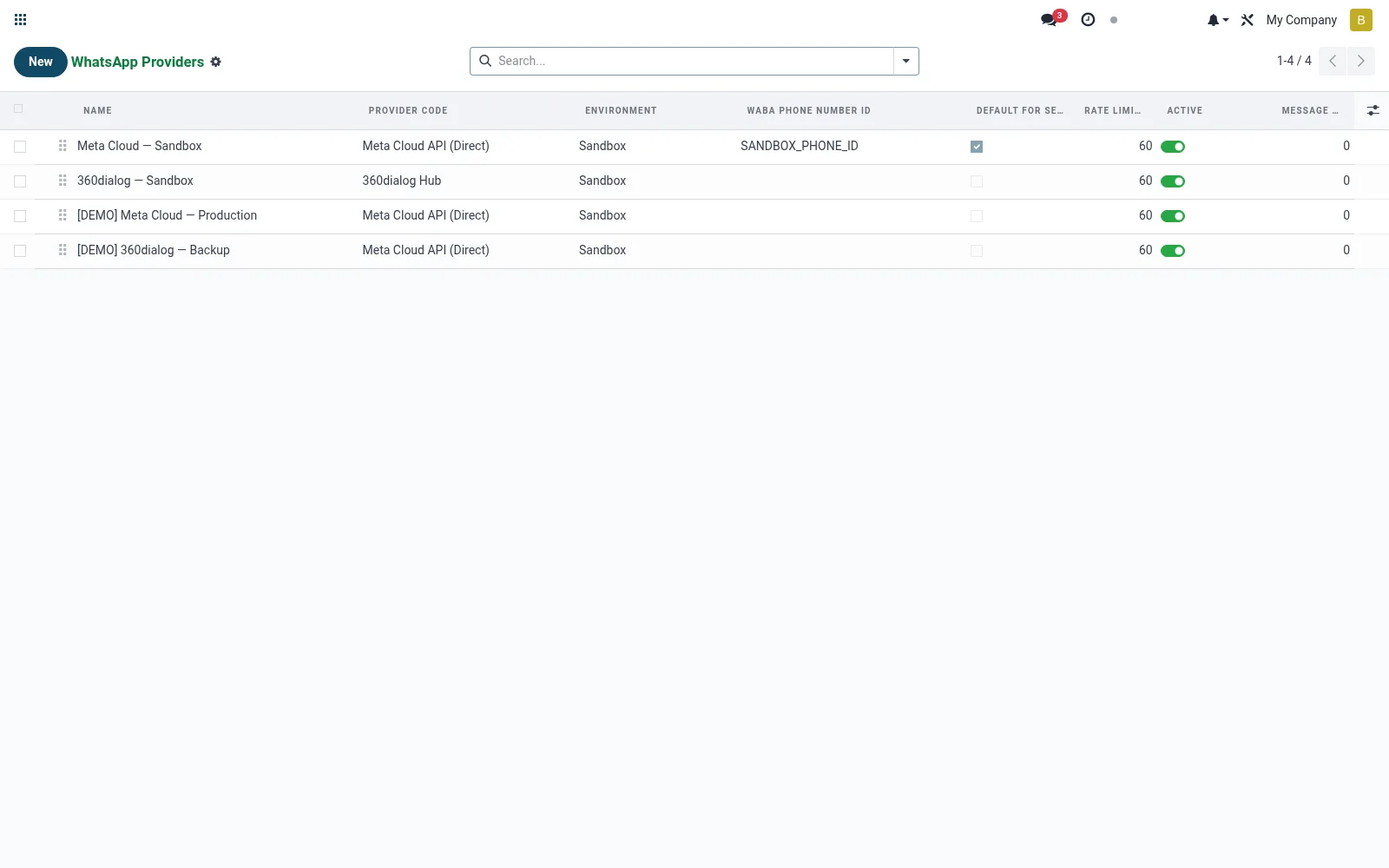
Workflow
- Open Providers under Configuration.
- Create a provider and enter its business phone-number ID.
- Configure the API token and webhook/callback URL.
- Set test or production mode.
- Activate so conversations and sends route through it.
Fields reference
Every field on this screen, drawn from the live data model.
| Field | Type | Required | Description |
|---|---|---|---|
Provider Codeprovider_code | Choice: Meta Cloud API (Direct), 360dialog Hub, Twilio WhatsApp, Generic REST | Yes | Driver to dispatch outbound messages and parse webhooks. |
Base Urlbase_url | Text | — | Override base URL. For meta_cloud defaults to https://graph.facebook.com/v17.0 |
WABA Phone Number IDphone_number_id | Text | — | Meta-assigned phone-number-id of the WABA sender. |
Api Keyapi_key | Text | — | Alternate API key field for 360dialog. |
Webhook Verify Tokenwebhook_verify_token | Text | — | Random token presented to Meta during /webhook GET handshake. |
App Secretapp_secret | Text | — | Meta App Secret — used to HMAC-SHA256-verify incoming webhooks. |
Webhook Urlwebhook_url | Text | — | Public URL to register with Meta / BSP. |
Default For Sendingdefault_for_sending | Yes/No | — | Pick this provider when none is explicitly selected. |
Rate Limit Per Minuterate_limit_per_minute | Number | — | Max outbound messages per phone per minute. |
Namename | Text | Yes | Name |
Environmentenvironment | Choice: Sandbox, Production | Yes | Environment |
Sequencesequence | Number | — | Sequence |
Activeactive | Yes/No | — | Active |
WhatsApp Business Account IDwaba_id | Text | — | WhatsApp Business Account ID |
Twilio Account SIDtwilio_account_sid | Text | — | Twilio Account SID |
Twilio Auth Tokentwilio_auth_token | Text | — | Twilio Auth Token |
Twilio From (e.g. whatsapp:+14155238886)twilio_from | Text | — | Twilio From (e.g. whatsapp:+14155238886) |
Actions & buttons
Buttons available on this screen and what they do:
- Check Credentials
- Rotate Verify Token
Notes & rules
- Model mfi.whatsapp.provider; the Business API/BSP connection master.
- Holds phone-number ID, API credentials and webhook config.
- Test vs production toggle governs live messaging.
- Referenced by conversations, messages and the send wizard.
Was this page helpful?