

Interest Analysis
Interest Analysis examines interest accrued and posted across savings and term-deposit products - total interest expense, average rates and distribution by product and period. It helps management understand the cost of deposits and verify interest is being applied correctly.
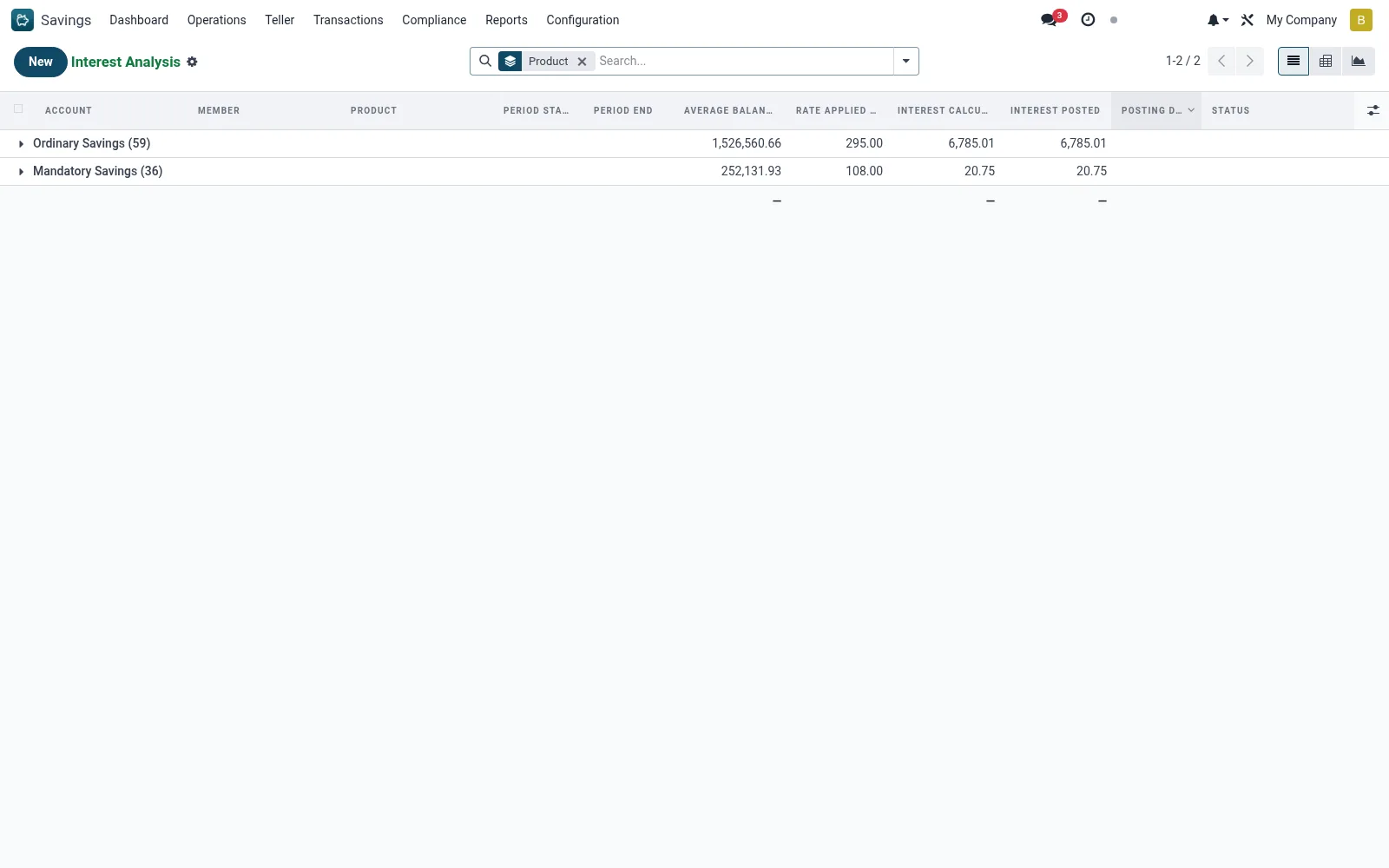
Workflow
- Open Savings > Reports > Interest Analysis.
- Pivot the interest schedule by product or period.
- Measure total interest and compare across products.
- Graph the trend to track interest expense over time.
- Drill into the schedule lines behind any figure.
Fields reference
Every field on this screen, drawn from the live data model.
| Field | Type | Required | Description |
|---|---|---|---|
Accountaccount_id | Link → mfi.savings.account | Yes | Account |
Period Startperiod_start | Date | Yes | Period Start |
Period Endperiod_end | Date | Yes | Period End |
Has Messagehas_message | Yes/No | — | Has Message |
Membermember_id | Link → mfi.member | — | Member |
Branchbranch_id | Link → mfi.branch | — | Branch |
Currencycurrency_id | Link → res.currency | — | Currency |
Companycompany_id | Link → res.company | — | Company |
Productproduct_id | Link → mfi.savings.product | — | Product |
Average Balanceaverage_balance | Money | — | Average Balance |
Rate Applied (%)rate_applied | Decimal | — | Rate Applied (%) |
Interest Calculatedinterest_calculated | Money | — | Interest Calculated |
Interest Postedinterest_posted | Money | — | Interest Posted |
Posting Dateposting_date | Date | — | Posting Date |
Statusstate | Choice: Accrued, Posted, Reversed | — | Status |
Status lifecycle
Records on this screen move through these statuses:
Accrued → Posted → Reversed
Notes & rules
- Analysis over mfi.savings.interest.schedule.
- Quantifies interest expense by product and period.
- Used to monitor the cost of deposit funding.
Was this page helpful?