

All Repayments
All Repayments is the ledger of every repayment receipt posted against loans, showing principal, interest, penalty and fee allocation per payment. It provides a complete audit trail of collections and is used to reconcile against bank and mobile-money statements.
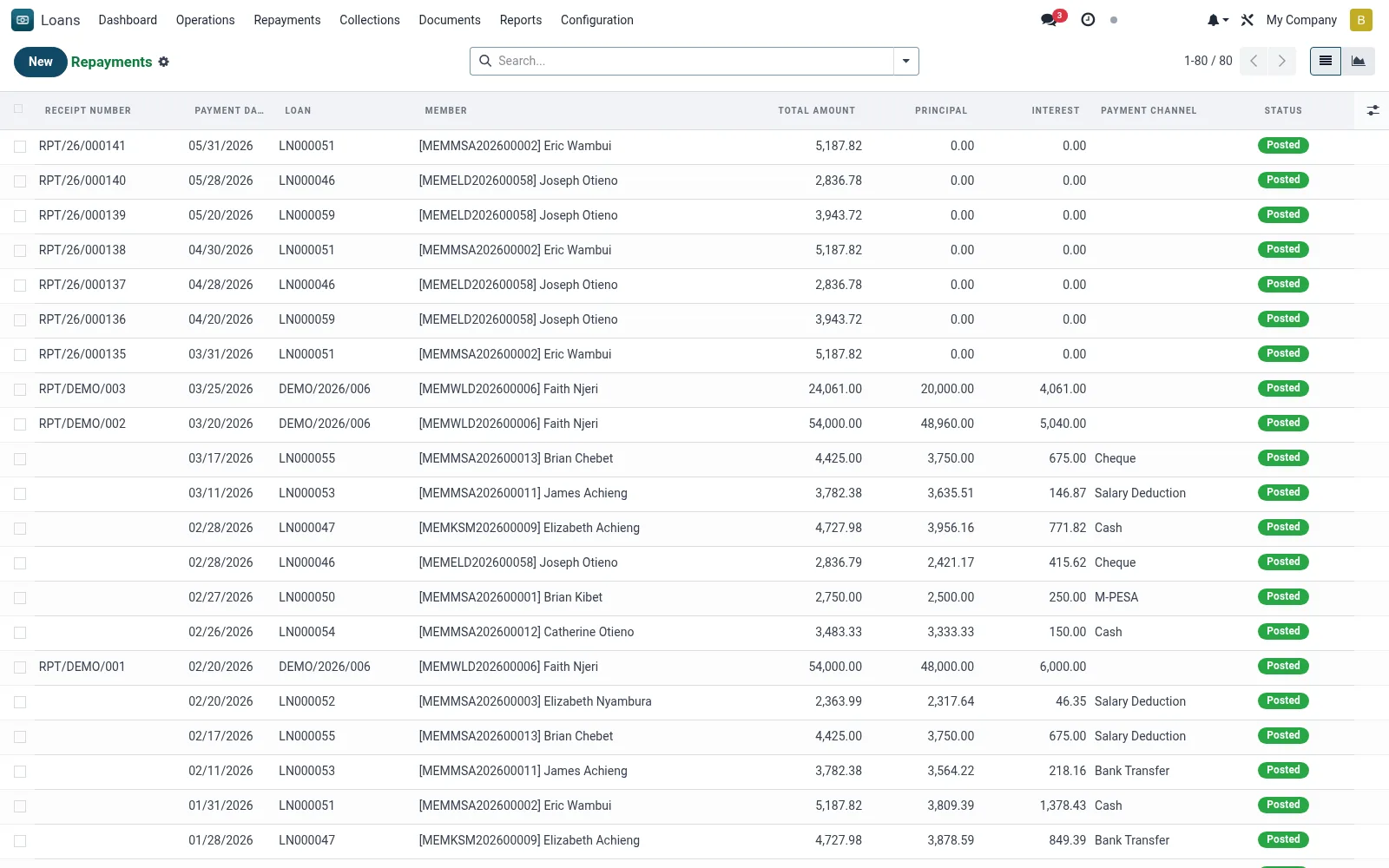
Workflow
- Filter by date range, channel or officer to locate receipts.
- Open a repayment to see how it was allocated across principal, interest and penalties.
- Reconcile mobile-money and bank receipts against external statements.
- Reverse or correct a mis-posted receipt where permitted.
- Use graph view to track collection volumes over time.
Fields reference
Every field on this screen, drawn from the live data model.
| Field | Type | Required | Description |
|---|---|---|---|
Loanloan_id | Link → mfi.loan | Yes | Loan |
Payment Datepayment_date | Date | Yes | Payment Date |
Total Amountamount | Money | Yes | Total Amount |
Statusstate | Choice: Draft, Posted, Reversed | Yes | Status |
Has Messagehas_message | Yes/No | — | Has Message |
Receipt Numbername | Text | — | Receipt Number |
Membermember_id | Link → mfi.member | — | Member |
Branchbranch_id | Link → mfi.branch | — | Branch |
Currencycurrency_id | Link → res.currency | — | Currency |
Principalprincipal_amount | Money | — | Principal |
Interestinterest_amount | Money | — | Interest |
Feesfee_amount | Money | — | Fees |
Penaltypenalty_amount | Money | — | Penalty |
Payment Channelchannel_id | Link → mfi.loan.repayment.channel | — | Payment Channel |
Payment Referencereference | Text | — | Payment Reference |
Received Byreceived_by | Link → res.users | — | Received By |
Notesnotes | Long text | — | Notes |
Reversed Byreversed_by | Link → res.users | — | Reversed By |
Reversal Datereversal_date | Date | — | Reversal Date |
Reversal Reasonreversal_reason | Long text | — | Reversal Reason |
Reversal Approved Byreversal_approved_by | Link → res.users | — | Reversal Approved By |
Companycompany_id | Link → res.company | — | Company |
Journal Entrymove_id | Link → account.move | — | Journal Entry |
Actions & buttons
Buttons available on this screen and what they do:
- Post
- Reverse
Status lifecycle
Records on this screen move through these statuses:
Draft → Posted → Reversed
Notes & rules
- Model: mfi.loan.repayment.
- Allocation order: penalties, fees, interest, then principal (per product rule).
- Channels link to Repayment Channels configuration.
- Updates schedule paid status and loan balance.
Was this page helpful?