

Meetings
The record of recurring group/centre meetings where attendance is marked, contributions and repayments are collected, and decisions are minuted. Each meeting captures who showed up and what was paid, anchoring the discipline the methodology depends on. Meetings are the operational heartbeat of group lending.
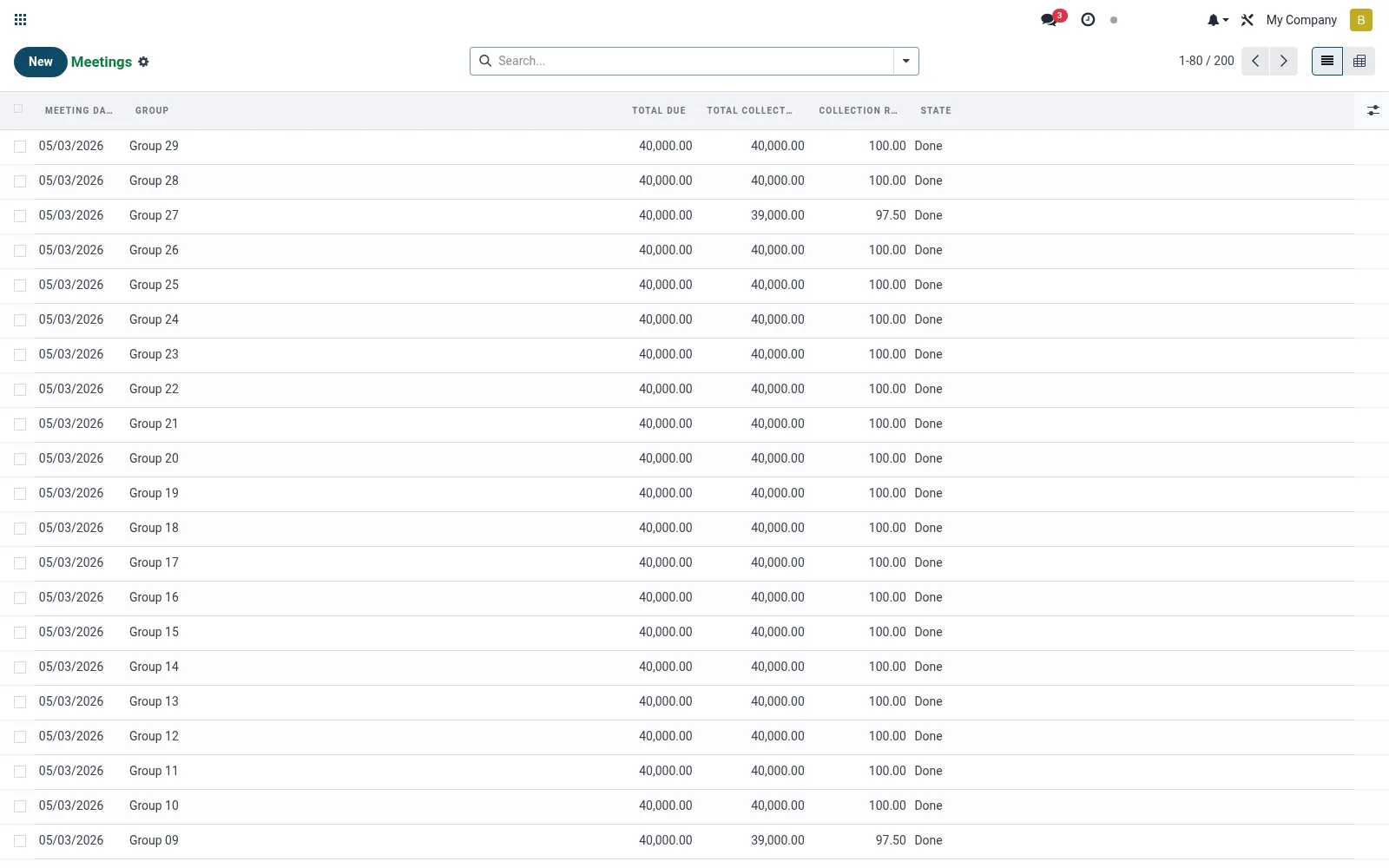
Workflow
- Open Meetings under Operations.
- Create or open the meeting for a centre/group and date.
- Mark member attendance.
- Record contributions, repayments and any fines raised.
- Close the meeting to commit the collection totals.
Fields reference
Every field on this screen, drawn from the live data model.
| Field | Type | Required | Description |
|---|---|---|---|
Website Messageswebsite_message_ids | List | — | Website communication history |
Groupgroup_id | Link → mfi.group.group | Yes | Group |
Meeting Datemeeting_date | Date | Yes | Meeting Date |
My Activity Deadlinemy_activity_date_deadline | Date | — | My Activity Deadline |
Has Messagehas_message | Yes/No | — | Has Message |
Ratingsrating_ids | List | — | Ratings |
Namename | Text | — | Name |
Cyclecycle_id | Link → mfi.group.cycle | — | Cycle |
Attendanceattendance_ids | Tags | — | Attendance |
Agendaagenda | Long text | — | Agenda |
Minutesminutes | Long text | — | Minutes |
Collectionscollection_ids | List | — | Collections |
Total Collectedtotal_collected | Money | — | Total Collected |
Total Duetotal_due | Money | — | Total Due |
Collection Ratecollection_rate | Decimal | — | Collection Rate |
Statestate | Choice: Scheduled, In Progress, Done | — | State |
Companycompany_id | Link → res.company | — | Company |
Currencycurrency_id | Link → res.currency | — | Currency |
Actions & buttons
Buttons available on this screen and what they do:
- Complete
Status lifecycle
Records on this screen move through these statuses:
Scheduled → In Progress → Done
Notes & rules
- Model mfi.group.meeting; the recurring collection event.
- Captures attendance, contributions, repayments and fines.
- Feeds the Dashboard analytics and officer performance.
- Low attendance is an early default-risk indicator.
Was this page helpful?