

Centers
Centres cluster several nearby groups under one meeting point and field officer for efficient servicing. The record holds the location, schedule and the groups assigned to it. Centres are the geographic backbone that lets one officer serve many groups on a single field day.
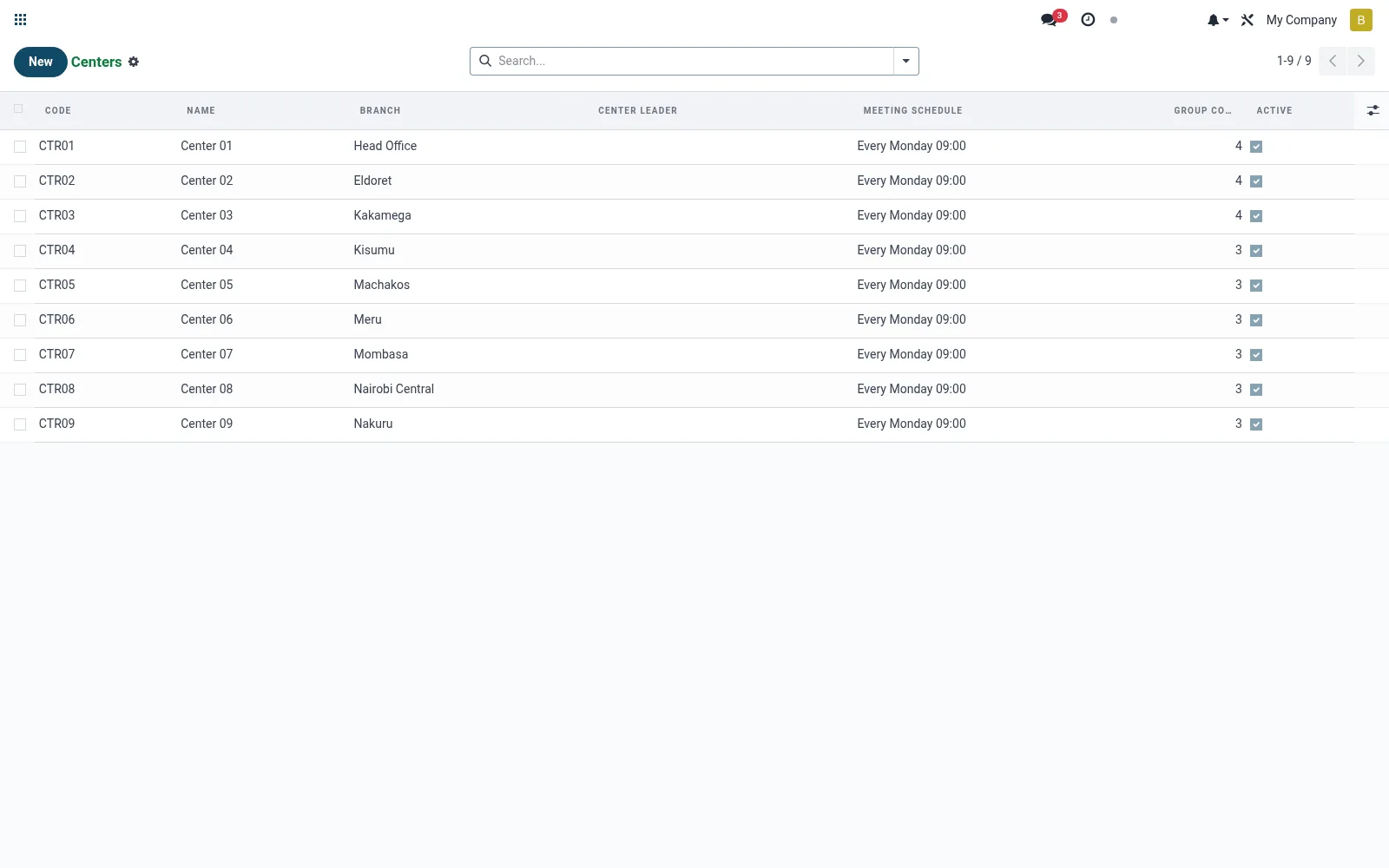
Workflow
- Open Centres under Operations.
- Create a centre and set its meeting location and day.
- Assign the responsible field officer.
- Attach the groups that belong to this centre.
- Save so meetings can be scheduled against it.
Fields reference
Every field on this screen, drawn from the live data model.
| Field | Type | Required | Description |
|---|---|---|---|
Website Messageswebsite_message_ids | List | — | Website communication history |
Meeting Schedulemeeting_schedule | Text | — | e.g. Every Monday 09:00 |
Namename | Text | Yes | Name |
Codecode | Text | Yes | Code |
My Activity Deadlinemy_activity_date_deadline | Date | — | My Activity Deadline |
Has Messagehas_message | Yes/No | — | Has Message |
Ratingsrating_ids | List | — | Ratings |
Branchbranch_id | Link → mfi.branch | — | Branch |
Center Leadercenter_leader_id | Link → mfi.member | — | Center Leader |
Locationlocation | Text | — | Location |
Villagevillage | Text | — | Village |
Gps Latgps_lat | Decimal | — | Gps Lat |
Gps Lnggps_lng | Decimal | — | Gps Lng |
Groupsgroup_ids | List | — | Groups |
Group Countgroup_count | Number | — | Group Count |
Activeactive | Yes/No | — | Active |
Notesnotes | Long text | — | Notes |
Companycompany_id | Link → res.company | — | Company |
Notes & rules
- Model mfi.group.center; clusters multiple groups geographically.
- Holds meeting location/schedule and the assigned officer.
- Drives field-day routing and officer workload planning.
- Parent context for group meetings and collections.
Was this page helpful?