

Bureaus
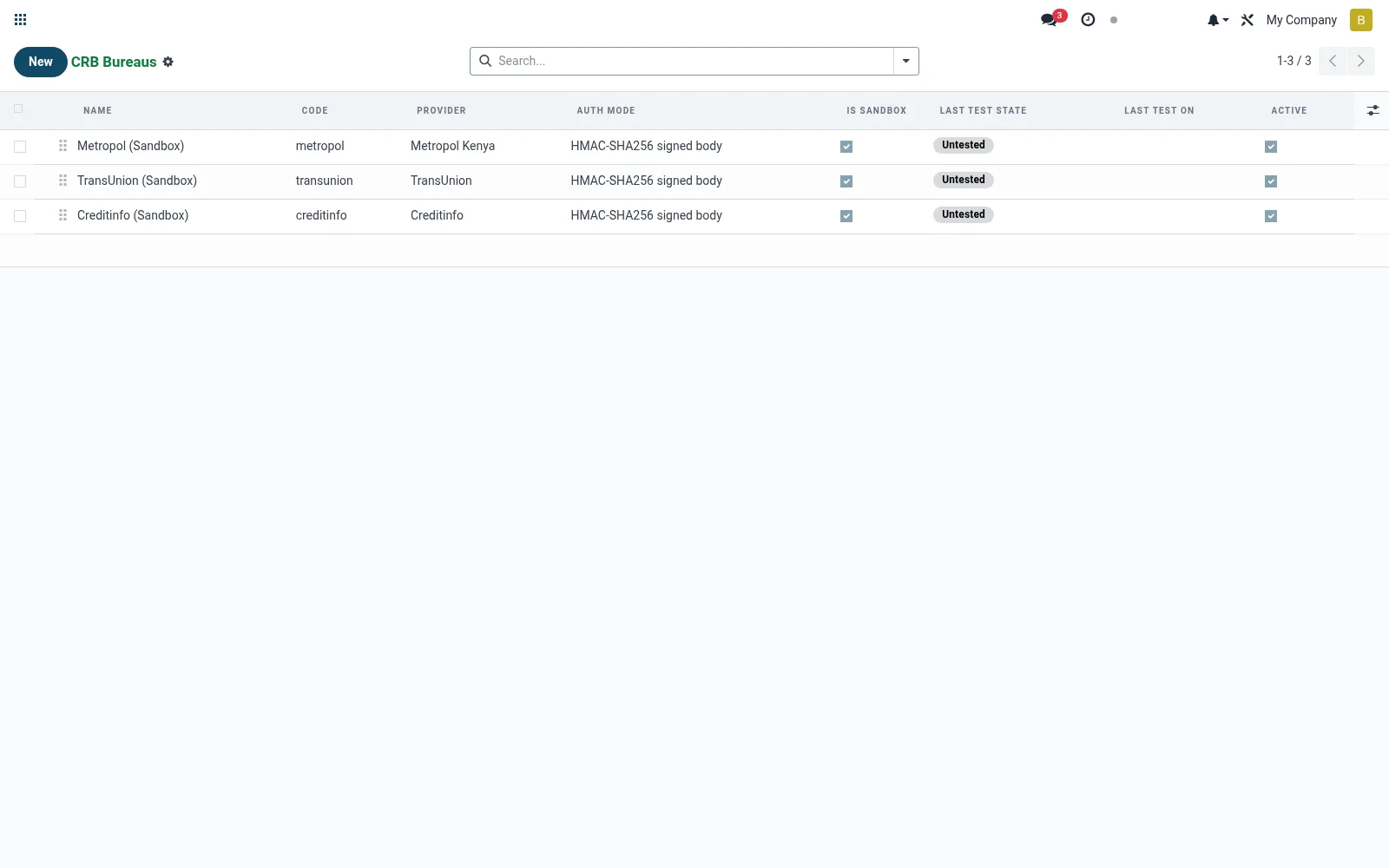
Configuration for each licensed reference bureau the institution connects to. Records hold the endpoint, credentials, supported services and the file format used for submissions and pulls. Correct bureau setup is the foundation that makes every enquiry, listing and webhook route to the right partner.
Workflow
- Open Bureaus from the Credit Bureau menu.
- Create a bureau with its name and licence reference.
- Enter the API endpoint and authentication credentials.
- Select the supported services and submission file format.
- Set test or production mode and activate the bureau.
Fields reference
Every field on this screen, drawn from the live data model.
| Field | Type | Required | Description |
|---|---|---|---|
Test/Ping Endpointtest_endpoint | Text | — | URL hit by the Test Connection button. Defaults to base_url + /ping. |
Inquiry Endpointinquiry_endpoint | Text | — | URL for credit-report pulls. Defaults to base_url + /report. |
Submission Endpoint (HTTPS)submission_endpoint | Text | — | REST URL for batch submissions when not using SFTP. |
Webhook Secretwebhook_secret | Text | — | Shared HMAC secret for inbound credit-event webhooks |
Namename | Text | Yes | Name |
Codecode | Text | Yes | Code |
Providerprovider | Choice: Metropol Kenya, TransUnion, Creditinfo, CRB Africa, Other | Yes | Provider |
Auth Modeauth_mode | Choice: HMAC-SHA256 signed body, OAuth2 client-credentials, Bearer API key | Yes | Auth Mode |
Sequencesequence | Number | — | Sequence |
Base Urlbase_url | Text | — | Base Url |
Api Keyapi_key | Text | — | Api Key |
Api Secretapi_secret | Text | — | Api Secret |
OAuth Token URLoauth_token_url | Text | — | OAuth Token URL |
Oauth Clientoauth_client_id | Text | — | Oauth Client |
Oauth Client Secretoauth_client_secret | Text | — | Oauth Client Secret |
Oauth Scopeoauth_scope | Text | — | Oauth Scope |
Sftp Hostsftp_host | Text | — | Sftp Host |
Sftp Portsftp_port | Number | — | Sftp Port |
Sftp Usersftp_user | Text | — | Sftp User |
Sftp Passwordsftp_password | Text | — | Sftp Password |
SFTP Private Key (PEM)sftp_private_key | Long text | — | SFTP Private Key (PEM) |
Sftp Remote Dirsftp_remote_dir | Text | — | Sftp Remote Dir |
Is Sandboxis_sandbox | Yes/No | — | Is Sandbox |
Activeactive | Yes/No | — | Active |
Timeout Secondstimeout_seconds | Number | — | Timeout Seconds |
Max Retriesmax_retries | Number | — | Max Retries |
Last Test Statelast_test_state | Choice: Untested, OK, Failed | — | Last Test State |
Last Test Messagelast_test_message | Long text | — | Last Test Message |
Last Test Onlast_test_on | Date & time | — | Last Test On |
Companycompany_id | Link → res.company | — | Company |
Actions & buttons
Buttons available on this screen and what they do:
- Test Connection
Notes & rules
- Model mfi.crb.bureau; the reference-bureau partner master.
- Holds endpoint, credentials, format and enabled services.
- Referenced by Reports, Submissions, Bulk Inquiry and Webhook Events.
- Supports markets with multiple licensed bureaus (for example Kenyan CRBs).
Was this page helpful?