

Reports (Pull)
The register of credit reports pulled from a reference bureau for loan appraisal and monitoring. Each record holds the enquiry for a borrower and the returned score, listings and adverse history. Pulling a report before disbursement is a core underwriting control and, in many markets, a regulatory expectation.
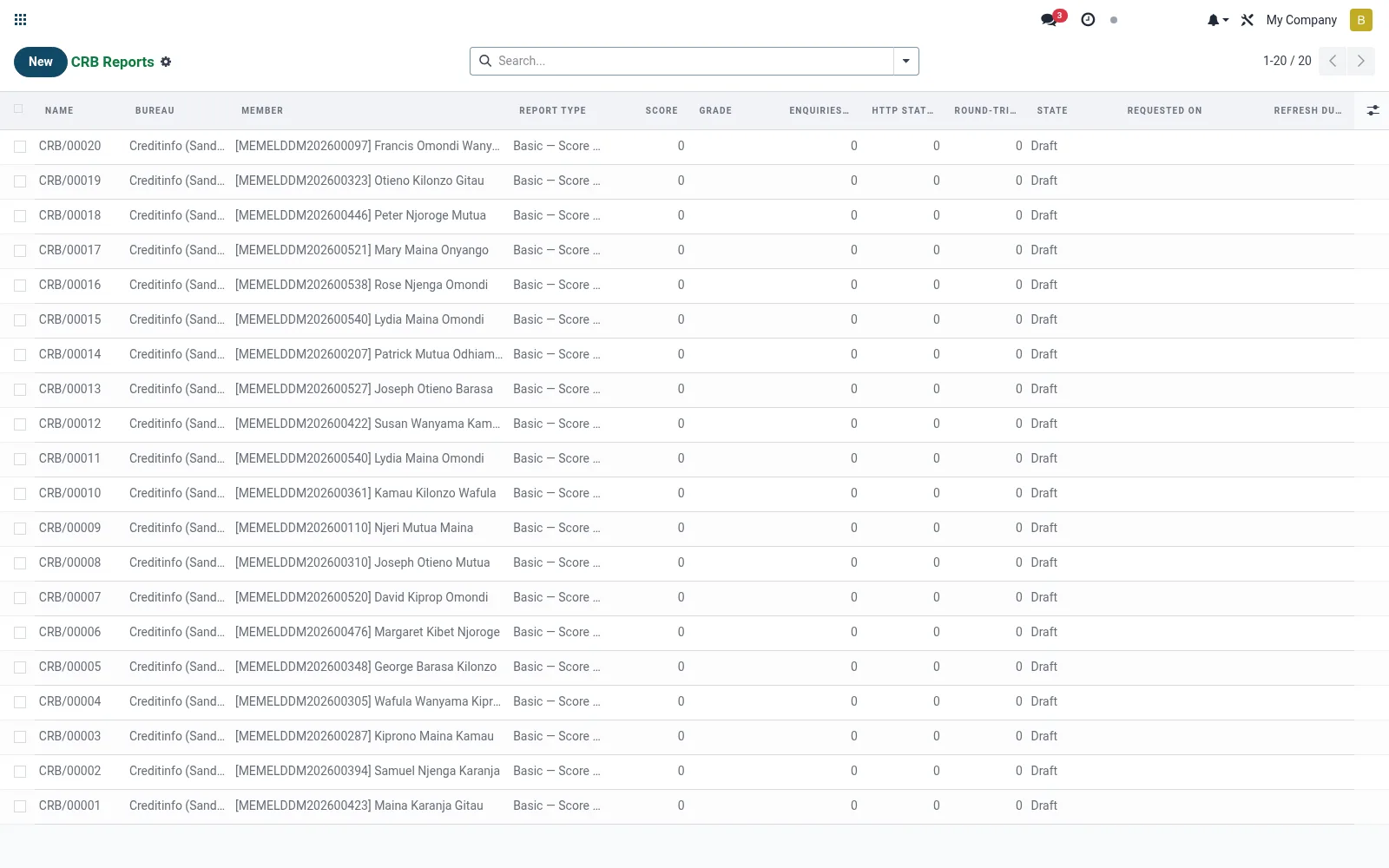
Workflow
- Open Reports (Pull) and create a new enquiry.
- Select the borrower and the bureau to query.
- Submit the enquiry to request the credit report.
- Review the returned score, exposures and any adverse listings.
- Attach the report to the loan appraisal for the credit decision.
Fields reference
Every field on this screen, drawn from the live data model.
| Field | Type | Required | Description |
|---|---|---|---|
Scorescore | Number | — | Credit score returned by bureau |
Refresh Due Daterefresh_due_date | Date | — | Date after which a fresh pull should be done. |
Bureaubureau_id | Link → mfi.crb.bureau | Yes | Bureau |
Membermember_id | Link → mfi.member | Yes | Member |
Report Typereport_type | Choice: Basic — Score Only, Standard — Credit Summary, Full — Comprehensive | Yes | Report Type |
Namename | Text | — | Name |
Request Bodyrequest_payload | Long text | — | Request Body |
Response Bodyresponse_payload | Long text | — | Response Body |
Gradegrade | Text | — | Grade |
Enquiries Last 12menquiries_12m | Number | — | Enquiries Last 12m |
Current Arrearsarrears_amount | Decimal | — | Current Arrears |
Delinquency Codedelinquency_code | Text | — | Delinquency Code |
Has Fraud Flaghas_fraud_flag | Yes/No | — | Has Fraud Flag |
Http Statushttp_status | Number | — | Http Status |
Round-trip (ms)duration_ms | Number | — | Round-trip (ms) |
Retry Countretry_count | Number | — | Retry Count |
Last Errorlast_error | Text | — | Last Error |
Statestate | Choice: Draft, Requested, Received, Failed | — | State |
Useruser_id | Link → res.users | — | User |
Requested Onrequested_on | Date & time | — | Requested On |
Actions & buttons
Buttons available on this screen and what they do:
- Pull Report
Status lifecycle
Records on this screen move through these statuses:
Draft → Requested → Received → Failed
Notes & rules
- Model mfi.crb.report; one record per credit enquiry/pull.
- Stores returned score, active facilities and negative listings.
- Each pull is a billable enquiry against the bureau contract.
- Supports the affordability and adverse-history check in loan underwriting.
Was this page helpful?