

Submissions (Push)
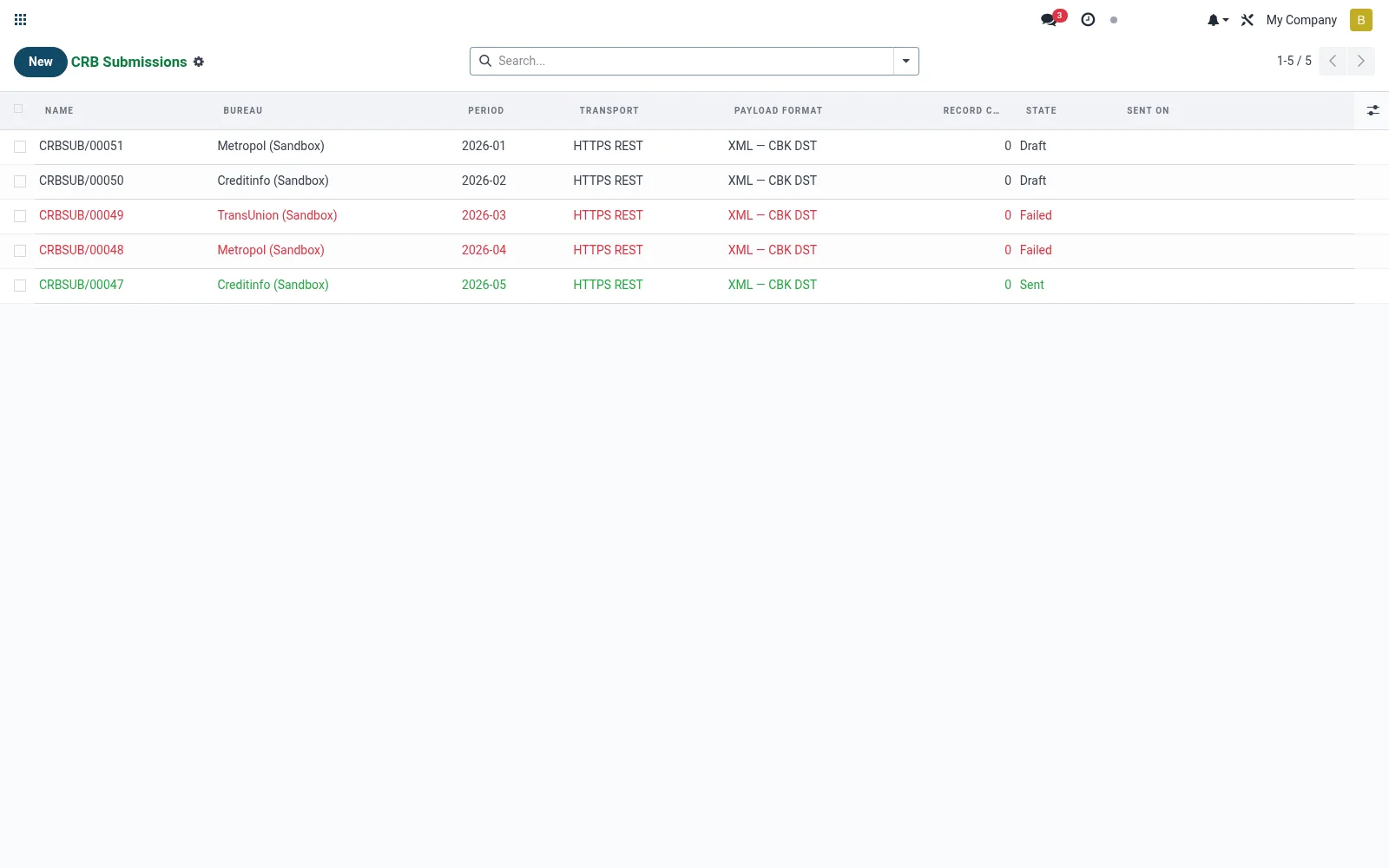
Manages the borrower data the institution submits to bureaus — both positive performance and negative (default) listings. Submissions package member loan status into the bureau's required layout and track acknowledgement. Accurate, timely reporting is a compliance obligation and feeds the shared credit-information ecosystem.
Workflow
- Open Submissions (Push) to view outgoing data batches.
- Generate a submission for the reporting period.
- Review the borrowers and the positive/negative classification.
- Send the batch to the bureau in its required format.
- Confirm the acknowledgement and resolve any rejected records.
Fields reference
Every field on this screen, drawn from the live data model.
| Field | Type | Required | Description |
|---|---|---|---|
Periodperiod | Text | Yes | Report period e.g. 2026-04 |
Bureaubureau_id | Link → mfi.crb.bureau | Yes | Bureau |
Payload Formatpayload_format | Choice: XML — CBK DST, JSON | Yes | Payload Format |
Transporttransport | Choice: SFTP, HTTPS REST | Yes | Transport |
Namename | Text | — | Name |
Record Countrecord_count | Number | — | Record Count |
Payloadpayload | Long text | — | Payload |
Responseresponse | Long text | — | Response |
Statestate | Choice: Draft, Ready, Sent, Failed | — | State |
Sent Onsent_on | Date & time | — | Sent On |
Remote Filenameremote_filename | Text | — | Remote Filename |
Error Messageerror_message | Long text | — | Error Message |
Actions & buttons
Buttons available on this screen and what they do:
- Build
- Validate
- Send
Status lifecycle
Records on this screen move through these statuses:
Draft → Ready → Sent → Failed
Notes & rules
- Model mfi.crb.submission; statuses such as draft, sent, acknowledged, rejected.
- Carries positive (good standing) and negative (default) listings.
- Must match the bureau/regulator file layout (for example CBK metropol/transunion formats).
- Late or inaccurate reporting carries regulatory and reputational risk.
Was this page helpful?