

Bulk Inquiry
A wizard for running a credit enquiry against many borrowers at once instead of one at a time. The officer selects a set of members and a bureau, and the suite fires the enquiries and collects the results into reports. It speeds portfolio screening, batch onboarding and periodic re-checks.
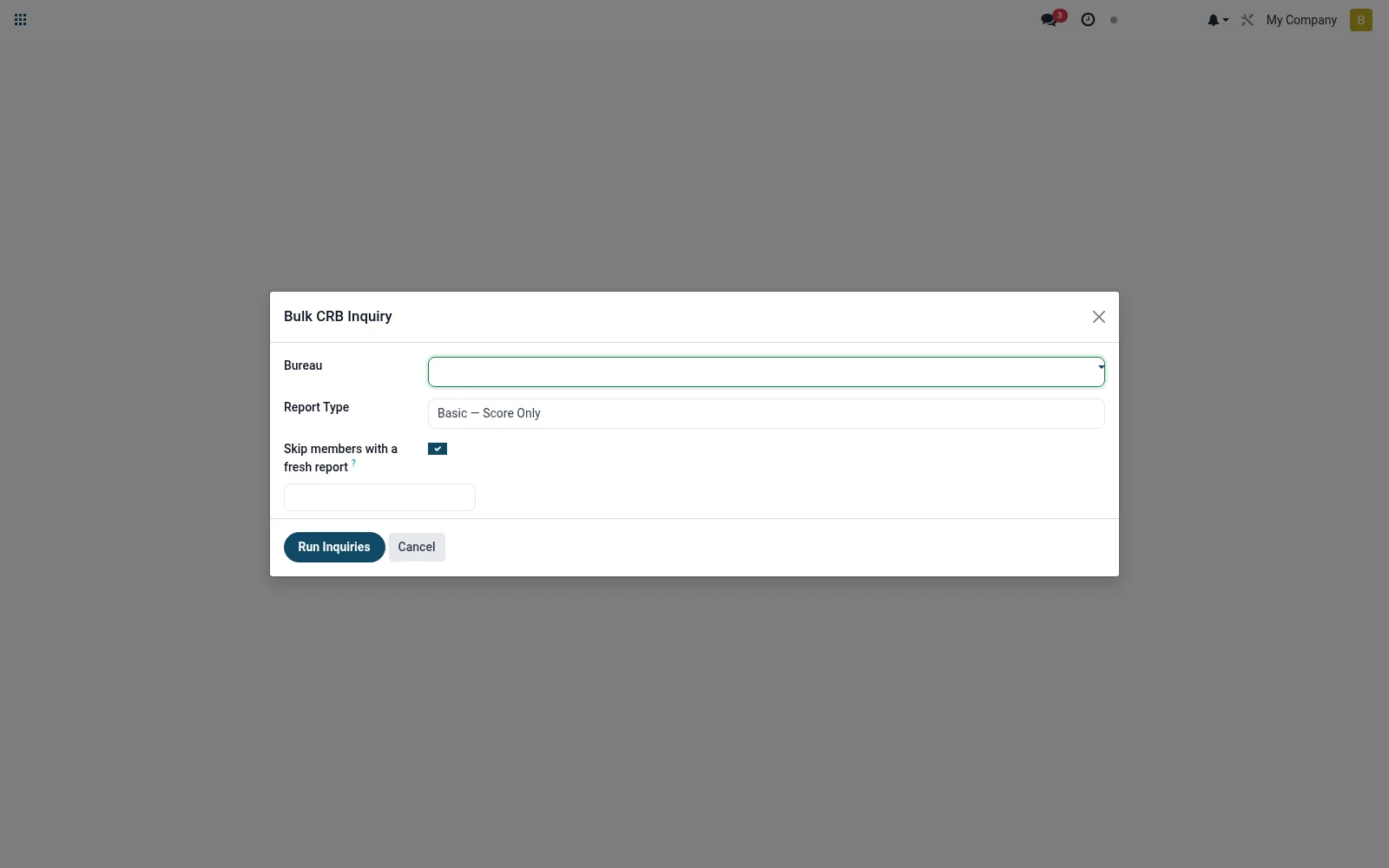
Workflow
- Open Bulk Inquiry from the Credit Bureau menu.
- Select the borrowers or apply a filter/domain.
- Choose the bureau to query.
- Run the batch enquiry.
- Review the generated report records for each borrower.
Fields reference
Every field on this screen, drawn from the live data model.
| Field | Type | Required | Description |
|---|---|---|---|
Skip members with a fresh reportonly_missing_recent | Yes/No | — | Skip members who already have a report from this bureau younger than the validity window. |
Bureaubureau_id | Link → mfi.crb.bureau | Yes | Bureau |
Report Typereport_type | Choice: Basic — Score Only, Standard — Credit Summary, Full — Comprehensive | Yes | Report Type |
Membersmember_ids | Tags | — | Members |
Queued Countqueued_count | Number | — | Queued Count |
Skipped Countskipped_count | Number | — | Skipped Count |
Actions & buttons
Buttons available on this screen and what they do:
- Run Inquiries
Notes & rules
- Model mfi.crb.bulk.inquiry.wizard is transient and spawns mfi.crb.report records.
- Useful for portfolio screening and mass onboarding checks.
- Each borrower in the batch counts as a separate billable enquiry.
- Results land in Reports (Pull) for individual review.
Was this page helpful?