

Sponsor Processors
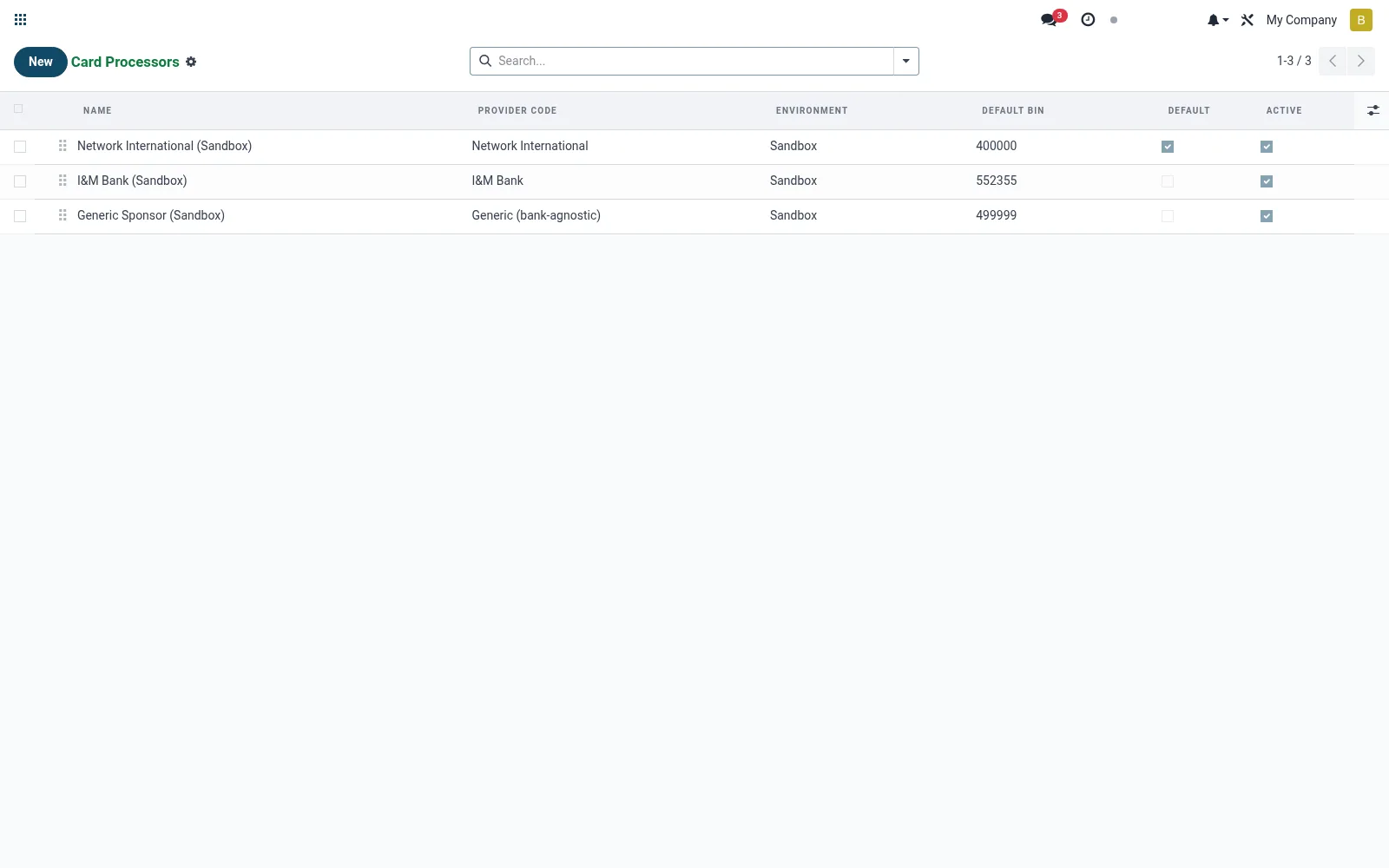
Configuration for the sponsoring card processors and bank partners that connect the institution to the card scheme rails. Each record holds the BIN range, connection credentials and settlement parameters used to route issuance and transactions. Correct setup here is the prerequisite for any card to function on the network.
Workflow
- Open Sponsor Processors from the Cards issuing menu.
- Create a processor and enter its name and BIN range.
- Configure connection credentials and the settlement account.
- Set the environment (test or production).
- Activate so card products can be bound to this processor.
Fields reference
Every field on this screen, drawn from the live data model.
| Field | Type | Required | Description |
|---|---|---|---|
Provider Codeprovider_code | Choice: Network International, I&M Bank, Equity Bank, NCBA Bank, Generic (bank-agnostic) | Yes | Selects the concrete driver model used to talk to the processor. |
Website Messageswebsite_message_ids | List | — | Website communication history |
Signing Secretsigning_secret | Text | — | Shared secret used to verify inbound webhook HMACs. |
Default BINdefault_bin | Text | — | First 6-8 digits of cards minted under this sponsor. |
Namename | Text | Yes | Name |
Environmentenvironment | Choice: Sandbox, Production | Yes | Environment |
Base URLbase_url | Text | Yes | Base URL |
Has Messagehas_message | Yes/No | — | Has Message |
Ratingsrating_ids | List | — | Ratings |
Sequencesequence | Number | — | Sequence |
Companycompany_id | Link → res.company | — | Company |
Token Endpointtoken_endpoint | Text | — | Token Endpoint |
Personalisation Endpointpersonalize_endpoint | Text | — | Personalisation Endpoint |
Activation Endpointactivate_endpoint | Text | — | Activation Endpoint |
Block Endpointblock_endpoint | Text | — | Block Endpoint |
Hot-List Endpointhot_list_endpoint | Text | — | Hot-List Endpoint |
API Keyapi_key | Text | — | API Key |
Client IDclient_id | Text | — | Client ID |
Client Secretclient_secret | Text | — | Client Secret |
Callback URL Pathcallback_url_path | Text | — | Callback URL Path |
Public Callback URLcallback_url | Text | — | Public Callback URL |
Activeactive | Yes/No | — | Active |
Defaultis_default | Yes/No | — | Default |
Card Countcard_count | Number | — | Card Count |
Actions & buttons
Buttons available on this screen and what they do:
- Test Connection
Notes & rules
- Model mfi.card.processor; the scheme/bank sponsor master.
- Holds BIN range, API credentials and settlement parameters.
- Referenced by card products and the transaction reconciliation flow.
- Test vs production toggle governs live card-network calls.
Was this page helpful?