

Request New Card
A wizard that captures a member card request and prepares it for personalisation and issuance. The officer selects the card product, links the funding account and confirms the embossing name, then the request creates a card record ready for activation. It standardises onboarding and enforces eligibility before plastic is committed.
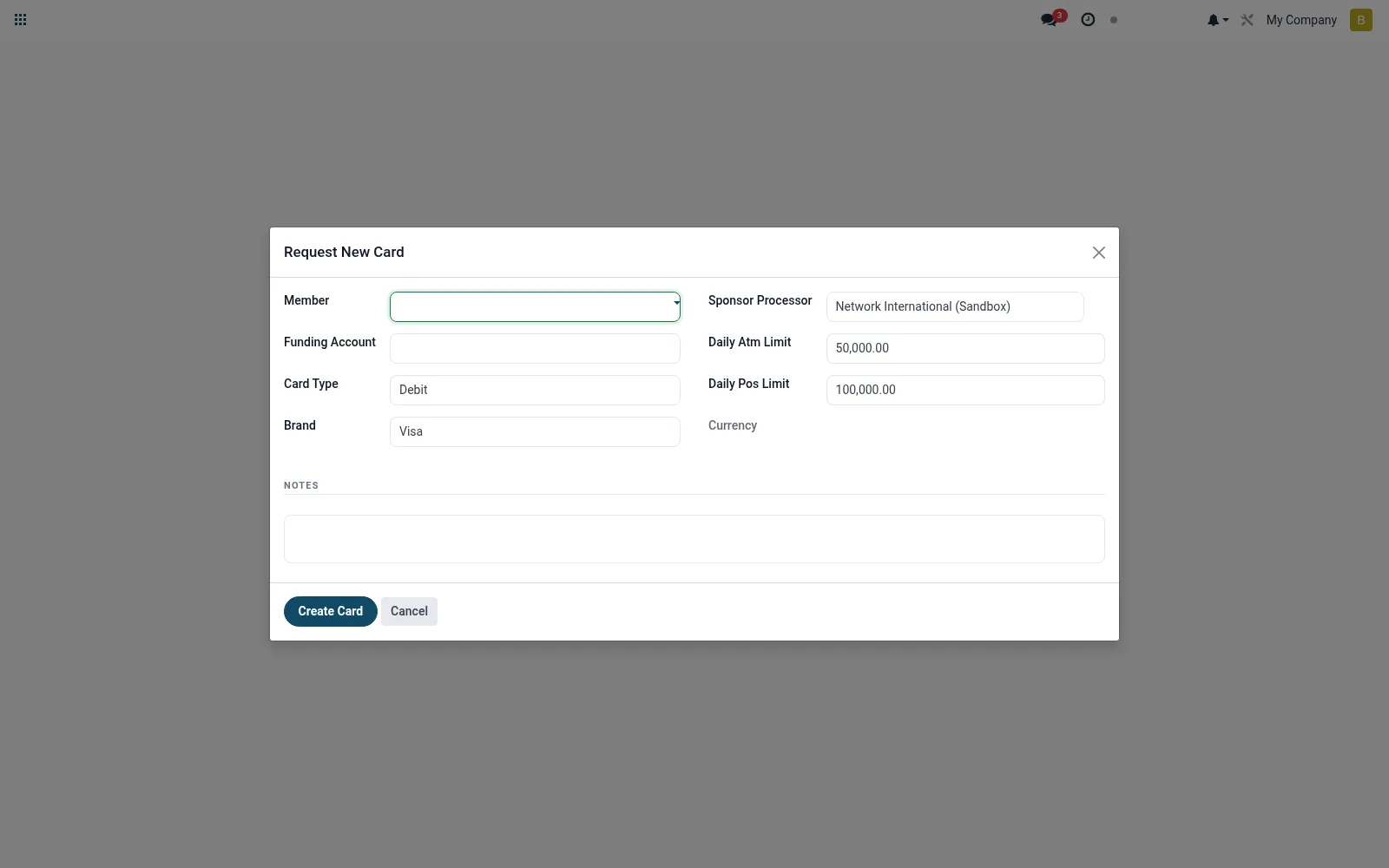
Workflow
- Open Request New Card from the Cards issuing menu.
- Select the member and the card product (debit or prepaid).
- Link the funding savings or wallet account.
- Confirm the embossing name and delivery branch.
- Submit to create a card record in pending status.
Fields reference
Every field on this screen, drawn from the live data model.
| Field | Type | Required | Description |
|---|---|---|---|
Membermember_id | Link → mfi.member | Yes | Member |
Funding Accountaccount_id | Link → mfi.savings.account | Yes | Funding Account |
Card Typecard_type | Choice: Debit, Prepaid | Yes | Card Type |
Brandbrand | Choice: Visa, Mastercard, Verve, Local Scheme | Yes | Brand |
Sponsor Processorsponsor_processor_id | Link → mfi.card.processor | Yes | Sponsor Processor |
Daily Atm Limitdaily_atm_limit | Money | — | Daily Atm Limit |
Daily Pos Limitdaily_pos_limit | Money | — | Daily Pos Limit |
Currencycurrency_id | Link → res.currency | — | Currency |
Notesnotes | Long text | — | Notes |
Actions & buttons
Buttons available on this screen and what they do:
- Create Card
Notes & rules
- Model mfi.card.request.wizard is transient and produces an mfi.card record.
- Captures member, card product, funding account and embossing name.
- Eligibility/KYC checks happen here before stock is allocated.
- Feeds the All Cards screen for activation and PIN setup.
Was this page helpful?