

Transactions
A ledger of all financial activity on issued cards — purchases, withdrawals, reversals and fees. Each line shows the card, amount, channel and authorisation result, giving operations a window into usage and a basis for dispute investigation. It is essential for reconciliation against the processor settlement file.
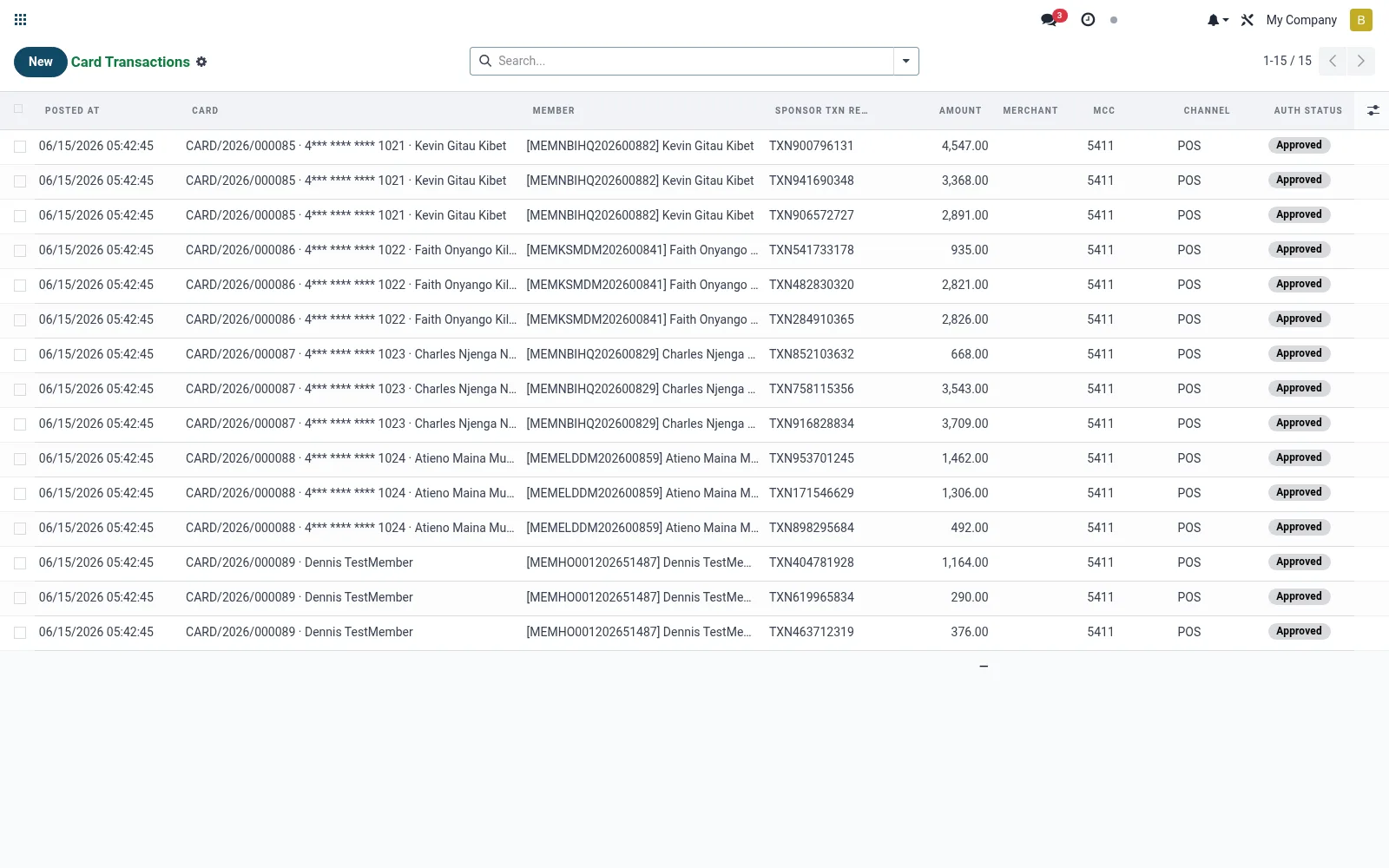
Workflow
- Open Transactions to browse card activity across the portfolio.
- Filter by card, date or channel to isolate a set of movements.
- Open a transaction to inspect amount, merchant/ATM and auth status.
- Flag suspicious activity for dispute or hot-listing.
- Reconcile the day's lines against the processor settlement report.
Fields reference
Every field on this screen, drawn from the live data model.
| Field | Type | Required | Description |
|---|---|---|---|
Cardcard_id | Link → mfi.card | Yes | Card |
Sponsor Txn Referencesponsor_txn_ref | Text | Yes | Sponsor Txn Reference |
Membermember_id | Link → mfi.member | — | Member |
Accountaccount_id | Link → mfi.savings.account | — | Account |
Amountamount | Money | — | Amount |
Currencycurrency_id | Link → res.currency | — | Currency |
Merchantmerchant | Text | — | Merchant |
MCCmcc | Text | — | MCC |
Channelchannel | Choice: ATM, POS, E-commerce, Contactless, MOTO, Other | — | Channel |
Auth Statusauth_status | Choice: Approved, Declined, Reversed, Partial, Pending | — | Auth Status |
Raw Payloadraw | Long text | — | Raw Payload |
Posted Atposted_at | Date & time | — | Posted At |
Notes & rules
- Model mfi.card.transaction; types such as purchase, withdrawal, reversal, fee.
- Holds card link, amount, channel, authorisation/decline status.
- Primary source for cardholder dispute investigation.
- Reconciles against sponsor-processor settlement files.
Was this page helpful?