

Loan products
A loan product fixes the terms of a kind of loan: how much, for how long, at what rate, which fees, how many guarantors, who must approve and which ledger accounts it posts to.
Who: Administrator. Before you start: With SACCO Accounting, the chart of accounts is in place (accounting setup).
The products you have
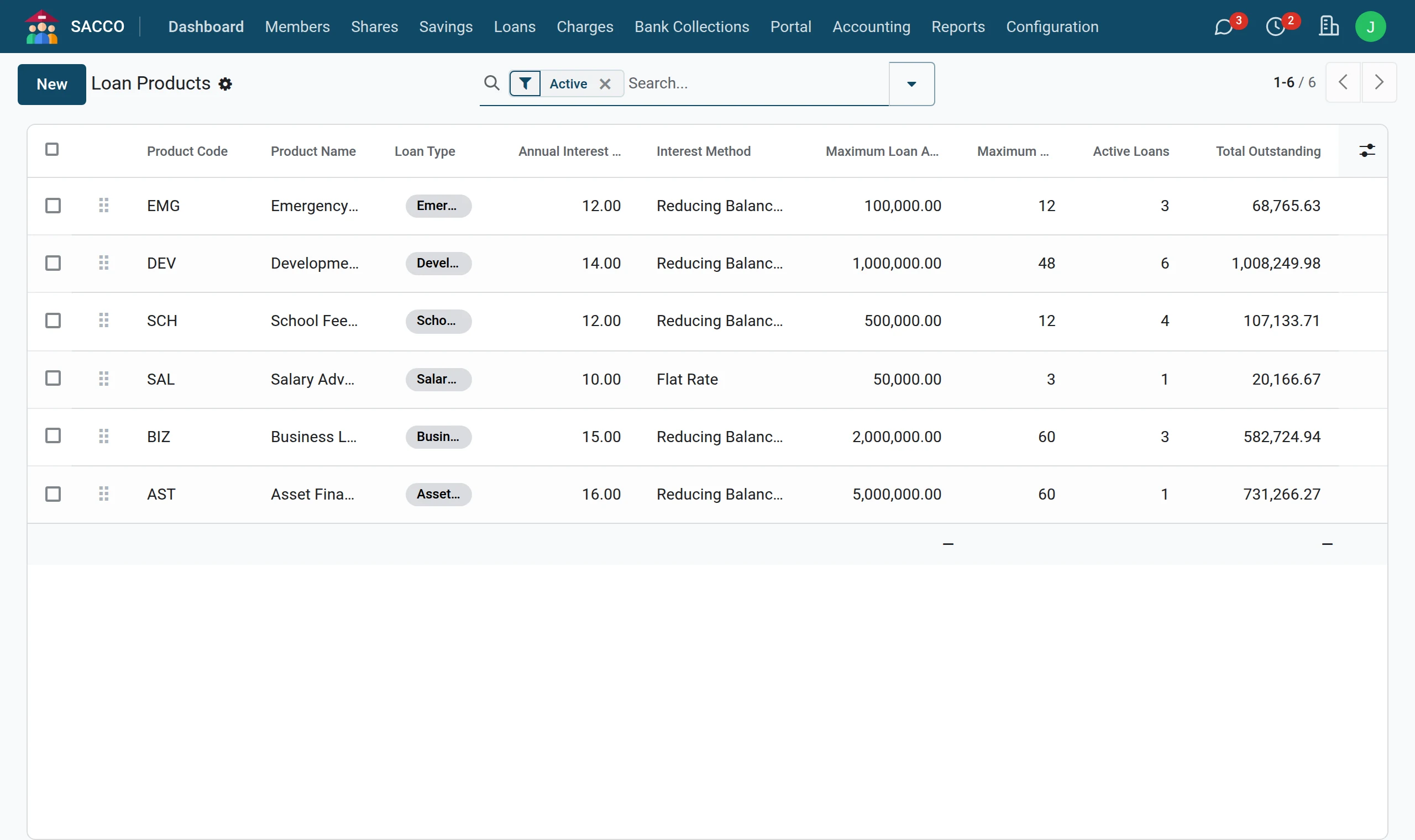
Read a product, tab by tab
1Open the product
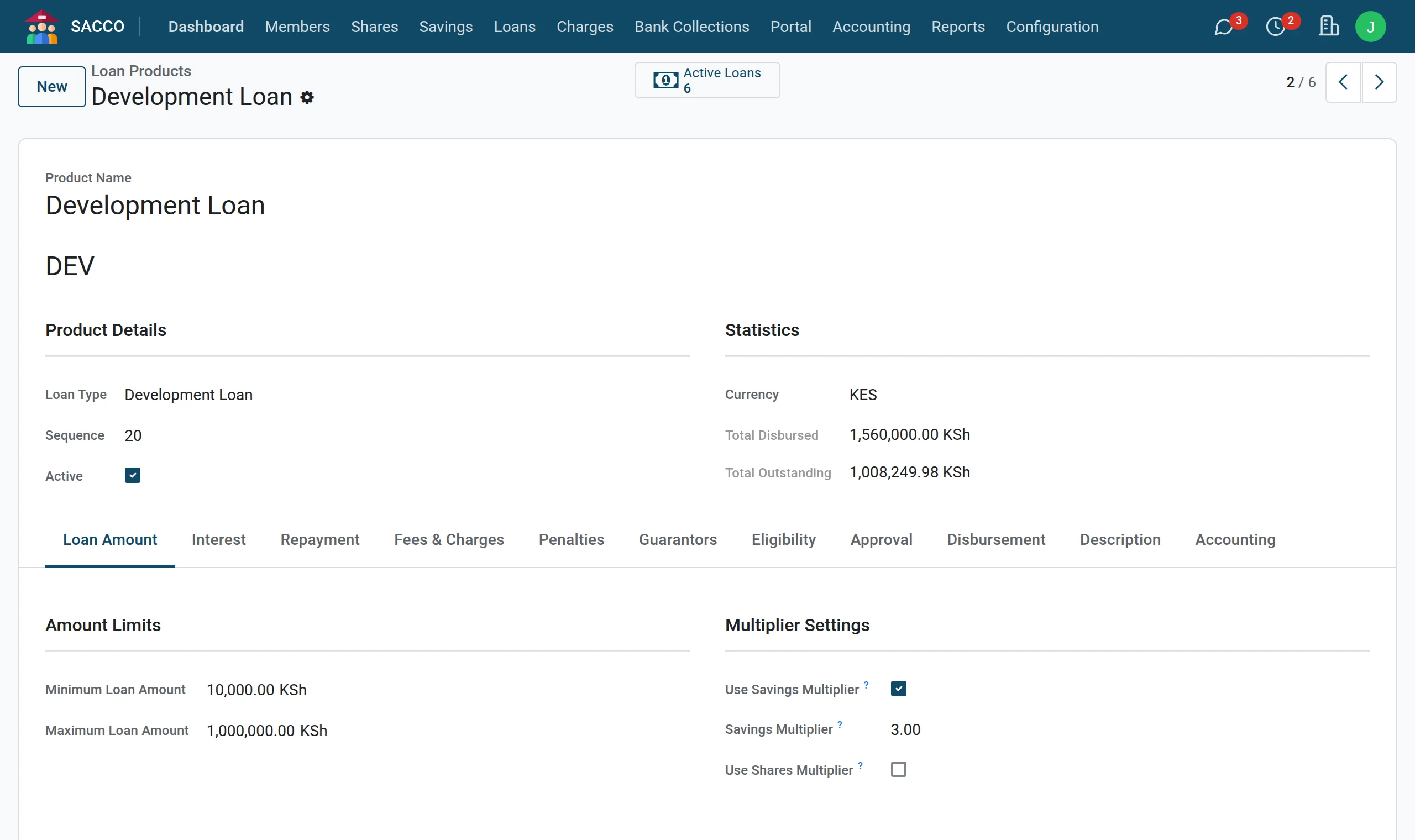
Open and click a product (or press New to add one; a new product needs a name, a short code under the name and a Loan Type). The Loan Amount tab sets the smallest and largest loan and the multipliers that tie the loan to the member’s savings and shares.
2Interest
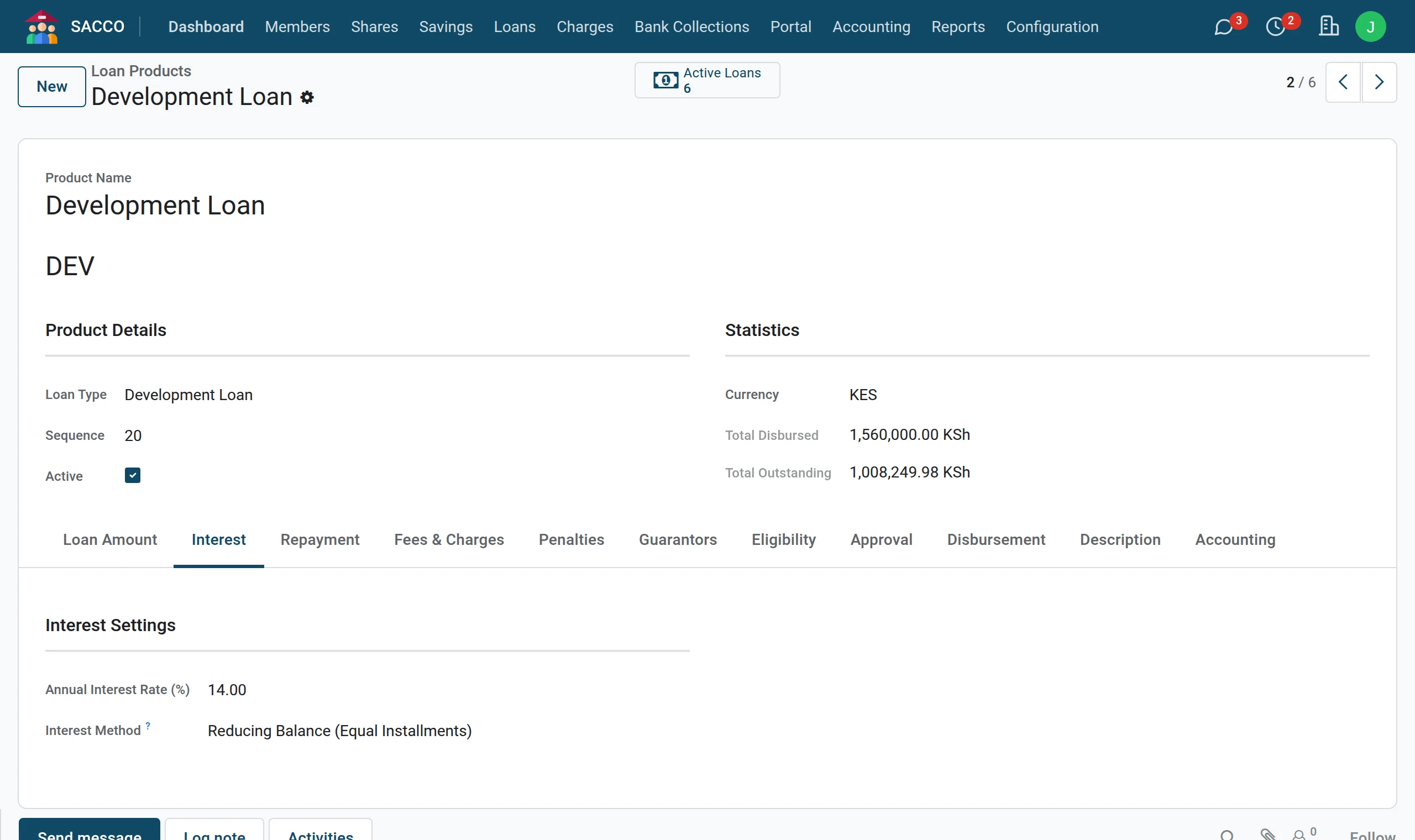
The Interest tab: the yearly rate and the method.
3Repayment
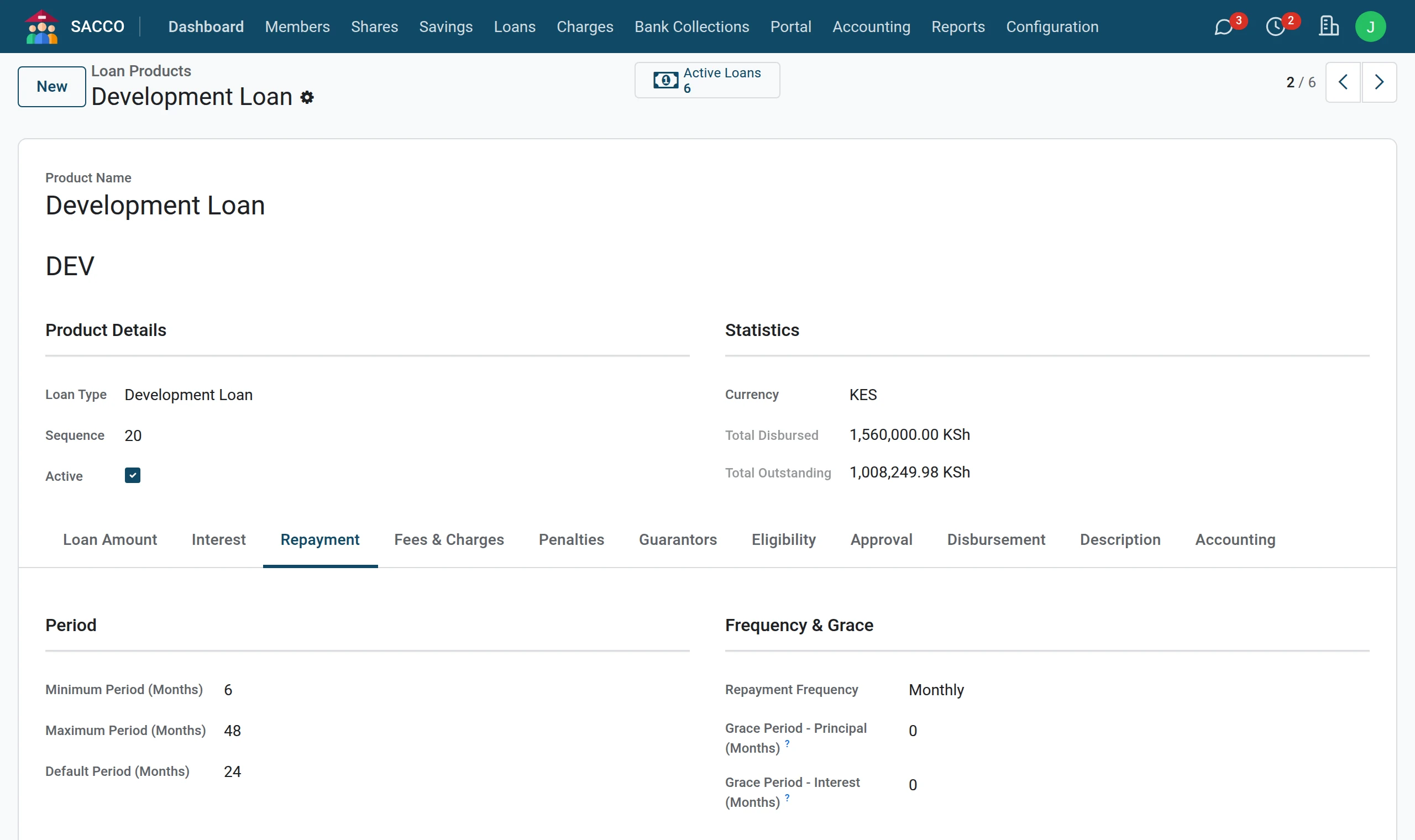
The Repayment tab: the shortest, longest and usual period, the frequency and the grace periods.
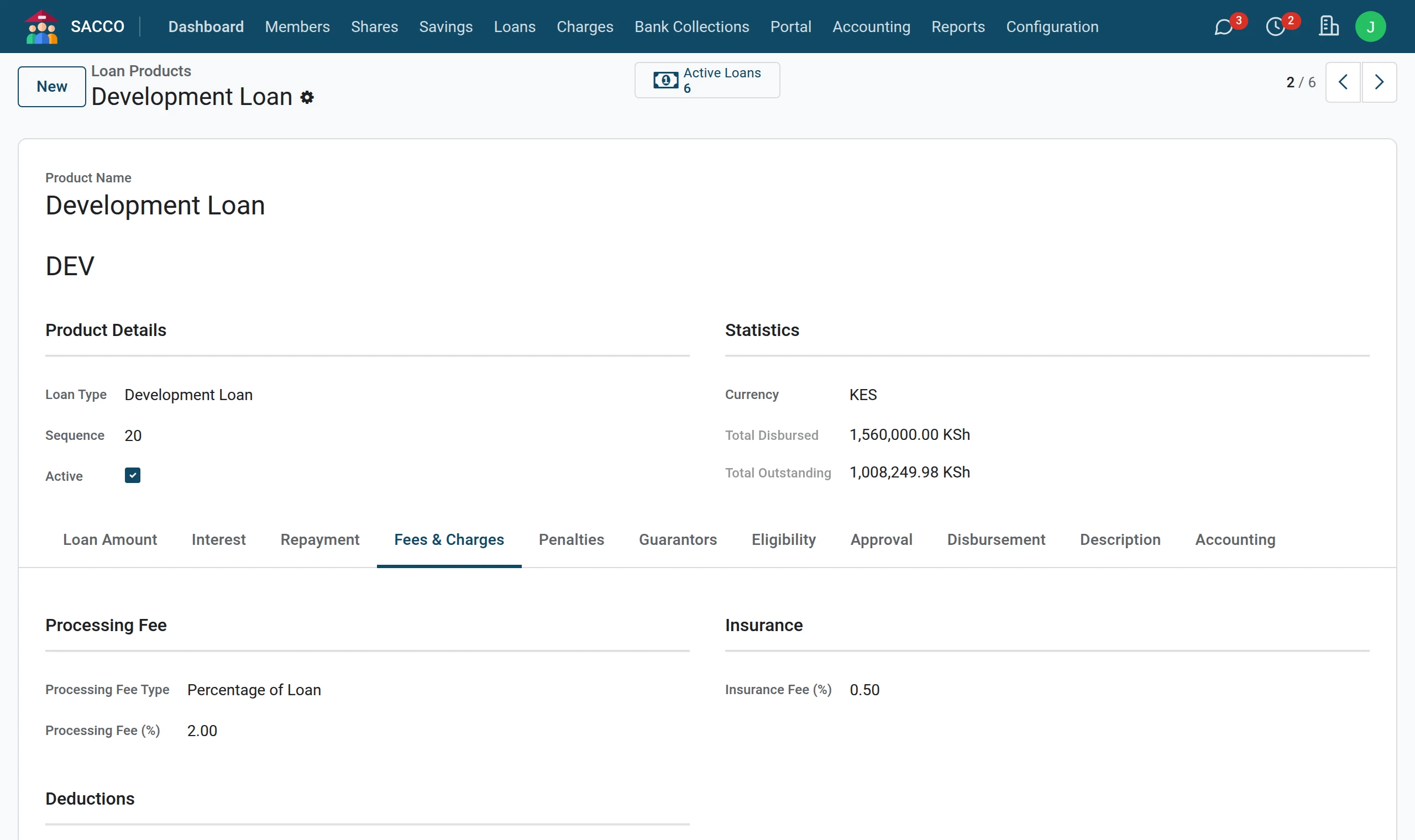
4Fees
The Fees & Charges tab: the processing fee and the insurance fee, and whether they are taken out of the money paid to the member.
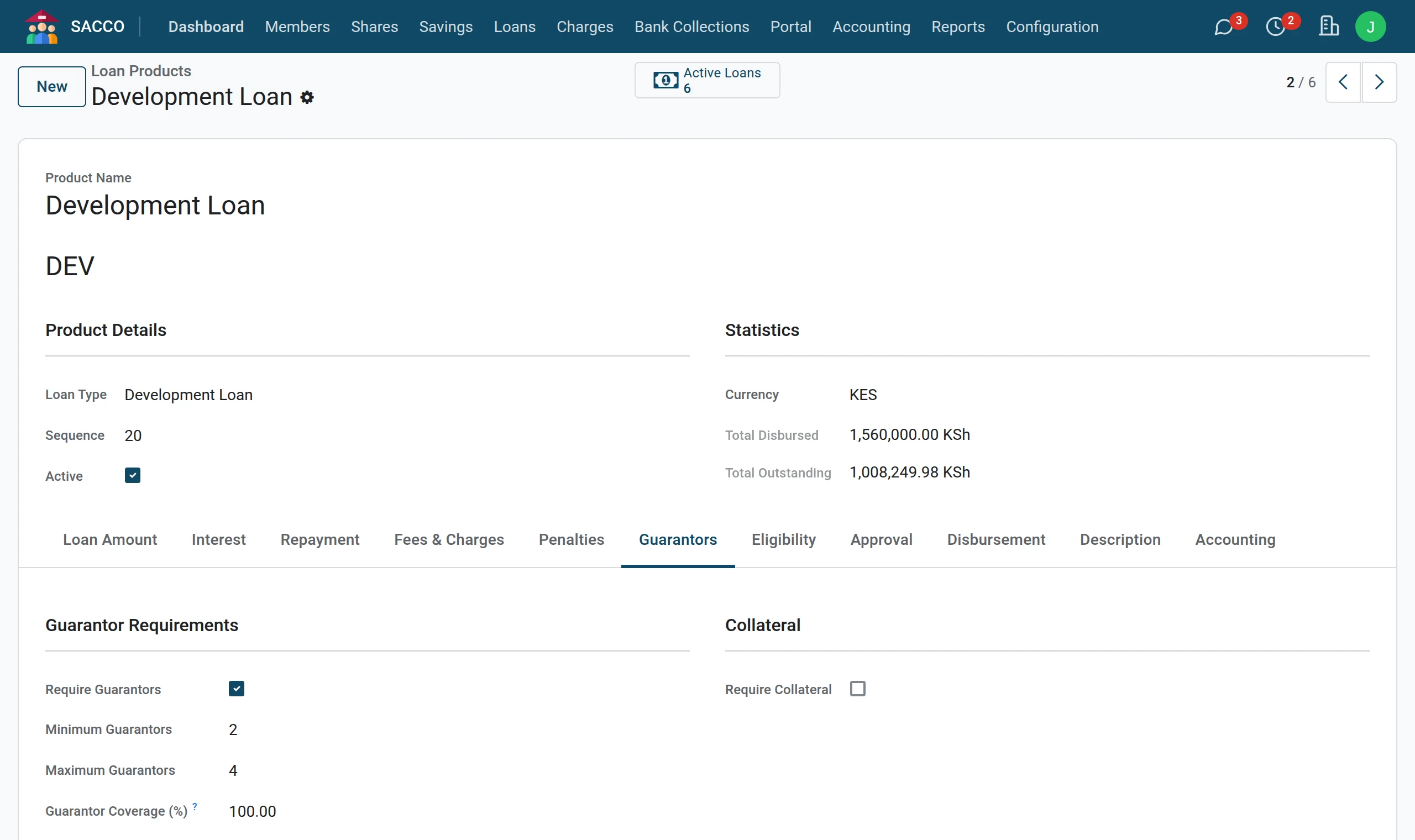
5Guarantors
The Guarantors tab: whether guarantors are needed, how many, and how much of the loan they must cover together.
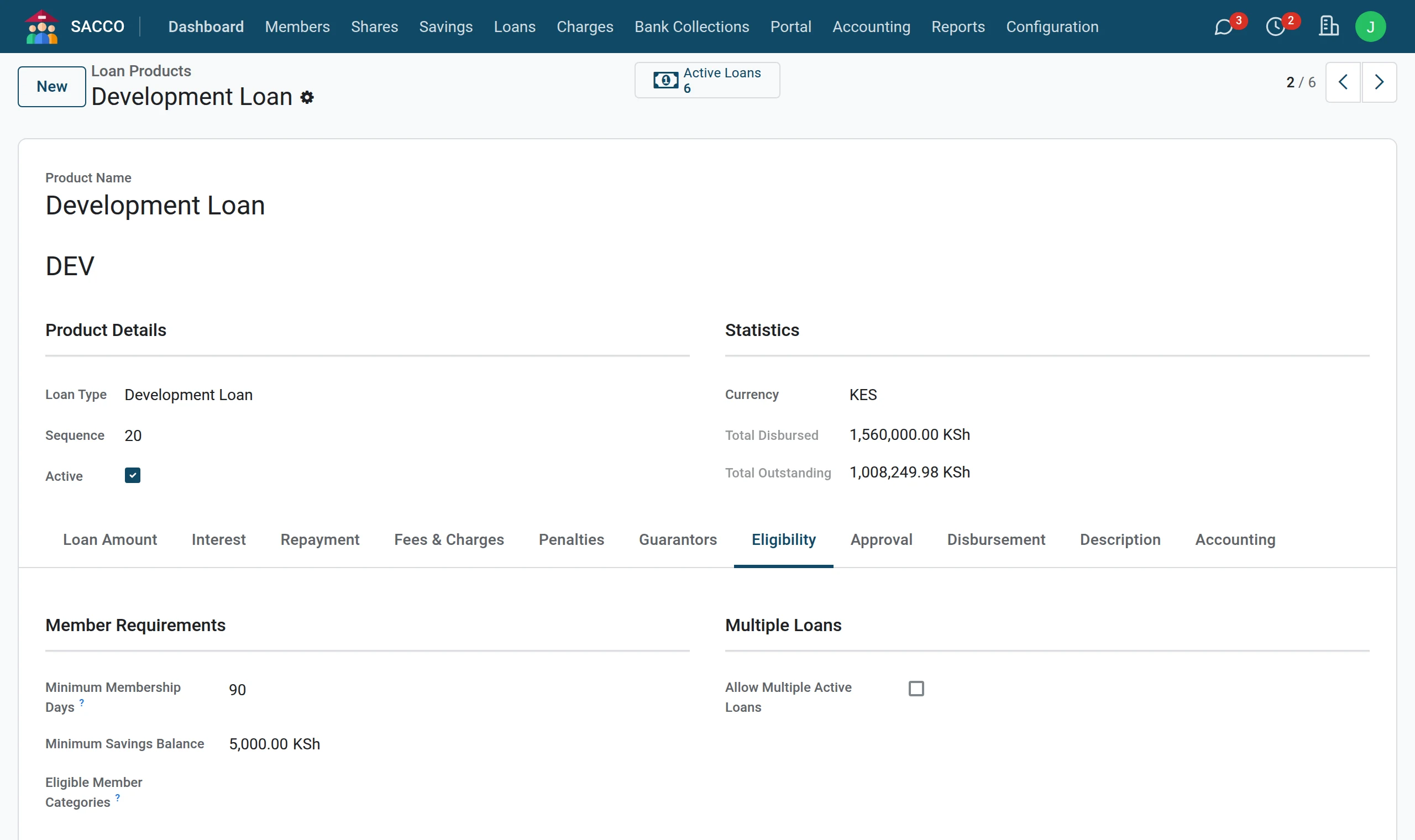
6Eligibility
The Eligibility tab: how long someone must have been a member, the savings they must hold, the member categories allowed, and whether a member may hold more than one loan of this product.
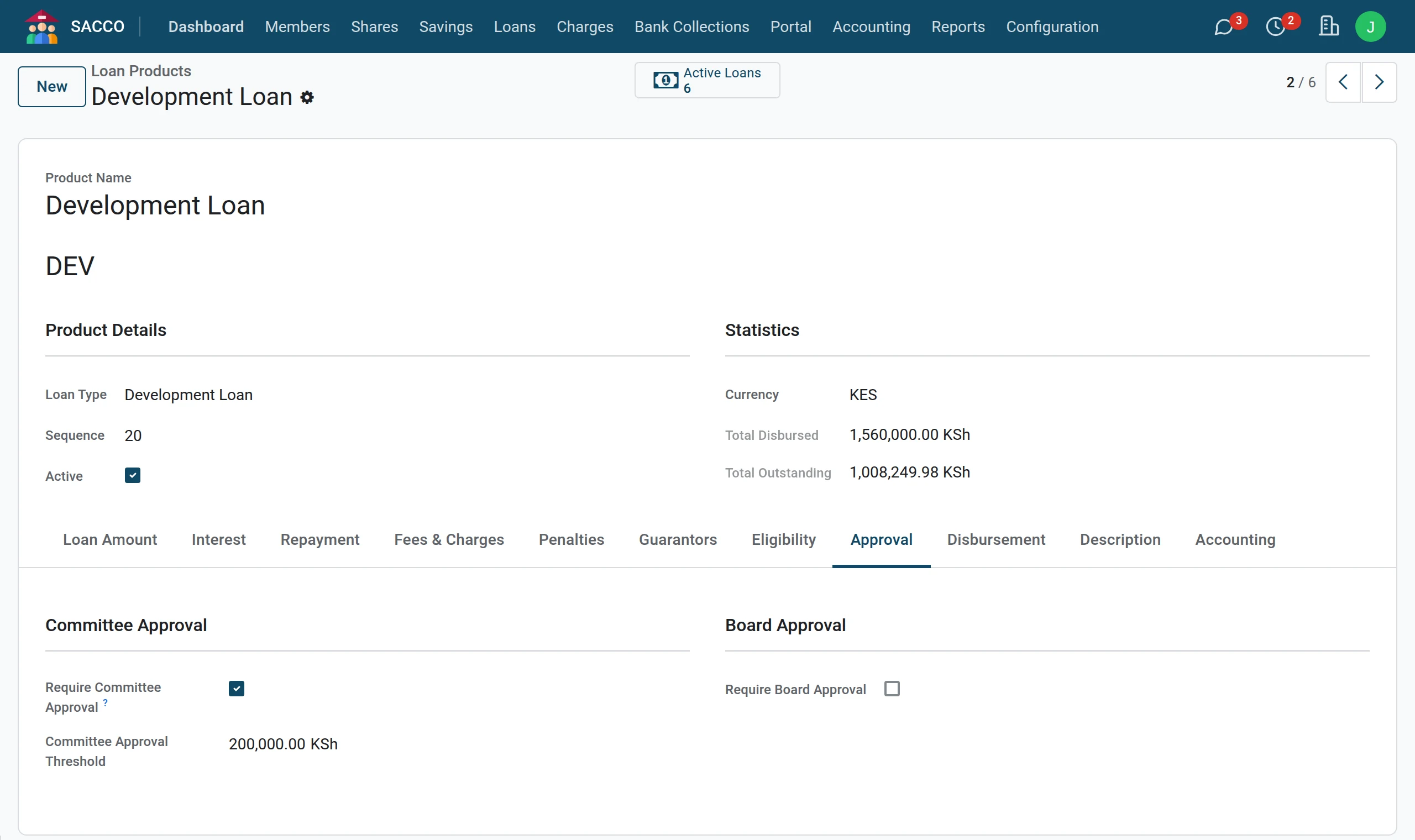
7Approval
The Approval tab: whether the credit committee (and the board) must approve.
What each setting does
| Field | What it does |
|---|---|
| Minimum Loan Amount / Maximum Loan Amount | An application outside these amounts cannot be saved. |
| Use Savings Multiplier, Savings Multiplier | The member may borrow at most savings × multiplier. Whether “savings” means all savings or BOSA deposits only is set in the settings (Loan limit counts). |
| Use Shares Multiplier | Also caps the loan at shares × the shares multiplier. |
| Annual Interest Rate (%) | The yearly rate, copied to each loan. |
| Interest Method | Flat Rate: interest on the original amount for the whole term, in equal instalments. Reducing Balance and Reducing Balance (Equal Installments): interest on what is still owed, with equal instalments. |
| Minimum Period / Maximum Period / Default Period | The term in months an application may ask for, and the usual one. |
| Processing Fee Type | No fee, a fixed amount, or a percentage of the loan. |
| Insurance Fee (%) | Loan insurance as a percentage of the loan. |
| Deduct Fees from Principal, Deduct Insurance | Ticked: the fees are taken from the amount paid out, so the member receives the net disbursement. |
| Require Guarantors | Ticked: the appraisal cannot start until enough guarantors have accepted. |
| Minimum Guarantors / Maximum Guarantors | How many guarantors the loan needs and allows. |
| Guarantor Coverage (%) | The part of the loan the accepted guarantees must add up to. 100 = the whole loan. |
| Minimum Membership Days | A member must have been active this long. |
| Minimum Savings Balance | A member must hold this much in savings. |
| Eligible Member Categories | Empty: every category. |
| Allow Multiple Active Loans | Unticked: a member with a running loan of this product cannot apply for a second one (a top-up is the exception). |
| Require Committee Approval | The application is meant to pass through Send to Committee before it is approved. |
| Default Disbursement Method | To savings account, bank transfer, M-Pesa, cheque or cash; can be changed on each application. |
| Accounting tab | The loan asset, interest income, interest receivable, fee and penalty accounts. Empty = the defaults of the SACCO account settings. |
Note
The Penalties tab records your late-payment policy. In this version a penalty is not added to the schedule by itself: collect it on a repayment with Manual Allocation (record a repayment) or bill a fine (fees and fines).