

Branches, member categories and groups
Three lists shape the register: where a member belongs (branch), what kind of member they are (category) and the group they sit in. Set them up once, under Configuration.
Who: Administrator.
Add a branch
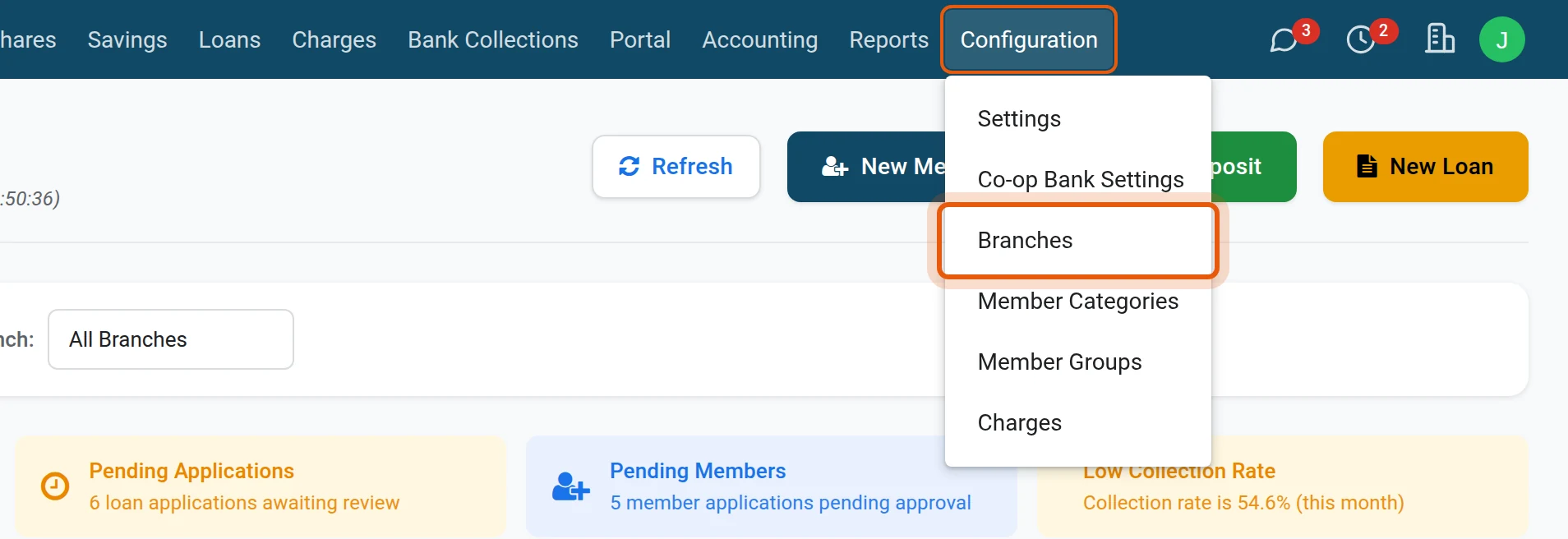
1Open the branches
Open .
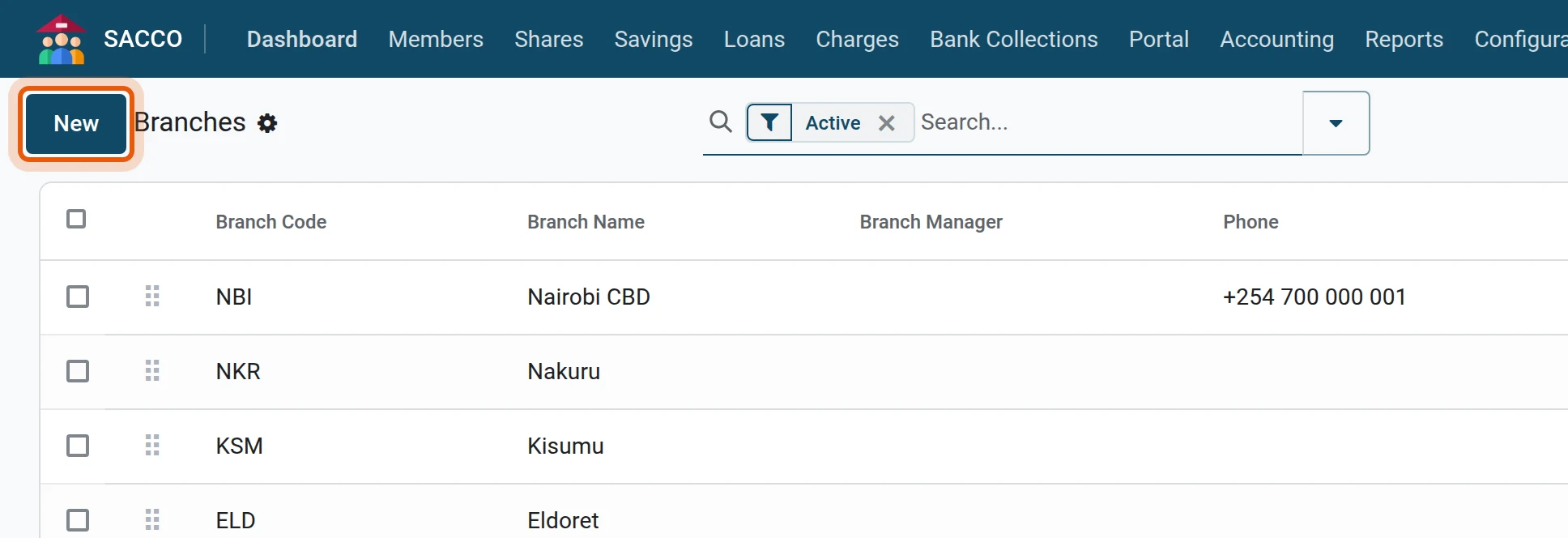
2Press New
Press New.
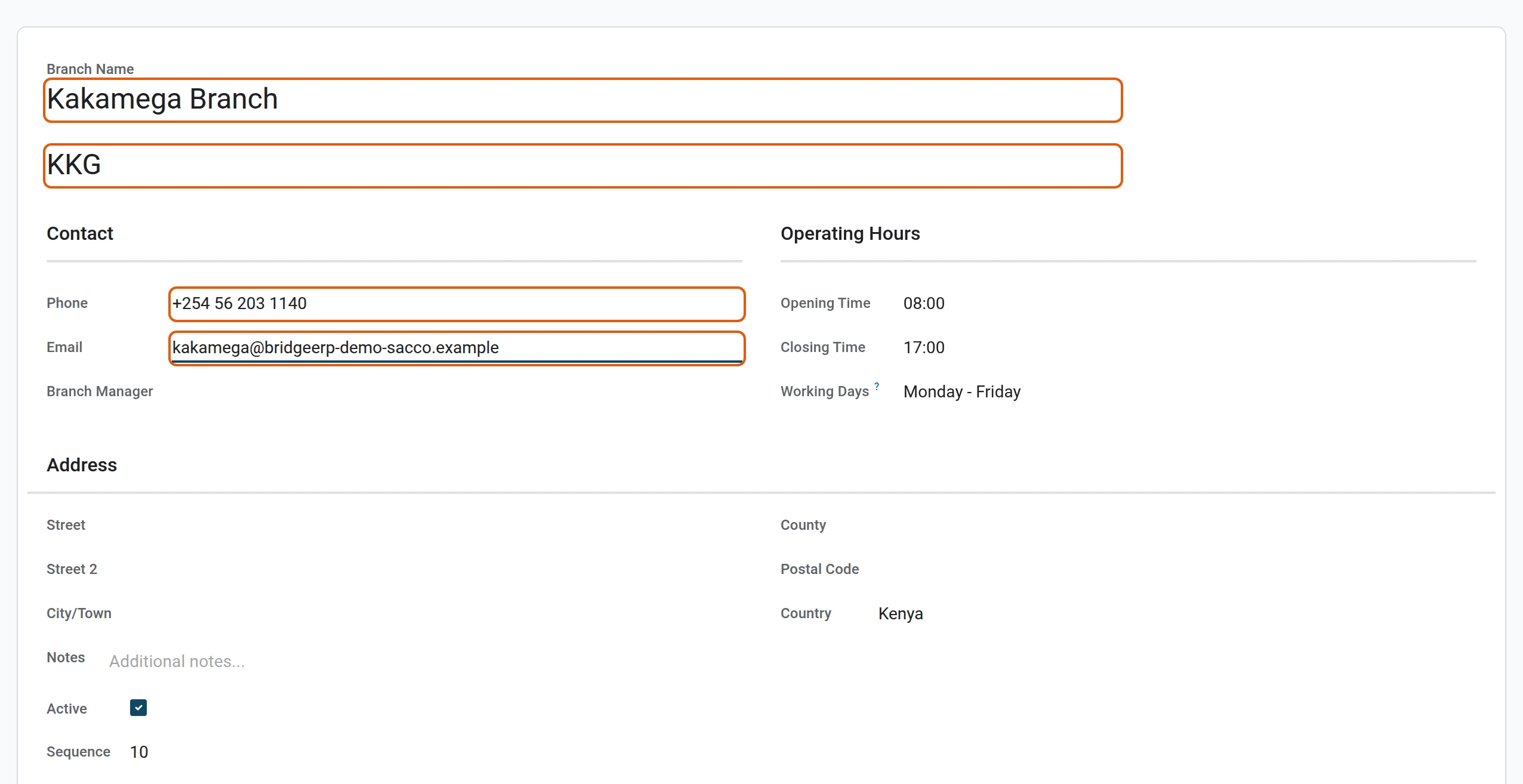
3Name and contacts
Type the Branch Name and, on the line under it, a short Branch Code of your own (here KKG; each branch needs a different one). Then the phone, the email and the Branch Manager.
4Address and hours
Fill in the town, the county and the opening hours, then save.
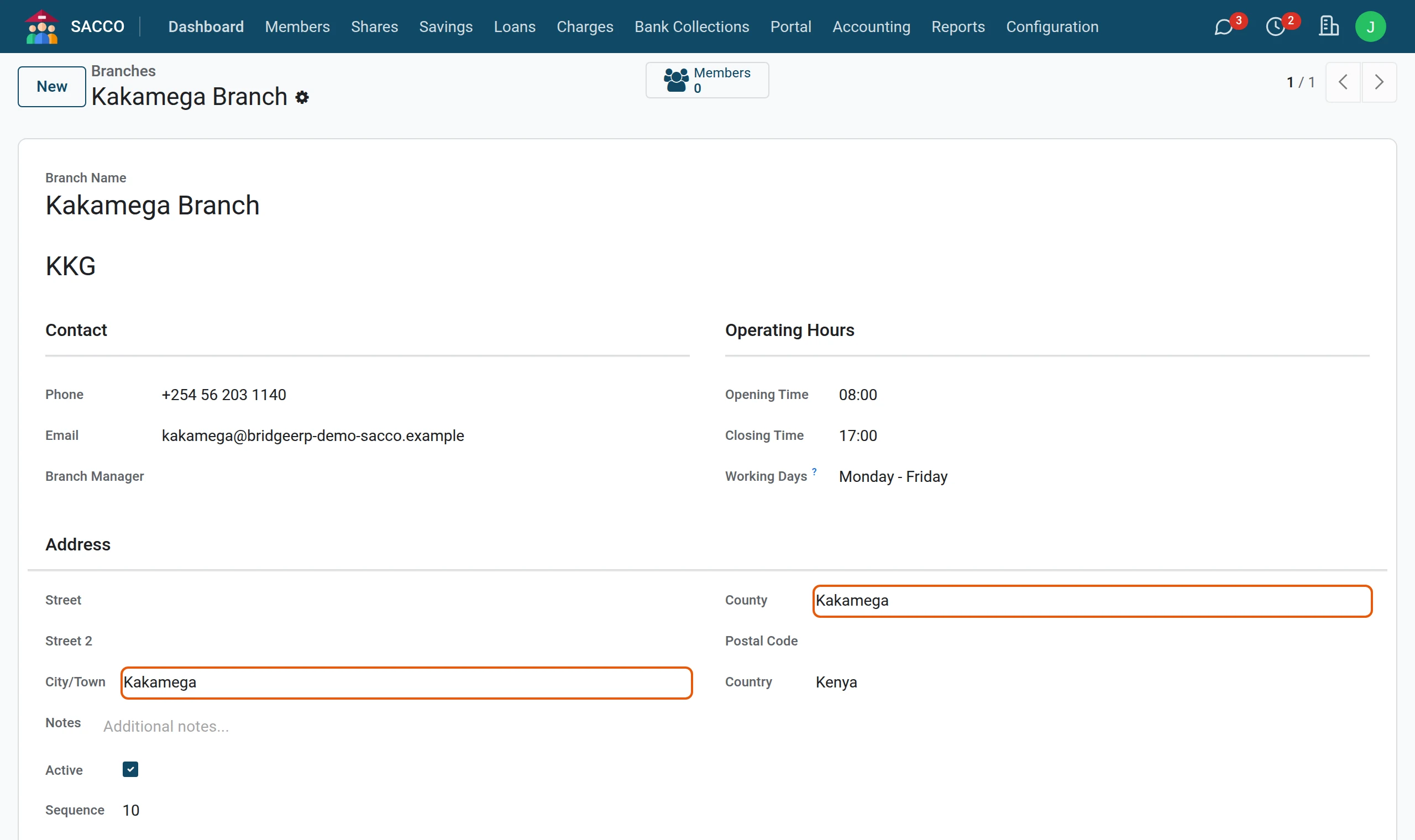
Each member carries one branch. The Members button on a branch opens its members; lists and reports can be grouped by branch.
Member categories
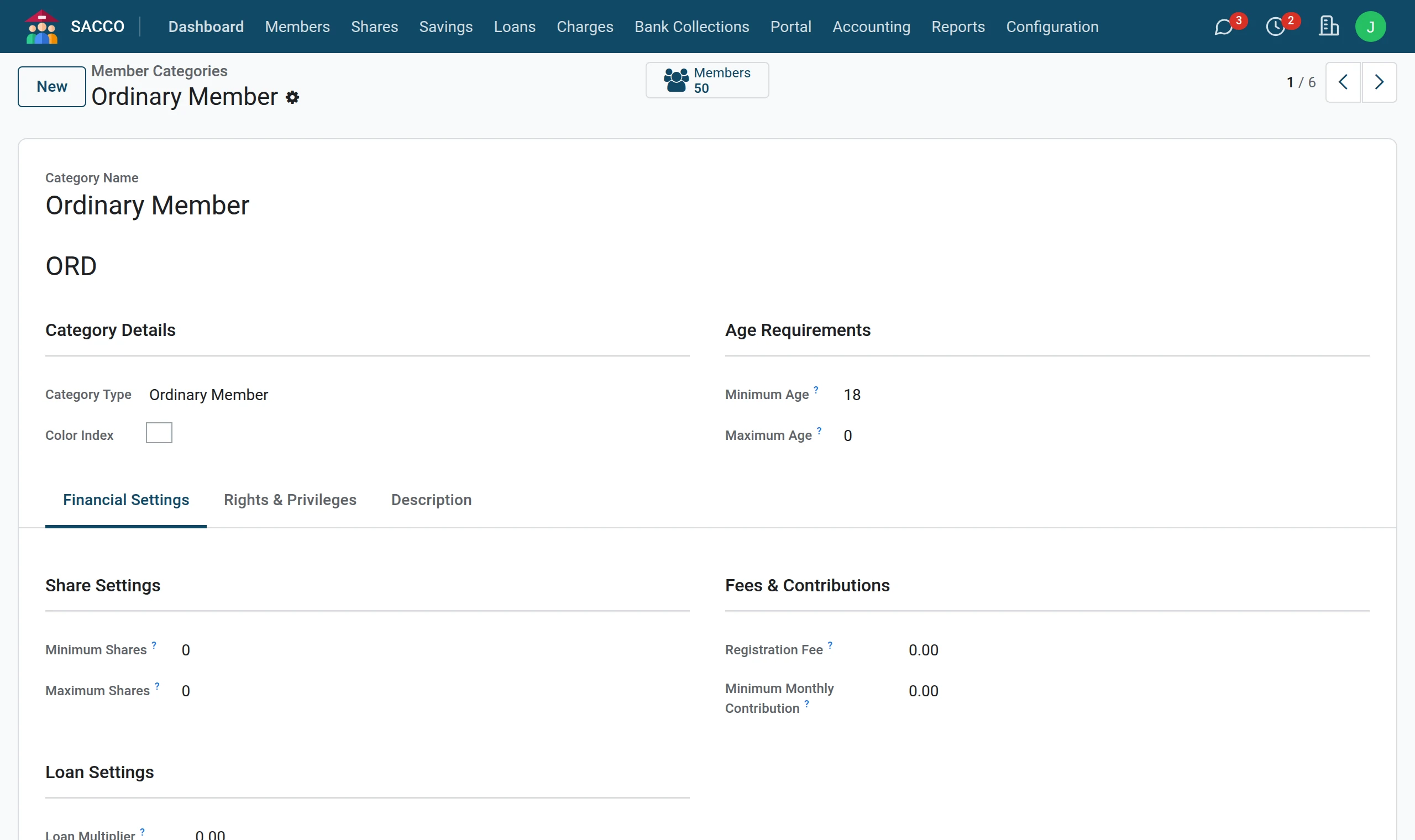
A category sets rules for a kind of member: the age range, the minimum and maximum shares, the registration fee, the monthly contribution, the loan multiplier, and whether these members may borrow, guarantee, vote and hold office.
| Field | What it does |
|---|---|
| Category Type | Ordinary, associate, junior, senior or retired, corporate, honorary, staff. |
| Minimum Age / Maximum Age | Who may be registered under this category. A junior category with a minimum age of 0 lets you register minors. |
| Minimum Shares / Maximum Shares | Share limits for this category; 0 means use the SACCO-wide setting. |
| Registration Fee, Minimum Monthly Contribution | Amounts for this category; 0 means use the SACCO-wide setting. |
| Loan Multiplier | How many times their deposits these members may borrow; 0 means use the SACCO-wide setting. |
| Can Apply for Loans, Can Guarantee Others | Untick for members who may only save. |
| Has Voting Rights, Can Hold Office | Used at general meetings and elections (SACCO Governance). |
Member groups
A group gathers members who meet or are served together: a chama, a welfare group, a department, an employer, a location. Open , press New, name the group, choose its type and its leaders, and add the members on the Members tab.