

Alarms
Alarms configures the threshold rules that watch treasury metrics, such as LCR, NSFR, FX open position and concentration, and raise an alert when a limit is approached or breached. Each alarm defines the metric, the trigger level and the notification, surfacing on the dashboard and to responsible officers. It turns passive reporting into proactive limit management.
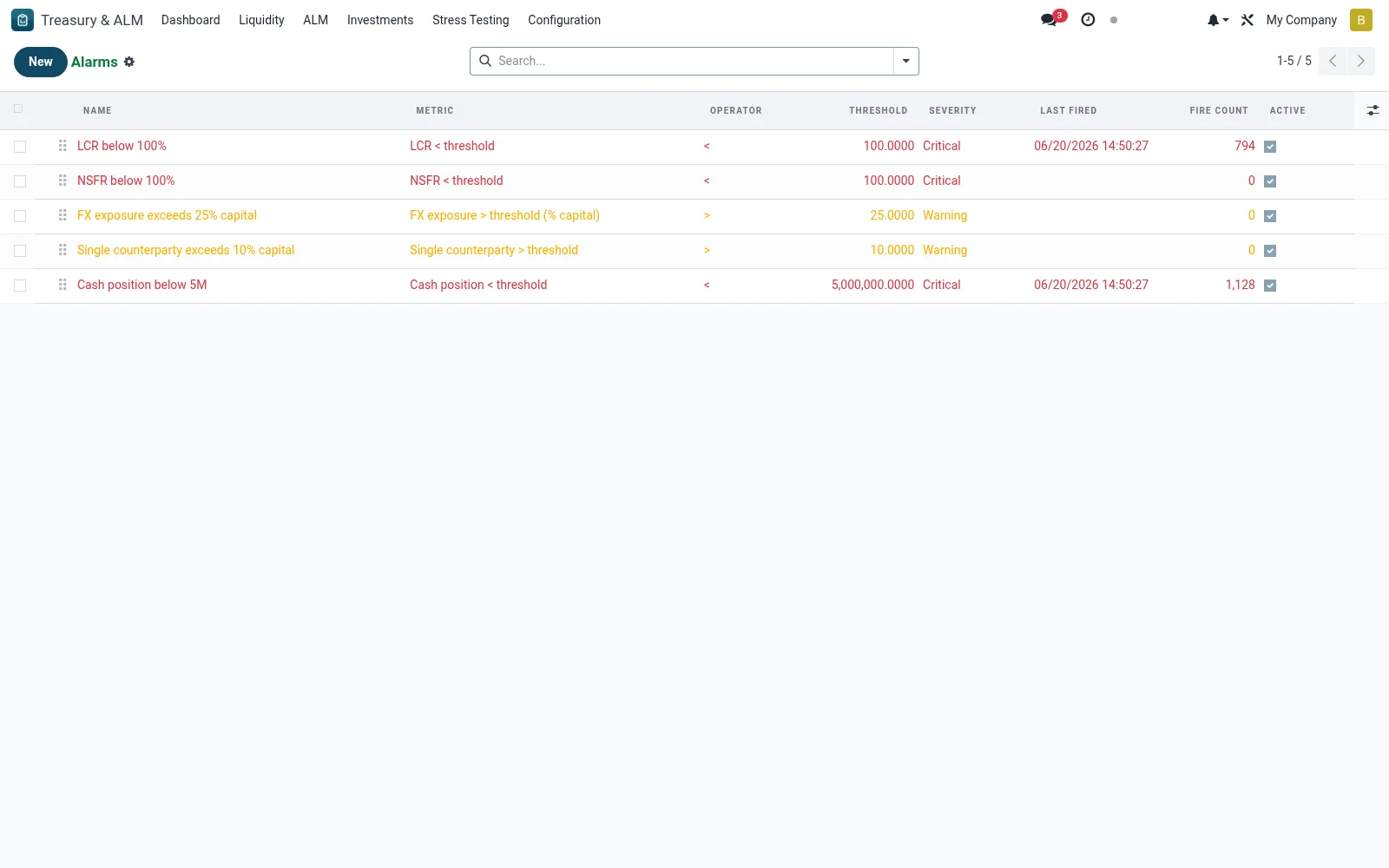
Workflow
- Open Treasury & ALM then Configuration then Alarms.
- Create an alarm and select the metric it monitors.
- Set the warning and breach thresholds against the relevant limit.
- Define who is notified when the alarm triggers.
- Activate the alarm so it evaluates after each computation.
Fields reference
Every field on this screen, drawn from the live data model.
| Field | Type | Required | Description |
|---|---|---|---|
Namename | Text | Yes | Name |
Metricmetric | Choice: LCR < threshold, NSFR < threshold, FX exposure > threshold (% capital), Single counterparty > threshold, Cash position < threshold, Repricing gap > threshold | Yes | Metric |
Thresholdthreshold | Decimal | Yes | Threshold |
Operatoroperator | Choice: <, <=, >, >= | Yes | Operator |
Has Messagehas_message | Yes/No | — | Has Message |
Sequencesequence | Number | — | Sequence |
Activeactive | Yes/No | — | Active |
Severityseverity | Choice: Info, Warning, Critical, Blocker | — | Severity |
Notify Usersnotify_user_ids | Tags | — | Notify Users |
Last Firedlast_fired | Date & time | — | Last Fired |
Fire Countfire_count | Number | — | Fire Count |
Companycompany_id | Link → res.company | — | Company |
Notes & rules
- Alarms can watch liquidity ratios, gap, FX and concentration limits.
- Separate warning and breach levels allow early intervention.
- Triggered alarms appear on the dashboard and notify assigned officers.
- Thresholds should mirror CBK and SASRA prudential minimums where applicable.
Was this page helpful?