

Maturity Buckets
Maturity Buckets defines the time bands, for example overnight, up to one month, up to three months and beyond, into which positions and cashflows are slotted for gap and liquidity analysis. The bucket structure determines how the repricing gap ladder and cashflow projection are grouped. Consistent buckets are essential for comparable reporting and regulatory alignment.
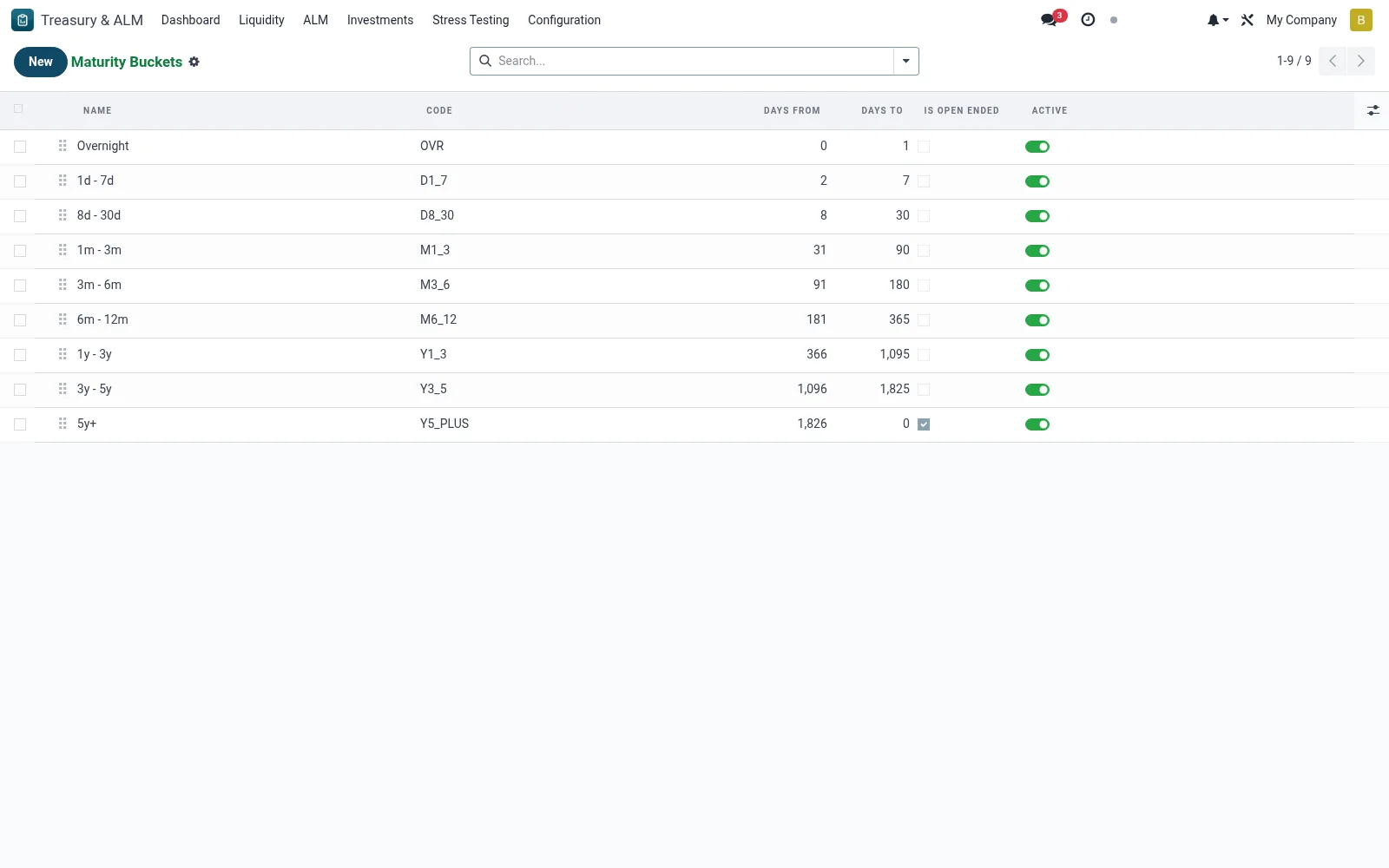
Workflow
- Open Treasury & ALM then Configuration then Maturity Buckets.
- Review the existing time bands and their boundaries.
- Create or adjust a bucket with its lower and upper period limits.
- Order the buckets to form a continuous, non-overlapping ladder.
- Save so gap and cashflow reports group positions accordingly.
Fields reference
Every field on this screen, drawn from the live data model.
| Field | Type | Required | Description |
|---|---|---|---|
Days Todays_to | Number | — | Upper bound of bucket in days. 0 means open-ended (5y+). |
Namename | Text | Yes | Name |
Codecode | Text | Yes | Code |
Sequencesequence | Number | — | Sequence |
Days Fromdays_from | Number | — | Days From |
Is Open Endedis_open_ended | Yes/No | — | Is Open Ended |
Activeactive | Yes/No | — | Active |
Companycompany_id | Link → res.company | — | Company |
Notes & rules
- Buckets must be contiguous and non-overlapping to avoid double counting.
- The structure drives both the repricing gap and cashflow projection grouping.
- Band definitions should align with the regulator's prescribed tenors.
- Changing buckets reshapes downstream gap and liquidity reports.
Was this page helpful?