

Branch Types
Branch Types classifies outlets into categories -- such as head office, full branch, sub-branch, agency or mobile unit -- each carrying default behaviours and limits. Typing branches lets the institution apply consistent rules and reporting groupings by outlet class. Admins set these up before creating branches.
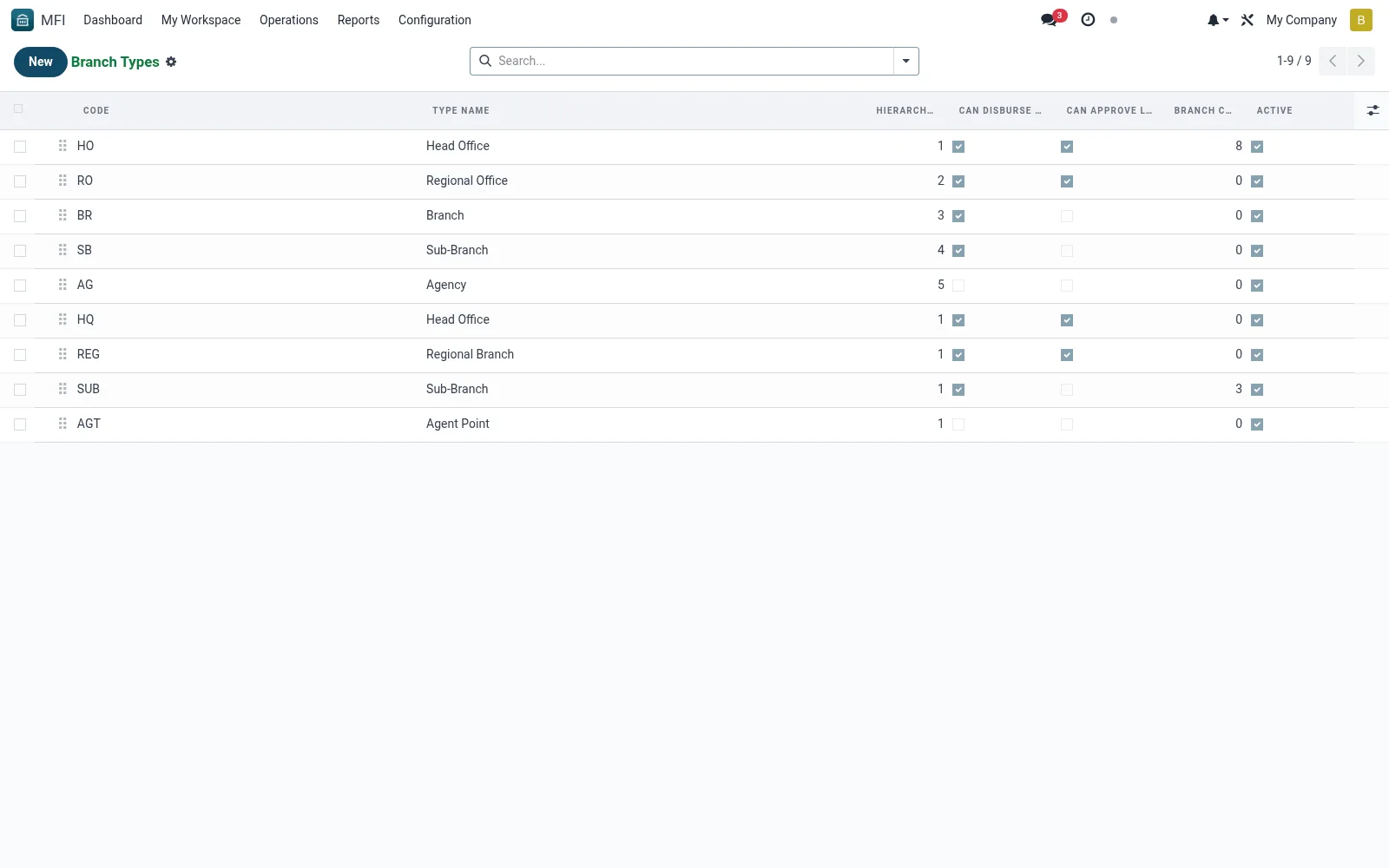
Workflow
- Open MFI > Configuration > Branch Configuration > Branch Types
- Click New and name the branch type
- Set any default limits or behaviours for the type
- Save the type for use when creating branches
- Assign the type on each branch record
Fields reference
Every field on this screen, drawn from the live data model.
| Field | Type | Required | Description |
|---|---|---|---|
Hierarchy Levelhierarchy_level | Number | — | 1 = Head Office, 2 = Regional, 3 = Branch, 4 = Sub-branch, etc. |
Max Approval Amountmax_approval_amount | Decimal | — | Maximum loan amount this branch type can approve |
Type Namename | Text | Yes | Type Name |
Codecode | Text | Yes | Code |
Sequencesequence | Number | — | Sequence |
Activeactive | Yes/No | — | Active |
Descriptiondescription | Long text | — | Description |
Can Disburse Loanscan_disburse_loans | Yes/No | — | Can Disburse Loans |
Can Accept Depositscan_accept_deposits | Yes/No | — | Can Accept Deposits |
Can Open Accountscan_open_accounts | Yes/No | — | Can Open Accounts |
Can Approve Loanscan_approve_loans | Yes/No | — | Can Approve Loans |
Branch Countbranch_count | Number | — | Branch Count |
Companycompany_id | Link → res.company | — | Company |
Notes & rules
- Model mfi.branch.type -- branch classification
- Key fields: type name, defaults, limits
- Related: All Branches, Zones/Regions
- Used by operations admins
Was this page helpful?