

Poverty Index (PPI)
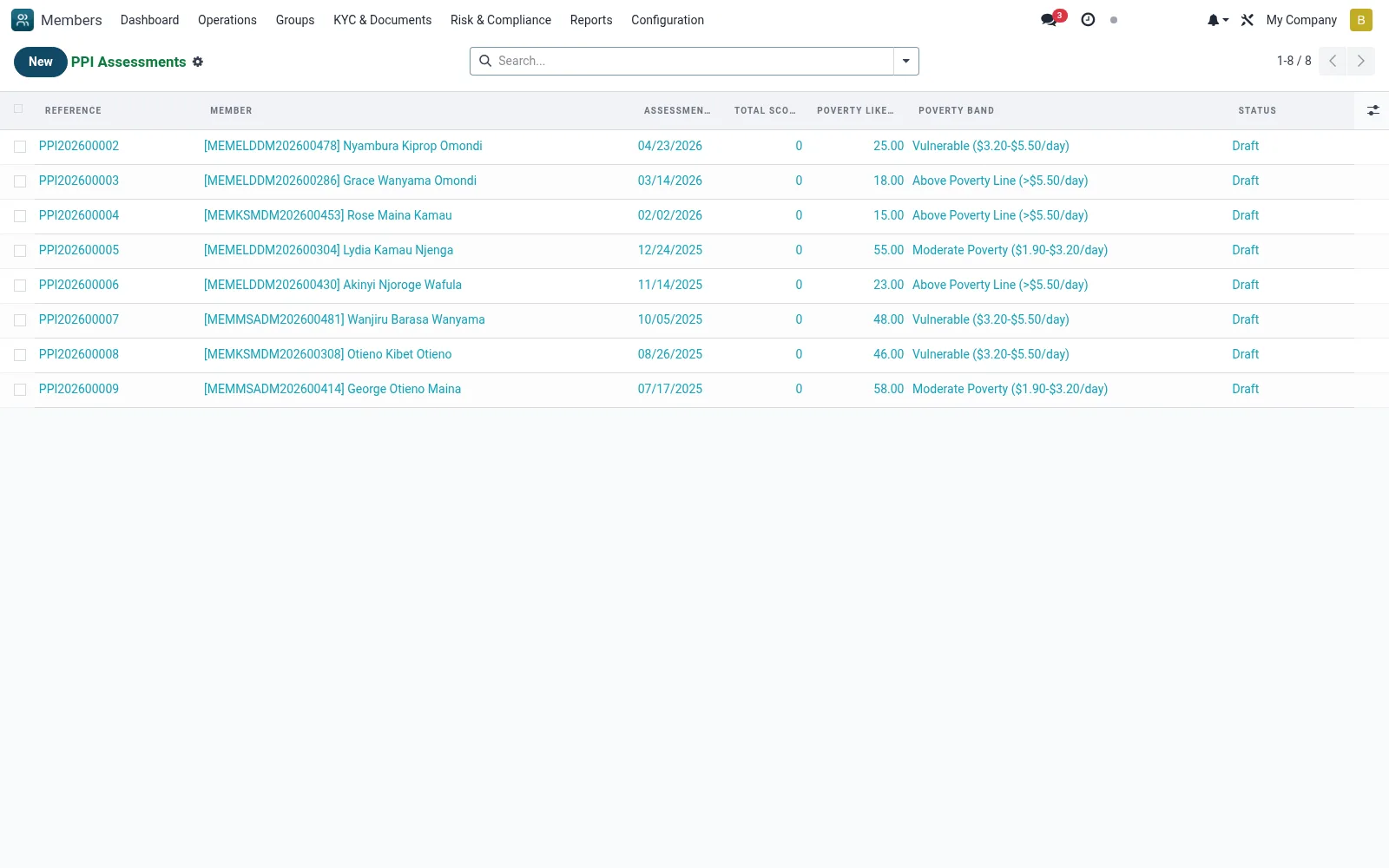
Holds each member's Progress out of Poverty Index assessment, a survey-based poverty likelihood score used for social-performance measurement and as an input to credit scoring. Scores let the institution target the poor, track impact over time and inform lending limits.
Workflow
- Go to Risk and Compliance then Poverty Index (PPI)
- Open or create a PPI assessment for a member
- Answer the country-specific PPI questions
- Save to compute the member's poverty-likelihood score
- Track score changes over time for the member and the portfolio
Fields reference
Every field on this screen, drawn from the live data model.
| Field | Type | Required | Description |
|---|---|---|---|
Poverty Likelihood %poverty_likelihood | Decimal | — | Likelihood of being below poverty line |
Membermember_id | Link → mfi.member | Yes | Member |
Assessment Dateassessment_date | Date | Yes | Assessment Date |
Countrycountry_id | Link → res.country | Yes | Country |
Has Messagehas_message | Yes/No | — | Has Message |
Referencename | Text | — | Reference |
Poverty Linepoverty_line | Choice: National Poverty Line, $1.90/day PPP (extreme), $2.50/day PPP, $5.50/day PPP | — | Poverty Line |
Assessed Byassessed_by_id | Link → res.users | — | Assessed By |
Field Officerfield_officer_id | Link → res.users | — | Field Officer |
Assessment Locationassessment_location | Choice: Member Home, Branch Office, Member Business, Field Visit | — | Assessment Location |
Latitudelatitude | Decimal | — | Latitude |
Longitudelongitude | Decimal | — | Longitude |
Responsesresponse_ids | List | — | Responses |
Total Scoretotal_score | Number | — | Total Score |
Maximum Scoremax_score | Number | — | Maximum Score |
Score %score_percentage | Decimal | — | Score % |
Poverty Bandpoverty_band | Choice: Extreme Poverty (<$1.90/day), Moderate Poverty ($1.90-$3.20/day), Vulnerable ($3.20-$5.50/day), Above Poverty Line (>$5.50/day) | — | Poverty Band |
Statusstate | Choice: Draft, Completed, Verified, Cancelled | — | Status |
Verified Byverified_by_id | Link → res.users | — | Verified By |
Verification Dateverified_date | Date | — | Verification Date |
Notesnotes | Long text | — | Notes |
Companycompany_id | Link → res.company | — | Company |
Actions & buttons
Buttons available on this screen and what they do:
- Load Questions
- Complete
- Verify
- Cancel
Status lifecycle
Records on this screen move through these statuses:
Draft → Completed → Verified → Cancelled
Notes & rules
- Model mfi.member.ppi
- Survey-based poverty-likelihood score
- Built from PPI Questions and Country Tables
- Feeds social-performance and credit scoring
Was this page helpful?