

Blacklist
The full register of blacklisted members or individuals barred from products due to fraud, default, AML concerns or external watchlists. It records the reason, source, date and review status, and blocks listed members from new accounts or loans, a core risk control and AML obligation.
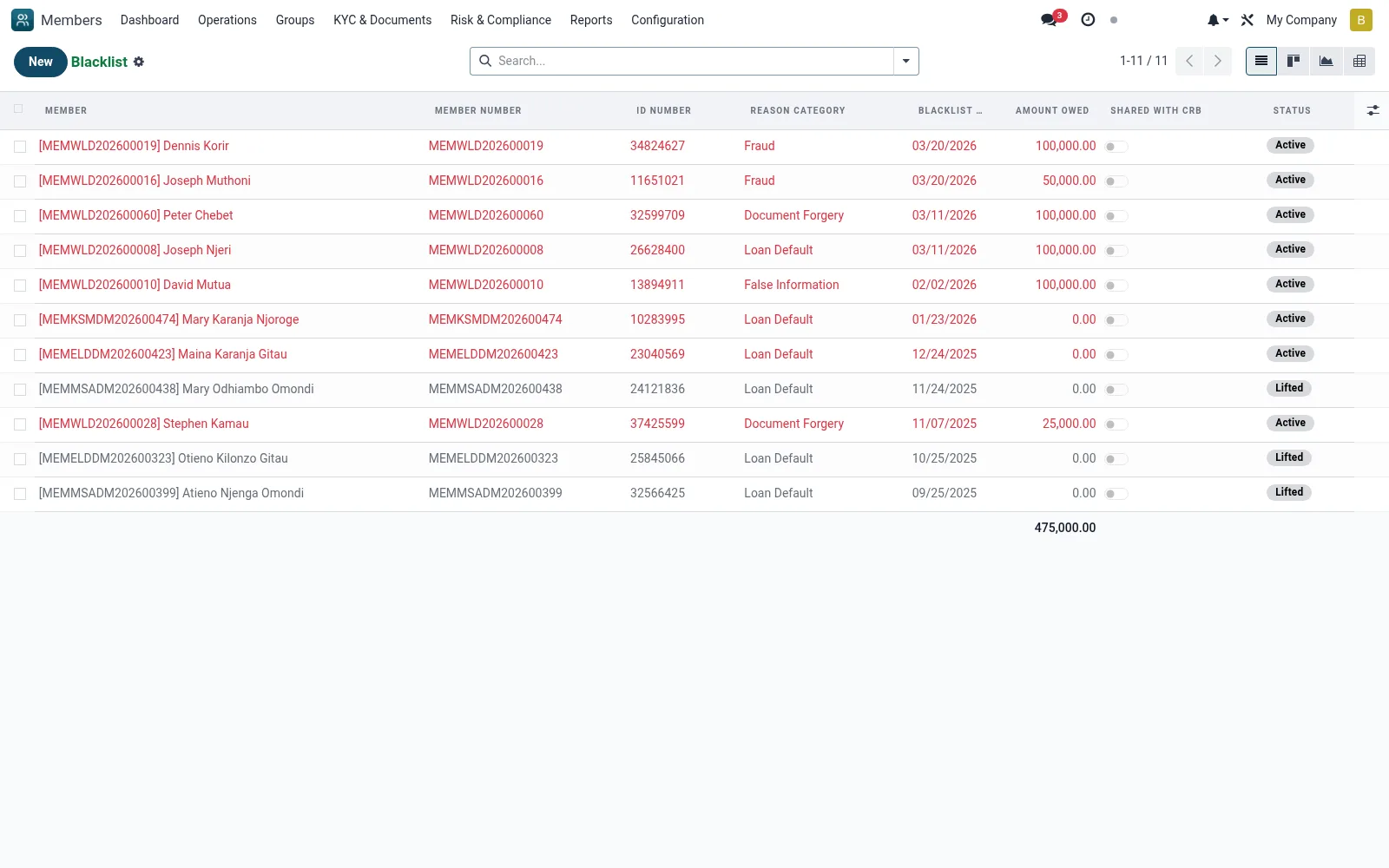
Workflow
- Go to Risk and Compliance then Blacklist
- Click New to add a blacklist entry against a member or identity
- Record the reason, source and supporting evidence
- Activate the listing to enforce the block
- Review or lift entries via the form when circumstances change
Fields reference
Every field on this screen, drawn from the live data model.
| Field | Type | Required | Description |
|---|---|---|---|
Membermember_id | Link → mfi.member | Yes | Member |
Blacklist Dateblacklist_date | Date | Yes | Blacklist Date |
Reason Categoryblacklist_reason | Choice: Loan Default, Fraud, Document Forgery, False Information, Theft, Gross Misconduct, Court Order, Other | Yes | Reason Category |
Reason Detailsreason_details | Long text | Yes | Reason Details |
Has Messagehas_message | Yes/No | — | Has Message |
Member Numbermember_no | Text | — | Member Number |
Full Namemember_name | Text | — | Full Name |
ID Numberid_number | Text | — | ID Number |
Mobile Phonemobile | Text | — | Mobile Phone |
Branchbranch_id | Link → mfi.branch | — | Branch |
Amount Owedamount_owed | Decimal | — | Amount Owed |
Currencycurrency_id | Link → res.currency | — | Currency |
Evidence Documentsevidence_attachment_ids | Tags | — | Evidence Documents |
Decision Datedecision_date | Date | — | Decision Date |
Decided Bydecided_by_id | Link → res.users | — | Decided By |
Committee Referencecommittee_reference | Text | — | Committee Reference |
Permanent Banis_permanent | Yes/No | — | Permanent Ban |
Review Datereview_date | Date | — | Review Date |
Expiry Dateexpiry_date | Date | — | Expiry Date |
Statusstate | Choice: Active, Under Review, Lifted, Expired | — | Status |
Lifted Datelifted_date | Date | — | Lifted Date |
Lifted Bylifted_by_id | Link → res.users | — | Lifted By |
Reason for Liftinglifted_reason | Long text | — | Reason for Lifting |
Shared with CRBshared_with_crb | Yes/No | — | Shared with CRB |
CRB Referencecrb_reference | Text | — | CRB Reference |
Shared with Other MFIsshared_with_other_mfis | Yes/No | — | Shared with Other MFIs |
Notesnotes | Long text | — | Notes |
Blacklisted Byblacklisted_by_id | Link → res.users | — | Blacklisted By |
Companycompany_id | Link → res.company | — | Company |
Actions & buttons
Buttons available on this screen and what they do:
- Start Review
- Lift Blacklist
Status lifecycle
Records on this screen move through these statuses:
Active → Under Review → Lifted → Expired
Notes & rules
- Model mfi.member.blacklist
- Reasons: fraud, default, AML/watchlist
- Active listing blocks new products
- Reviewed/lifted with audit reason
Was this page helpful?