

Zones / Regions
Zones / Regions defines the geographic or managerial tiers that group branches -- such as a region, county cluster or supervisory area. Zones let the institution roll up reporting and assign regional managers above individual branches. They are essential once a SACCO grows beyond a handful of outlets.
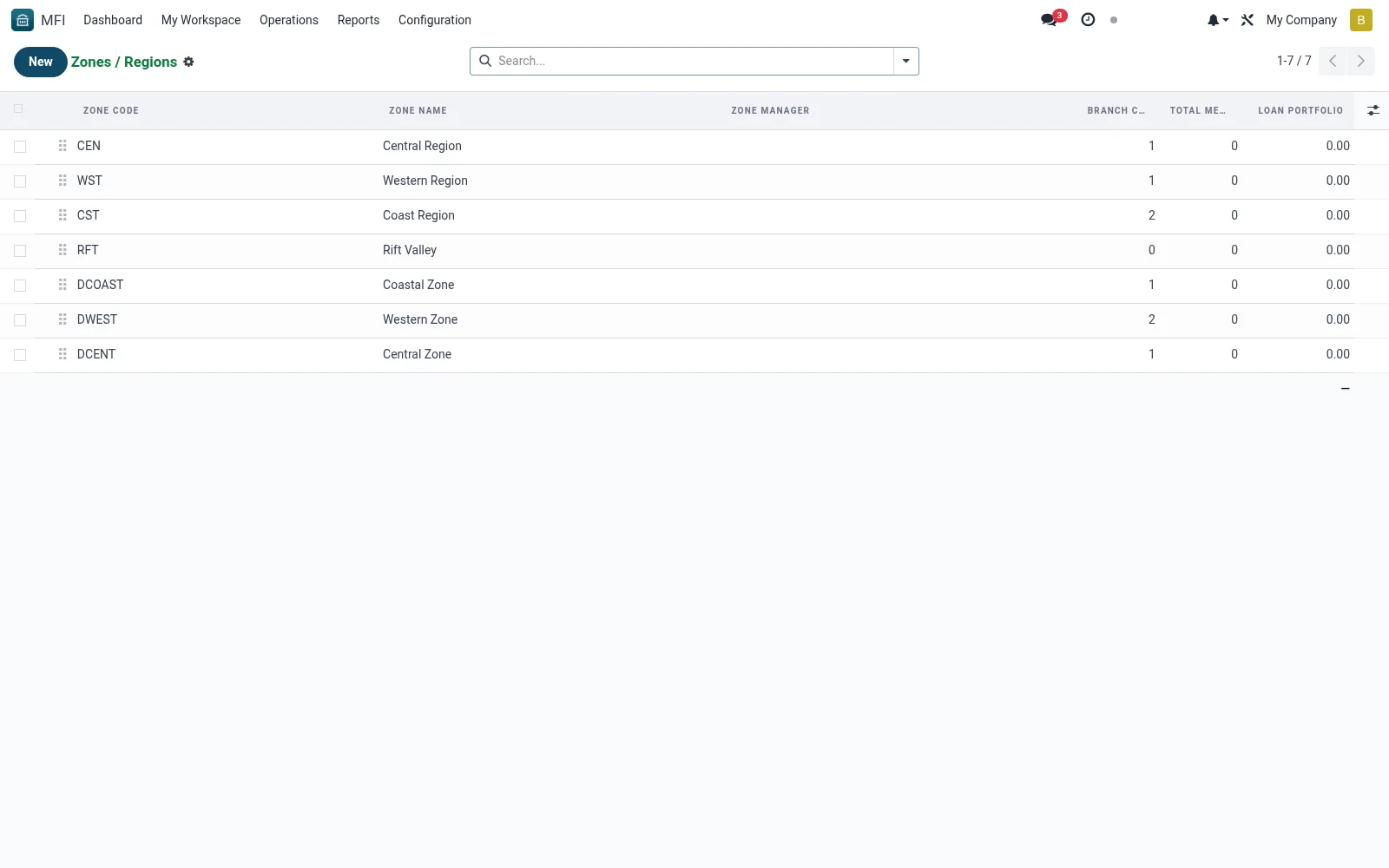
Workflow
- Open MFI > Operations > Branches > Zones / Regions
- Click New and name the zone or region
- Optionally assign a regional manager or supervisor
- Save and then link branches to this zone from the branch form
- Use zone groupings in dashboards and reports for roll-ups
Fields reference
Every field on this screen, drawn from the live data model.
| Field | Type | Required | Description |
|---|---|---|---|
Website Messageswebsite_message_ids | List | — | Website communication history |
Zone Namename | Text | Yes | Zone Name |
Zone Codecode | Text | Yes | Zone Code |
My Activity Deadlinemy_activity_date_deadline | Date | — | My Activity Deadline |
Has Messagehas_message | Yes/No | — | Has Message |
Ratingsrating_ids | List | — | Ratings |
Sequencesequence | Number | — | Sequence |
Activeactive | Yes/No | — | Active |
Zone Managermanager_id | Link → res.users | — | Zone Manager |
Parent Zoneparent_id | Link → mfi.branch.zone | — | Parent Zone |
Sub-Zoneschild_ids | List | — | Sub-Zones |
Countrycountry_id | Link → res.country | — | Country |
States/Countiesstate_ids | Tags | — | States/Counties |
Descriptiondescription | Long text | — | Description |
Branchesbranch_ids | List | — | Branches |
Branch Countbranch_count | Number | — | Branch Count |
Total Memberstotal_members | Number | — | Total Members |
Loan Portfoliototal_loan_portfolio | Money | — | Loan Portfolio |
Savings Balancetotal_savings_balance | Money | — | Savings Balance |
Companycompany_id | Link → res.company | — | Company |
Currencycurrency_id | Link → res.currency | — | Currency |
Notes & rules
- Model mfi.branch.zone -- list, form views
- Key fields: zone name, manager, member branches
- Related: All Branches, Branch Analysis
- Used by regional managers and operations admins
Was this page helpful?