

Onboard your first member
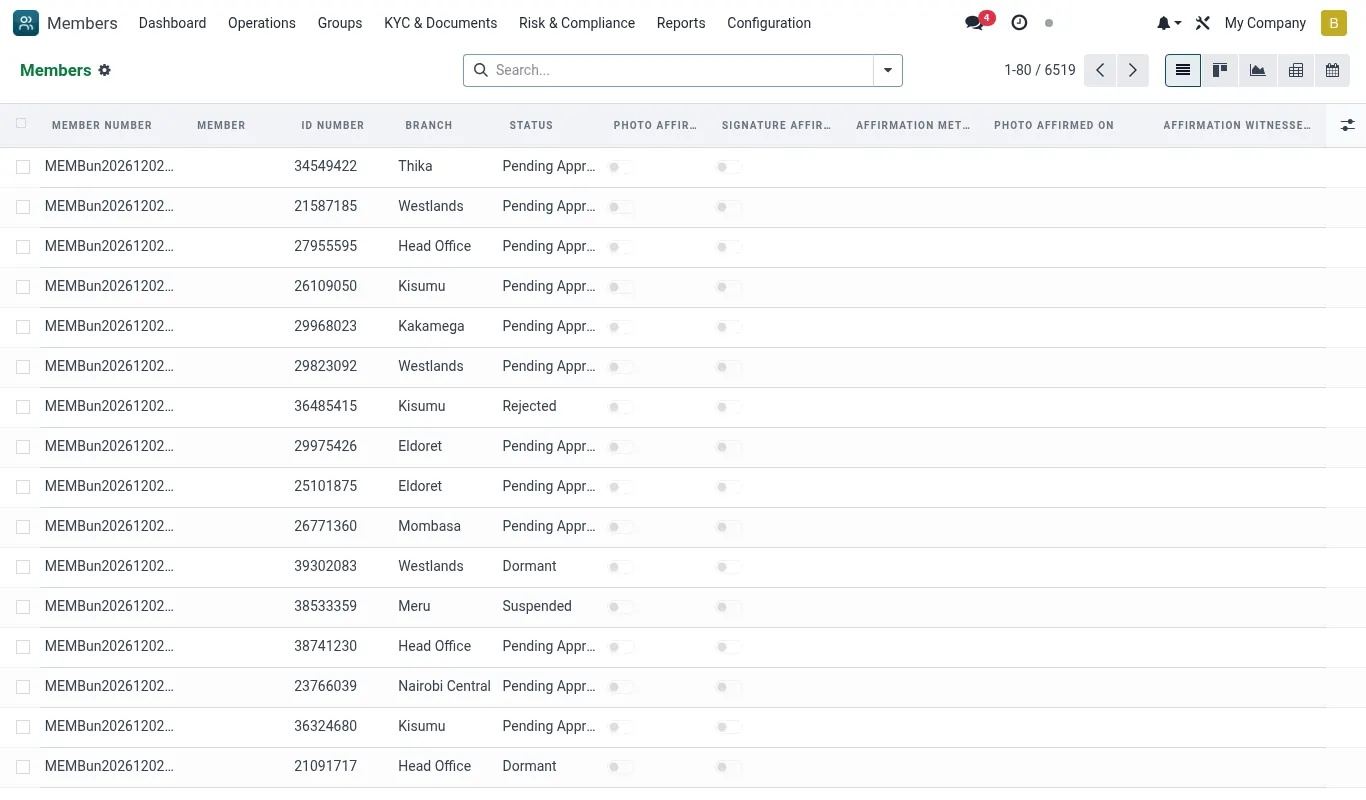
You have an installed, configured, role-mapped, two-person-protected, payment-wired tenant. Now you onboard the first human. This page walks the 15-minute process end-to-end and tells you what to expect when something stops you.
What the member needs to bring
- National ID — original plus a clear photocopy. Foreign nationals: passport + alien card.
- KRA PIN certificate — printed or PDF on phone is fine. Optional for informal-trader category.
- Recent passport photo — or you take one at the branch with the tablet camera.
- Proof of address — utility bill, lease, or chief's letter; not older than 3 months.
- Source of funds declaration — verbal capture is fine; over KES 100K initial deposit needs documentary support per AML rules.
- Phone — must be in the member's name on Safaricom (for STK push) or registered with the member's KYC.
- Next-of-kin details — name, ID, phone, relationship.
Capture flow
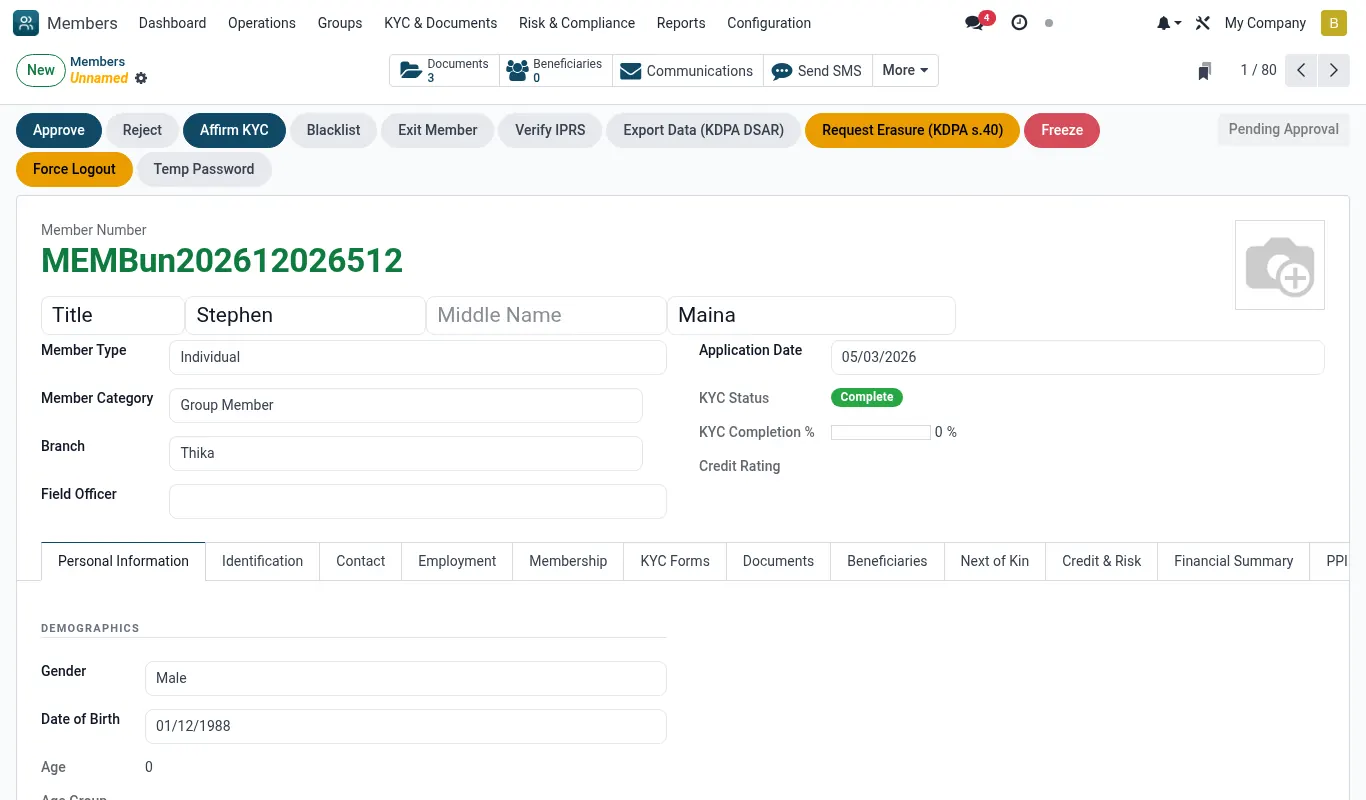
From MFI → Members → New the wizard collects in four steps. Each step auto-saves so you can resume if interrupted.
- Step 1 — Identity: full name, DOB, gender, national ID. System validates the ID format and checks the blacklist.
- Step 2 — Contact: phone (validated against Safaricom format), email (optional), physical address, county, GPS pin.
- Step 3 — Tax & AML: KRA PIN (or x_no_kra_reason), source of funds, PEP / sanctions check (queries the shipped Worldcheck mirror).
- Step 4 — Consent: ODPC data-protection consent (read aloud or on tablet), member signs on screen; CRB consent if loans likely; marketing consent (optional).
KYC tiers
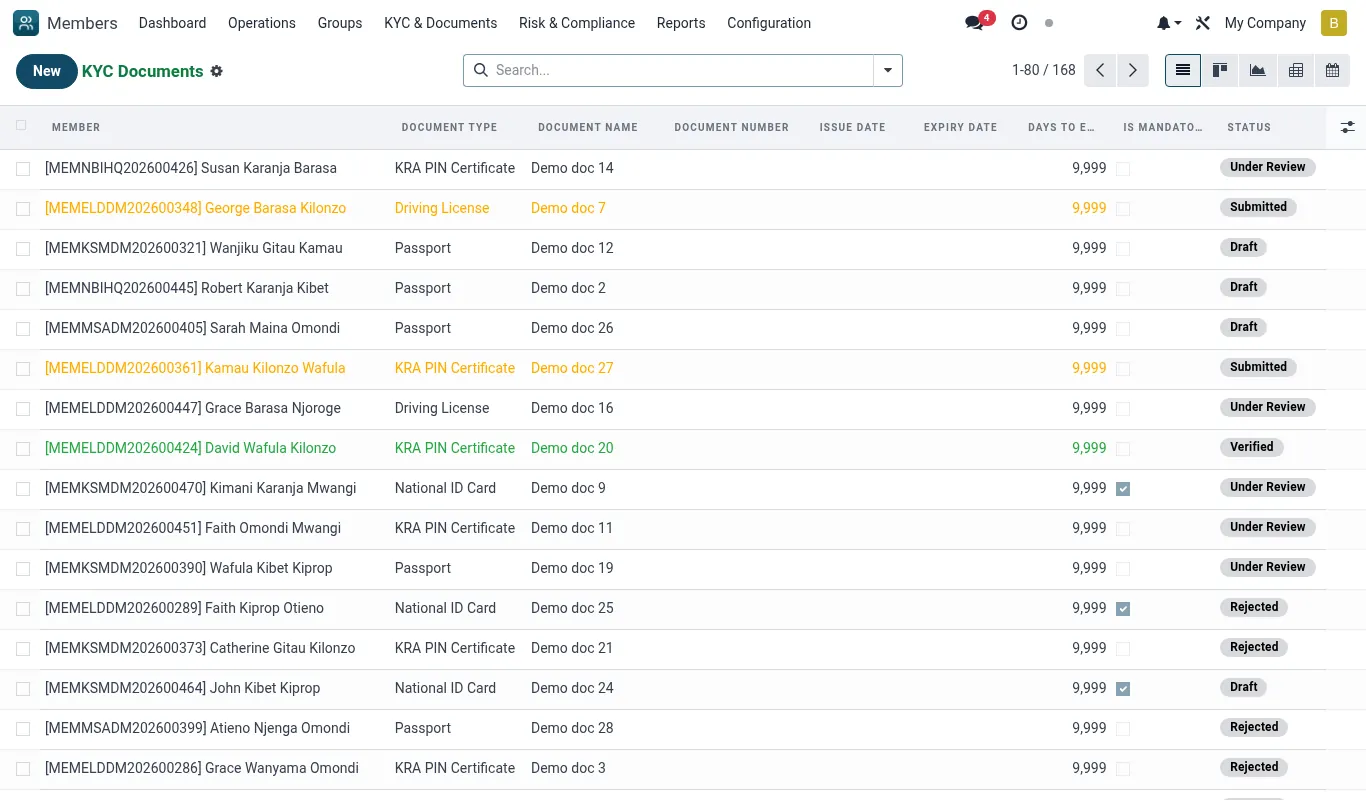
The MFI Suite ships three KYC tiers aligned with CBK Prudential Guideline 5 on simplified due diligence.
| Tier | Documents | Max savings | Max loan |
|---|---|---|---|
| Tier 1 — Basic | ID + phone | KES 100K | KES 50K |
| Tier 2 — Standard | ID + phone + KRA PIN + address proof | KES 1M | KES 500K |
| Tier 3 — Enhanced | Tier 2 + employer letter / business cert + source of funds doc | Unlimited | Unlimited |
Blacklist screening
Three lists are screened on save:
- Internal blacklist — past members written off, expelled, or under fraud investigation.
- CRB shared blacklist — pulled via the CRB connector (Metropol, TransUnion, Creditinfo).
- PEP / sanctions list — OFAC, UN, EU, KE-AMLF; refreshed weekly via the shipped feed.
kyc_review and notifies the Branch Manager. The two-person rule MEMBER_STATUS requires Manager + Compliance concurrence to override.Open the first savings account
After save, the member form shows a green 'Open savings account' button. Click it, pick the product (typically Ordinary Savings for new members), capture the opening deposit, and the system:
- Creates
mfi.savings.accountwith a number likeS-MUM-2026-0001. - Posts the opening deposit to the savings GL and the till.
- If the deposit came via M-Pesa STK push, the till leg is skipped and the M-Pesa rail handles it.
- Auto-enrols the member into iBANK and sends the welcome SMS with iBANK login link.
Enrol the member on iBANK
iBANK is the member-facing self-service portal. The first-login flow:
- Member receives SMS: 'Welcome to Bridge MFI. iBANK link: https://mfi.example.co.ke/ibank Login: 254712345678 Temp PIN: 4471.'
- Member opens link, enters phone + temp PIN.
- System forces a PIN change to a 6-digit secret.
- System sends an OTP to the same phone to confirm ownership.
- On OTP confirmation, iBANK dashboard opens with the savings balance and quick actions: deposit, withdraw, statement, apply for loan.
Worked scenarios
Scenario — Mary opens her account at the Mumias branch on opening day
| Character | Role |
|---|---|
| Mary Mutua | First Mumias member |
| Peter Otieno | Mumias loan officer |
| Aisha Hassan | Kakamega Branch Manager — concurs blacklist override |
Timeline
- Day 14, 08:15: Mary walks in. Peter greets her, opens MFI → Members → New. (Wizard step 1)
- Day 14, 08:17: Peter captures Mary's name, DOB 1988-03-12, gender F, ID 24681012. (Step 1 saved)
- Day 14, 08:19: System runs blacklist check. CRB returns clean; internal list returns clean; PEP returns a name-similarity hit on a Mary Mutua in Nairobi. (kyc_review)
- Day 14, 08:21: Peter compares ID numbers — different person. Submits override request. (mfi.two.person.request created)
- Day 14, 08:24: Aisha receives the override request, reviews the ID comparison, concurs. (Override approved)
- Day 14, 08:25: Peter continues to step 2 — phone 254712345678, address, GPS pin captured. (Step 2 saved)
- Day 14, 08:27: Step 3 — KRA PIN A001234567B (validates), source of funds 'tea trading'. (Step 3 saved)
- Day 14, 08:29: Step 4 — Mary signs ODPC consent on the tablet; CRB consent ticked; marketing consent ticked. (consent.record created)
- Day 14, 08:30: Member moves to
active, Tier 1. Peter clicks 'Open savings account'. (mfi.member.state = active) - Day 14, 08:32: Peter picks Ordinary Savings, captures KES 2,000 opening deposit via till. (mfi.savings.account S-MUM-2026-0001 created)
- Day 14, 08:33: Till receipt prints. Mary receives iBANK welcome SMS. (Welcome SMS sent)
- Day 14, 08:35: Peter helps Mary log in to iBANK on her phone and change her PIN. (iBANK first login complete)
Outcome — Mary becomes member 1 of the Mumias sub-branch with full KYC, signed consent, opening savings, and iBANK access in 20 minutes.
Reference
Key fields on mfi.member
| Field | Type | Required | Notes |
|---|---|---|---|
| name | Char | Yes | Surname then given names |
| national_id | Char | Yes | 8-digit numeric Kenyan ID |
| vat | Char | Tier 2+ | KRA PIN, A0123456789Z |
| phone | Char | Yes | E.164 254... |
| county_id | Many2one | Yes | res.country.state |
| branch_id | Many2one | Yes | Home branch |
| kyc_tier | Selection | Yes | tier_1 / tier_2 / tier_3 |
| state | Selection | Yes | draft / kyc_pending / kyc_review / active / blacklisted / dormant / closed |
| consent_odpc | Boolean | Yes | Stamped with timestamp |
| consent_crb | Boolean | No | Required before any CRB pull |
| next_of_kin_id | Many2one | Yes | Another res.partner |
Member state machine
| From | To | Trigger | Two-person |
|---|---|---|---|
| draft | kyc_pending | Officer saves step 4 | No |
| kyc_pending | active | All checks clean | No (auto) |
| kyc_pending | kyc_review | Blacklist or PEP hit | No (auto) |
| kyc_review | active | Manager override | Yes — MEMBER_STATUS |
| kyc_review | blacklisted | Manager confirms hit | Yes — MEMBER_STATUS |
| active | dormant | 12 months no activity | No (cron) |
| active | blacklisted | Fraud / write-off | Yes — MEMBER_STATUS |
| any | closed | Member request + balance zeroed | Yes — MEMBER_STATUS |
Troubleshooting
| Symptom | Likely cause | Fix |
|---|---|---|
| Cannot save member — 'KRA PIN A12345678Z invalid format' | Old 10-char PIN format | Member to refresh PIN at iTax; or capture x_no_kra_reason and proceed at Tier 1. |
| Blacklist false-positive blocks every new member | PEP feed name-similarity threshold too aggressive | Lower threshold from 0.85 to 0.92 at ir.config_parameter mfi.pep_match_threshold. |
| Welcome SMS never arrives | SMS provider out of balance or sender ID unapproved | Check provider balance; check CA-approved sender ID list; resend from member form. |
| iBANK first login loops on PIN change | Browser blocked the OTP cookie | Ask member to enable cookies for the iBANK domain, or use the iBANK Android app. |
| Savings account opens but opening deposit shows in clearing account | Till session not opened for the day | Open the till session first (MFI → Cash → Open till); deposit will auto-re-post. |