

Pipelines
Pipelines define what data is extracted and how it is shaped for the warehouse — which source tables map to which fact and dimension tables, and on what schedule. Analysts configure the dimensions, measures and refresh cadence here. This is the design layer that turns transactional records into a clean analytics model for BI tools.
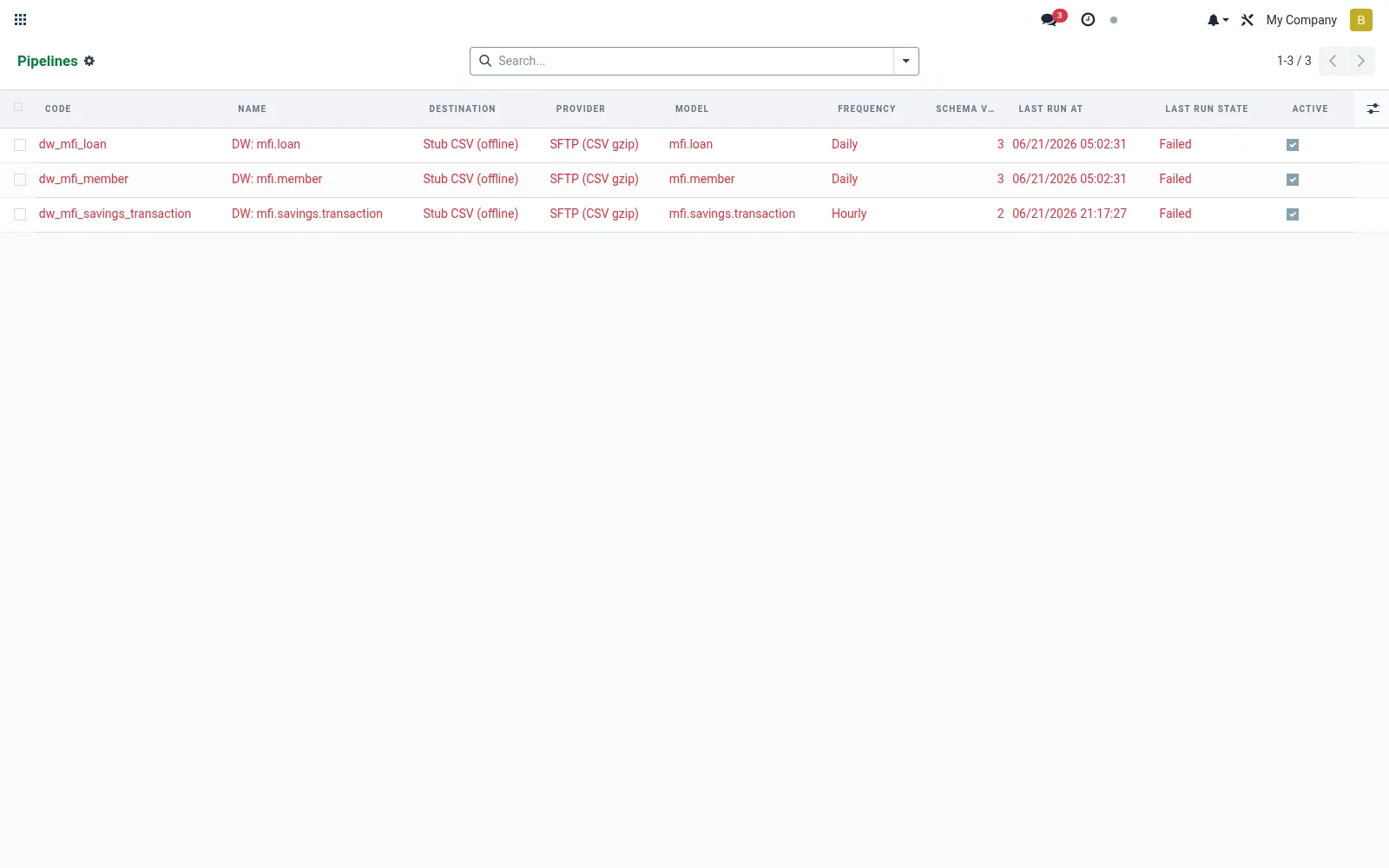
Workflow
- Open Pipelines from the Data Warehouse export menu.
- Create a pipeline and name the dataset it produces.
- Map source models to fact and dimension tables.
- Select the destination it writes to.
- Set the schedule (for example nightly) and activate it.
Fields reference
Every field on this screen, drawn from the live data model.
| Field | Type | Required | Description |
|---|---|---|---|
Website Messageswebsite_message_ids | List | — | Website communication history |
Columnscolumn_whitelist | Text | — | Comma-separated stored field names, or "*" for all stored fields on the source model. |
Filter Domainfilter_domain | Text | — | BridgeERP domain (Python list literal). Combined with incremental watermark when present. |
Partition Fieldpartition_field | Text | — | Field used by destination to partition (e.g. by date). |
Incremental Fieldincremental_field | Text | — | Field whose value advances the watermark. Records with value > watermark are exported. |
Watermarkwatermark_value | Text | — | Last successfully exported incremental_field value. |
Schema Versionschema_version | Number | — | Bumps when column set changes. |
Last Columns Hashlast_columns_hash | Text | — | Hash of last exported column set; change triggers schema_version+1. |
Namename | Text | Yes | Name |
Codecode | Text | Yes | Code |
Destinationdestination_id | Link → mfi.dw.destination | Yes | Destination |
Source Modelsource_model_id | Link → ir.model | Yes | Source Model |
Frequencyfrequency | Choice: Manual, Hourly, Daily, Weekly | Yes | Frequency |
Compressioncompression | Choice: None, gzip, Parquet | Yes | Compression |
Batch Sizebatch_size | Number | Yes | Batch Size |
Retry Countretry_count | Number | Yes | Retry Count |
Has Messagehas_message | Yes/No | — | Has Message |
Ratingsrating_ids | List | — | Ratings |
Sequencesequence | Number | — | Sequence |
Activeactive | Yes/No | — | Active |
Companycompany_id | Link → res.company | — | Company |
Providerprovider | Choice: Google BigQuery, Snowflake, Amazon Redshift, Amazon S3 (Parquet), SFTP (CSV gzip), Generic HTTP POST | — | Provider |
Modelsource_model | Text | — | Model |
Last Run Atlast_run_at | Date & time | — | Last Run At |
Last Run Statelast_run_state | Choice: Never Run, Running, Success, Failed, Partial | — | Last Run State |
Last Errorlast_error | Text | — | Last Error |
Runsrun_ids | List | — | Runs |
Run Countrun_count | Number | — | Run Count |
Actions & buttons
Buttons available on this screen and what they do:
- Run Now
- Reset Watermark
Notes & rules
- Model mfi.dw.pipeline; the extract-and-shape definition.
- Configures dimension/measure mapping toward a star schema.
- Bound to a destination and a refresh schedule.
- Each enabled run produces an Export Run record.
Was this page helpful?