

New Quote
A guided quotation wizard that builds an insurance quote for a member before binding a policy. The officer picks a product, enters the sum assured and member details, and the wizard prices the premium and produces a draft policy. It removes manual rate-card lookups and keeps quoting consistent at every branch.
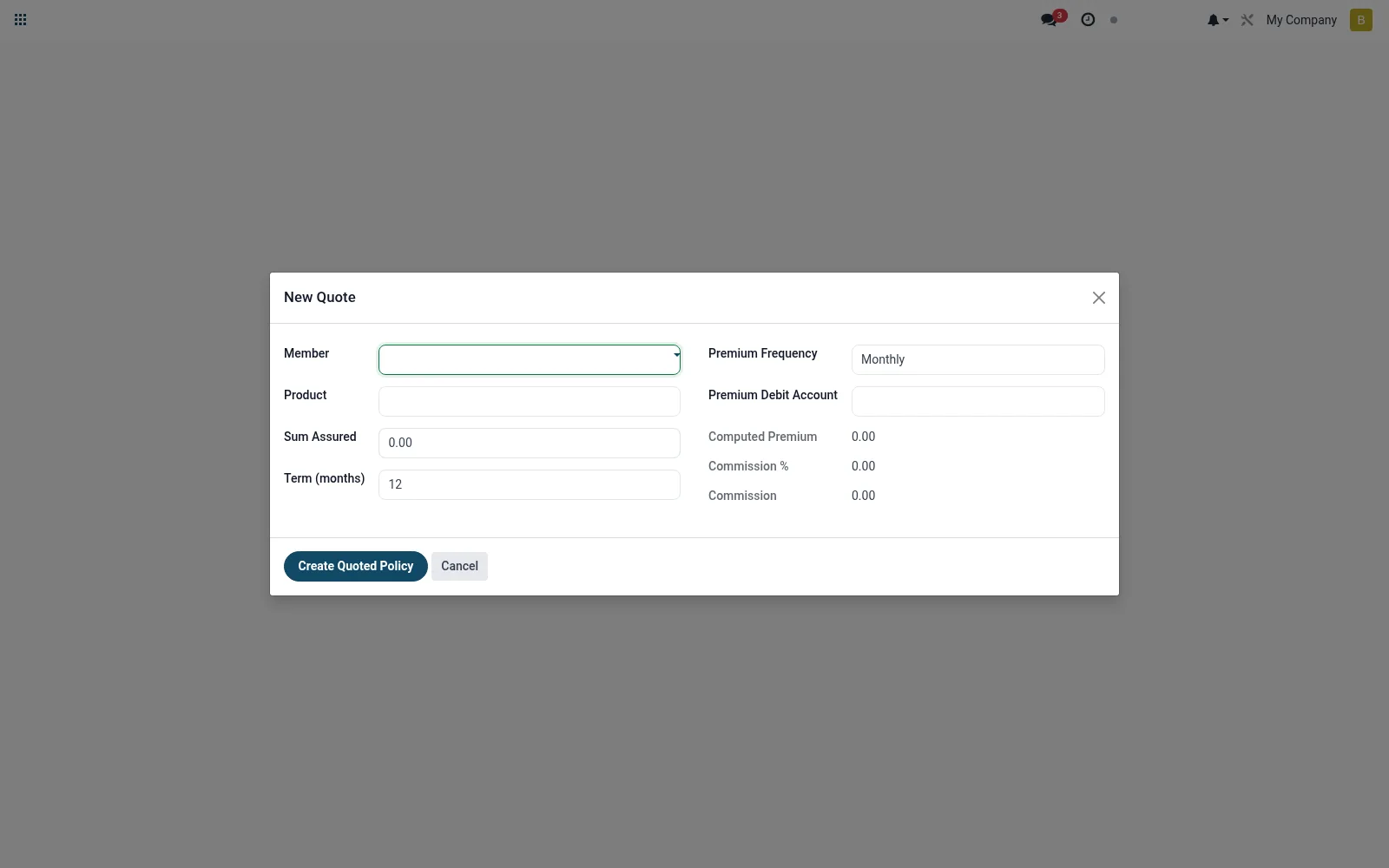
Workflow
- Open New Quote from the Bancassurance menu.
- Select the insurance product and the member or prospect.
- Enter the sum assured, term and any rider options.
- Review the auto-calculated premium and commission split.
- Confirm to generate a draft policy for issuance.
Fields reference
Every field on this screen, drawn from the live data model.
| Field | Type | Required | Description |
|---|---|---|---|
Membermember_id | Link → mfi.member | Yes | Member |
Productproduct_id | Link → mfi.bancassurance.product | Yes | Product |
Sum Assuredsum_assured | Money | Yes | Sum Assured |
Premium Frequencypremium_frequency | Choice: One-off, Monthly, Quarterly, Annual | Yes | Premium Frequency |
Term (months)term_months | Number | — | Term (months) |
Premium Debit Accountpremium_debit_account_id | Link → mfi.savings.account | — | Premium Debit Account |
Computed Premiumpremium_amount | Money | — | Computed Premium |
Commission %commission_pct | Decimal | — | Commission % |
Commissioncommission_amount | Money | — | Commission |
Currencycurrency_id | Link → res.currency | — | Currency |
Actions & buttons
Buttons available on this screen and what they do:
- Create Quoted Policy
Notes & rules
- Model mfi.bancassurance.policy.quote.wizard is transient and produces a policy record.
- Key inputs: product, member, sum assured, term, premium frequency.
- Flows directly into the Policies screen on confirmation.
- No accounting posting at quote stage; only on policy activation.
Was this page helpful?