

Commissions
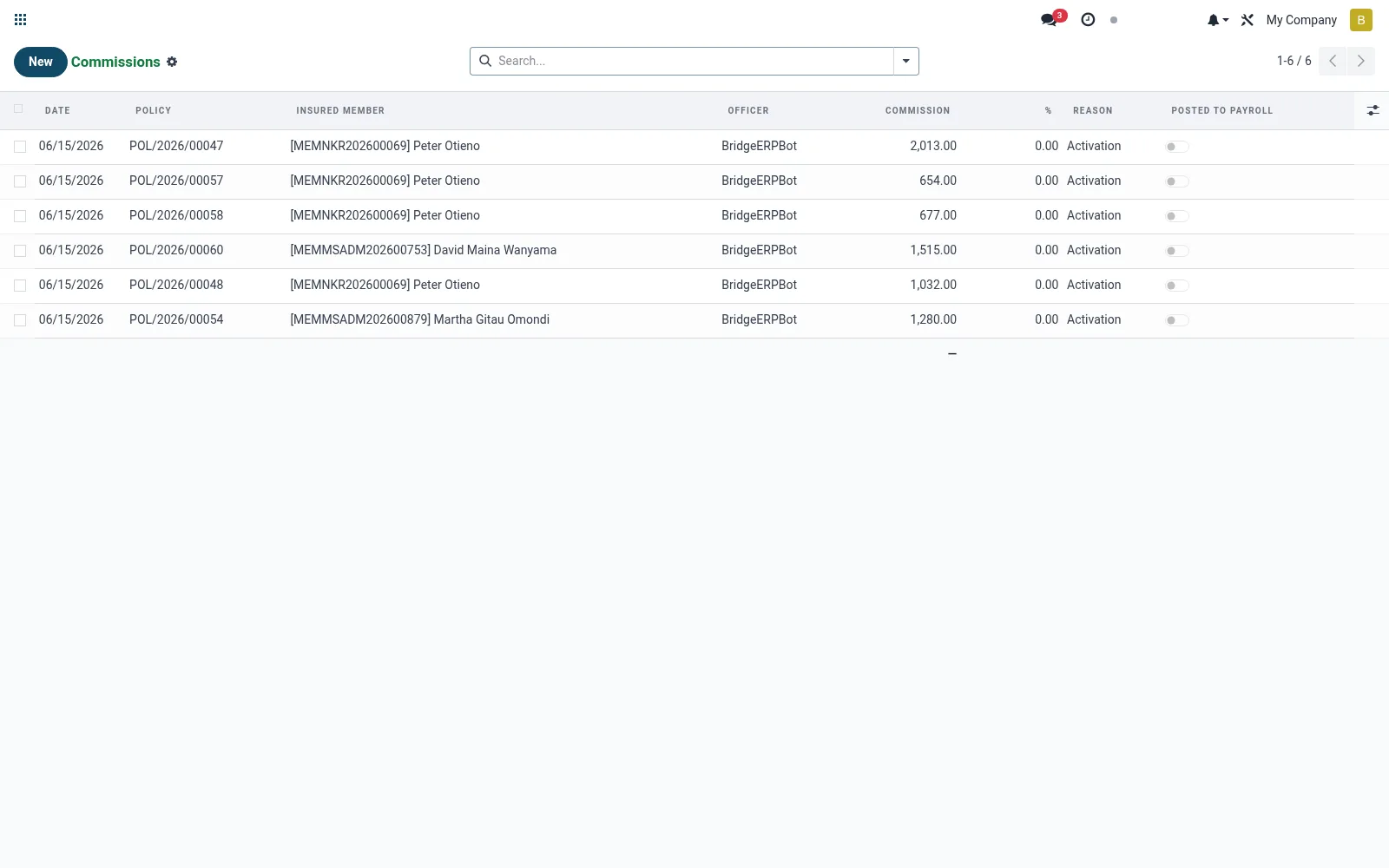
Tracks the commission the institution earns for distributing each insurance policy. Records show the commission rate, the earned amount per policy and whether the underwriter has remitted it. It turns bancassurance into a measurable fee-income line and supports reconciliation against partner statements.
Workflow
- Open Commissions to view earnings by policy and partner.
- Filter by underwriter or period to reconcile against a remittance statement.
- Open a record to confirm the rate and the computed commission base.
- Mark commissions invoiced or received as the underwriter pays.
- Export the period total for fee-income reporting.
Fields reference
Every field on this screen, drawn from the live data model.
| Field | Type | Required | Description |
|---|---|---|---|
Policypolicy_id | Link → mfi.bancassurance.policy | Yes | Policy |
Officerofficer_id | Link → res.users | Yes | Officer |
Datedate | Date | Yes | Date |
Commissionamount | Money | Yes | Commission |
Reasonreason | Choice: Activation, Renewal, Manual, Adjustment | Yes | Reason |
Insured Membermember_id | Link → mfi.member | — | Insured Member |
Underwriterunderwriter_id | Link → mfi.bancassurance.underwriter | — | Underwriter |
Productproduct_id | Link → mfi.bancassurance.product | — | Product |
%pct | Decimal | — | % |
Posted to Payrollposted_to_payroll | Yes/No | — | Posted to Payroll |
Posted Dateposted_date | Date | — | Posted Date |
Notesnotes | Text | — | Notes |
Currencycurrency_id | Link → res.currency | — | Currency |
Companycompany_id | Link → res.company | — | Company |
Notes & rules
- Model mfi.bancassurance.commission; states such as accrued, invoiced, received.
- Computed from premium and the product commission rate.
- Reconciles against underwriter remittance statements.
- Feeds non-interest (fee) income in management accounts.
Was this page helpful?