

Interest on savings
Each product carries an annual rate. Interest reaches a member’s account as an interest transaction you enter on it.
Who: Savings Manager and Accountant.
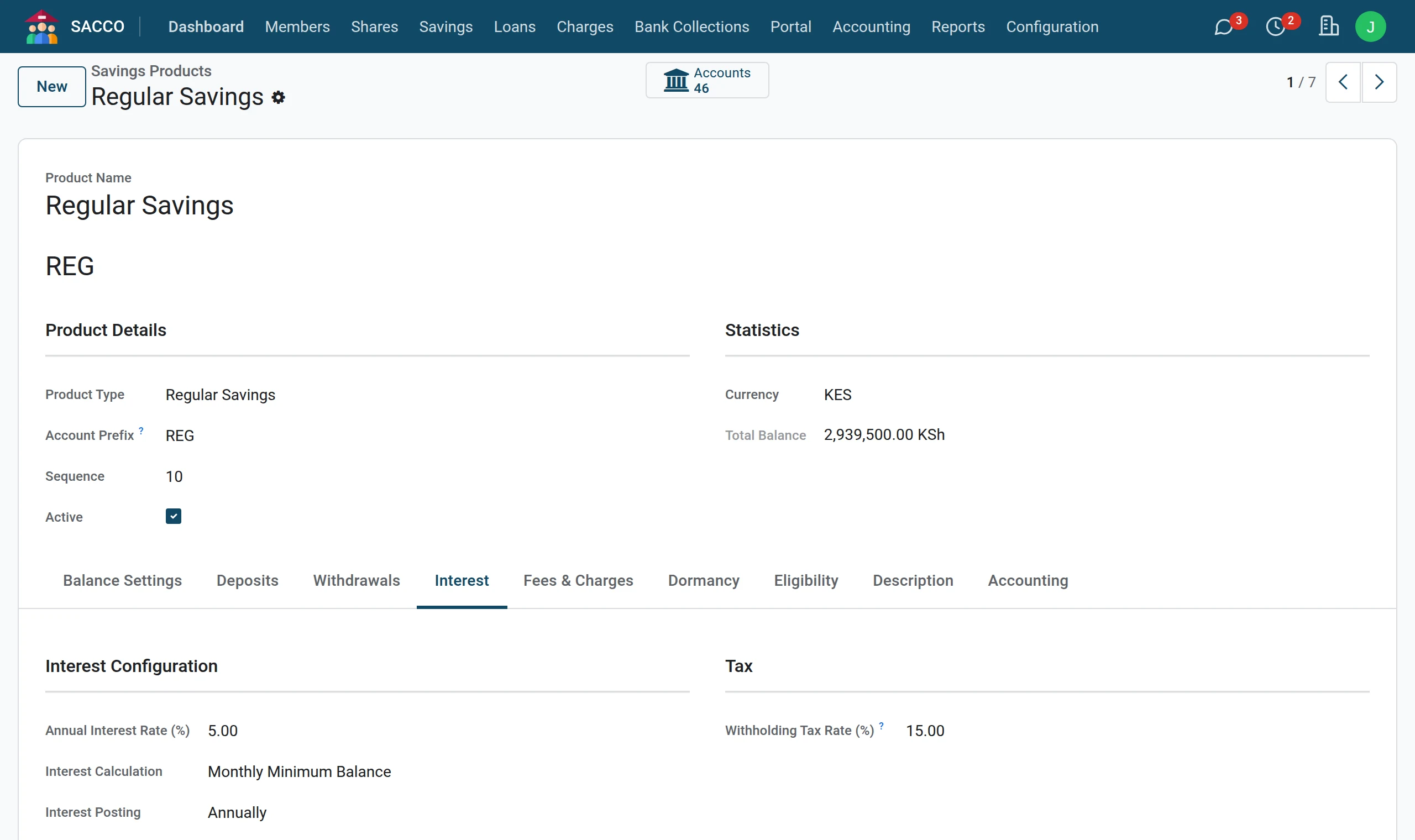
Where the rate is set
The rate is the Annual Interest Rate (%) on the Interest tab of the product (savings products). It is copied to each new account, where a savings manager can change it for that one account, and it is what the member reads on the portal (“Earns 5.0% a year”).
Enter interest on one account
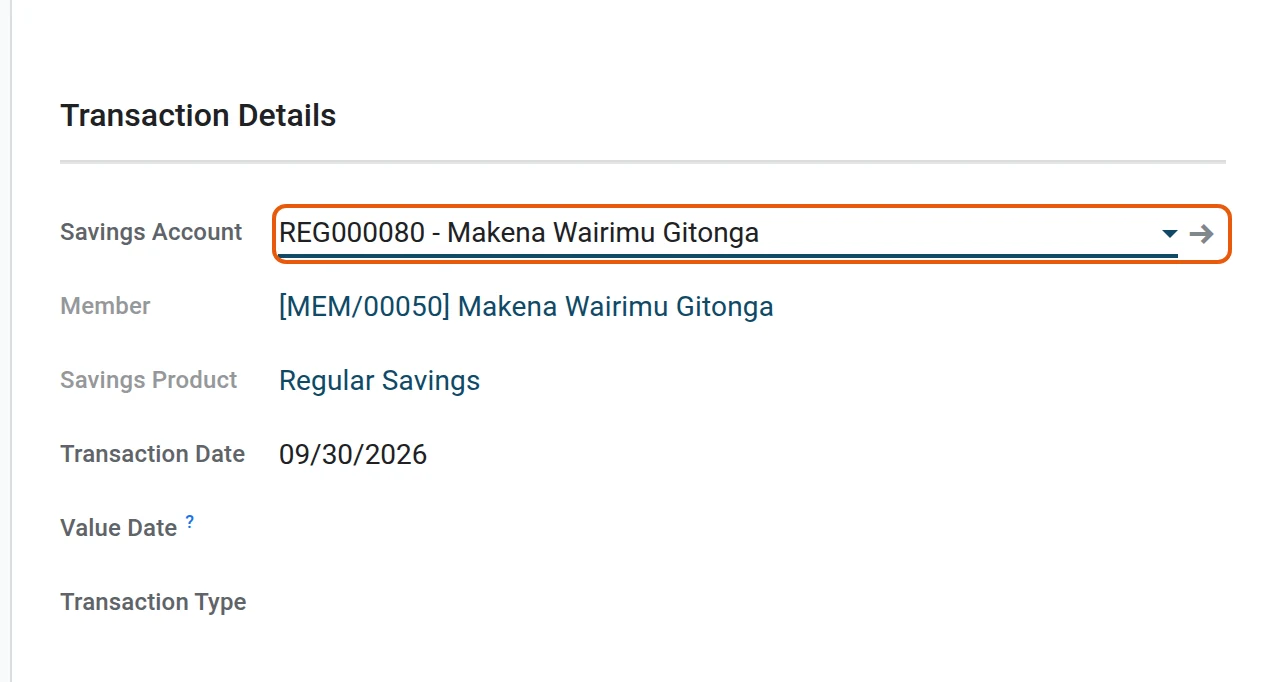
1Start a transaction on the account
Open , press New and pick the Savings Account.
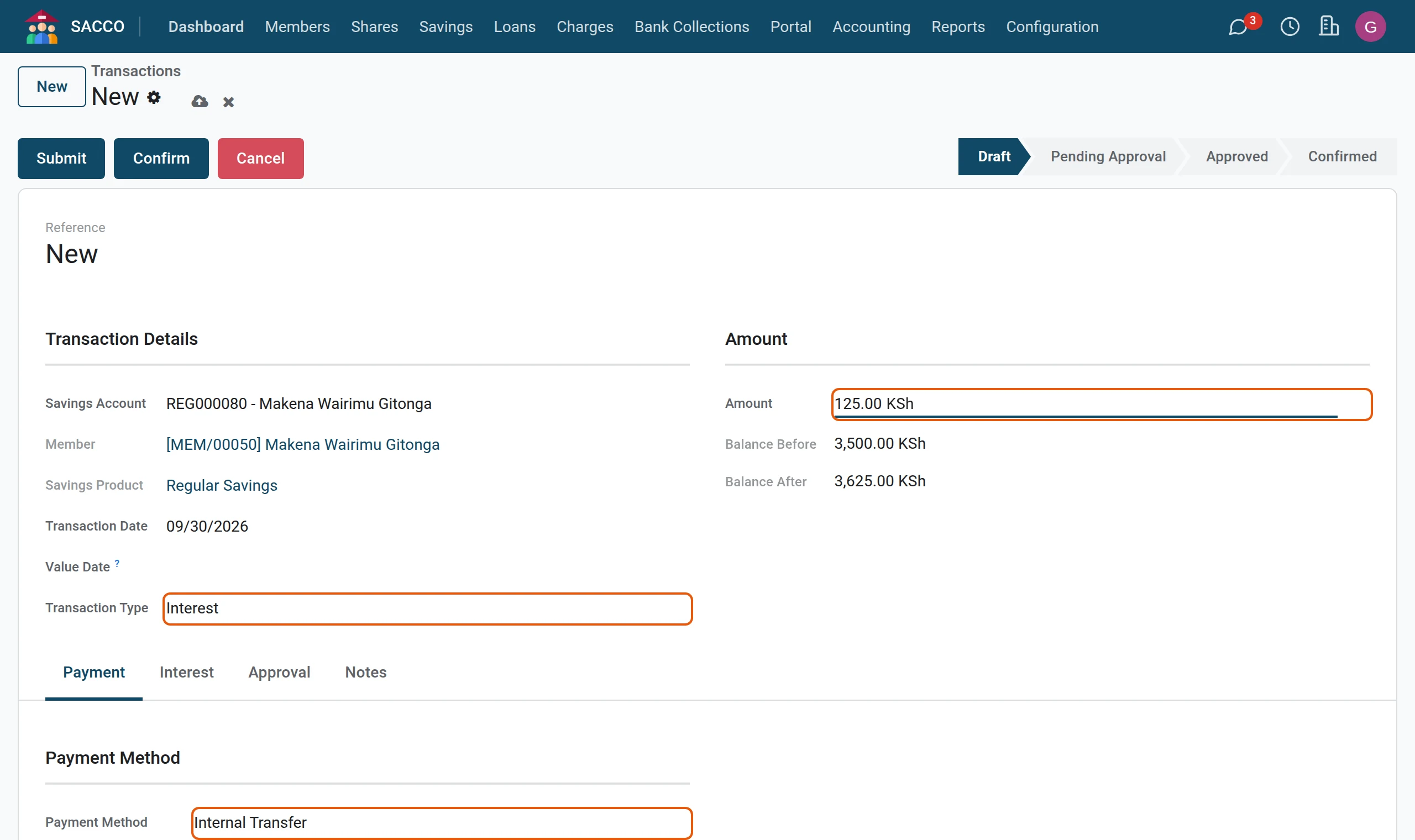
2Choose the type Interest
Set the Transaction Type to Interest, type the Amount and pick Internal Transfer as the payment method (no money changes hands).
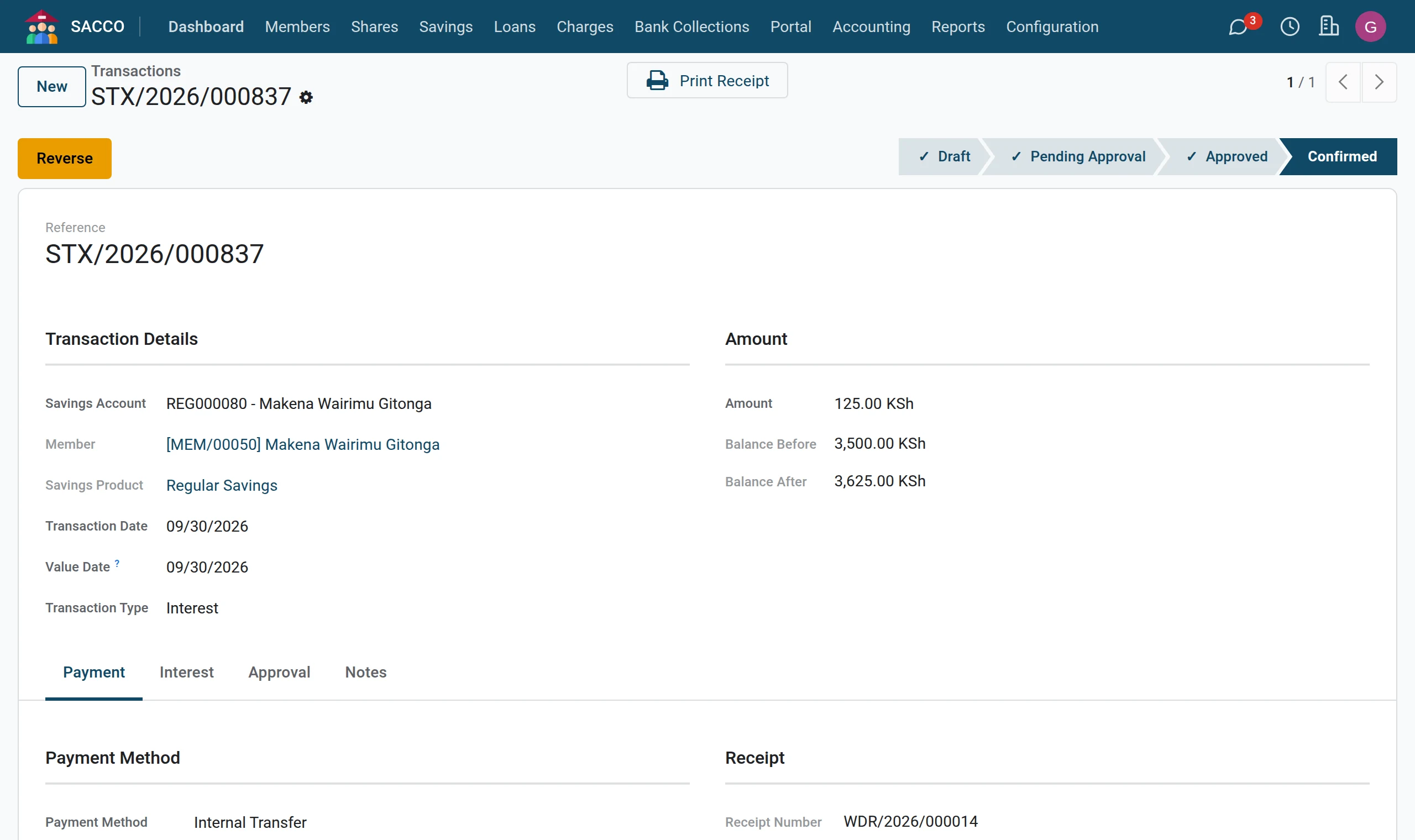
3Confirm
Press Confirm. The interest is added to the balance and shows on the statement.
Note
No scheduled job posts savings interest by itself: enter it as above.
Was this page helpful?