

Scenarios
Scenarios defines reusable stress assumptions such as deposit-run rates, interest-rate shocks, FX moves and asset haircuts, each grouped into a named scenario. These definitions describe how shocks are applied to positions and liquidity when a run is executed. Maintaining a library of scenarios lets the SACCO test mild, moderate and severe conditions consistently.
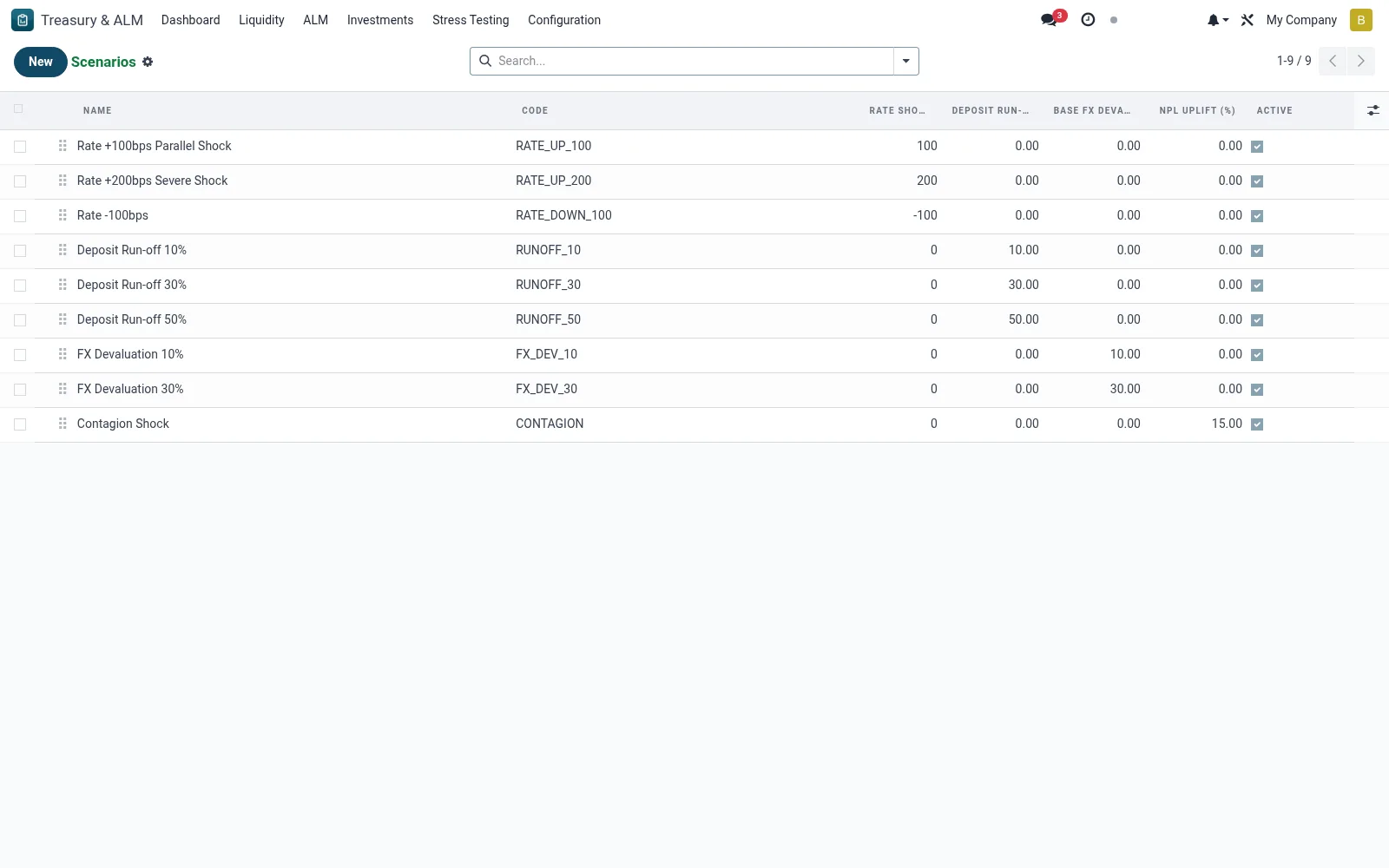
Workflow
- Open Treasury & ALM then Stress Testing then Scenarios.
- Create a scenario and name the stress it represents.
- Set the shock parameters such as deposit outflow, rate move and haircuts.
- Save the scenario so it is available to execute as a run.
- Maintain a graded set spanning mild to severe stress.
Fields reference
Every field on this screen, drawn from the live data model.
| Field | Type | Required | Description |
|---|---|---|---|
Rate Shock (bps)rate_shock_bps | Number | — | +100 = +1% across the curve; -100 = -1% |
Contagion Factorcontagion_factor | Decimal | — | Multiplier applied to inter-bank exposure losses |
Namename | Text | Yes | Name |
Codecode | Text | Yes | Code |
Sequencesequence | Number | — | Sequence |
Activeactive | Yes/No | — | Active |
Descriptiondescription | Long text | — | Description |
Deposit Run-off (%)deposit_runoff_pct | Decimal | — | Deposit Run-off (%) |
Base FX Devaluation (%)fx_devaluation_pct | Decimal | — | Base FX Devaluation (%) |
NPL Uplift (%)npl_uplift_pct | Decimal | — | NPL Uplift (%) |
Companycompany_id | Link → res.company | — | Company |
Notes & rules
- A scenario is a parameter set, not a result; results come from runs.
- Shocks can cover liquidity, interest-rate and FX dimensions together.
- Severity grading supports a structured stress-testing programme.
- Scenarios are reused across multiple reporting dates for comparability.
Was this page helpful?