

LCR
LCR computes the Liquidity Coverage Ratio, the stock of high-quality liquid assets divided by total net cash outflows over a 30-day stress window. Each record captures the HQLA buffer, outflow and inflow assumptions and the resulting ratio against the regulatory minimum. Graph and list views let the treasurer track the ratio over time and demonstrate compliance to CBK and SASRA.
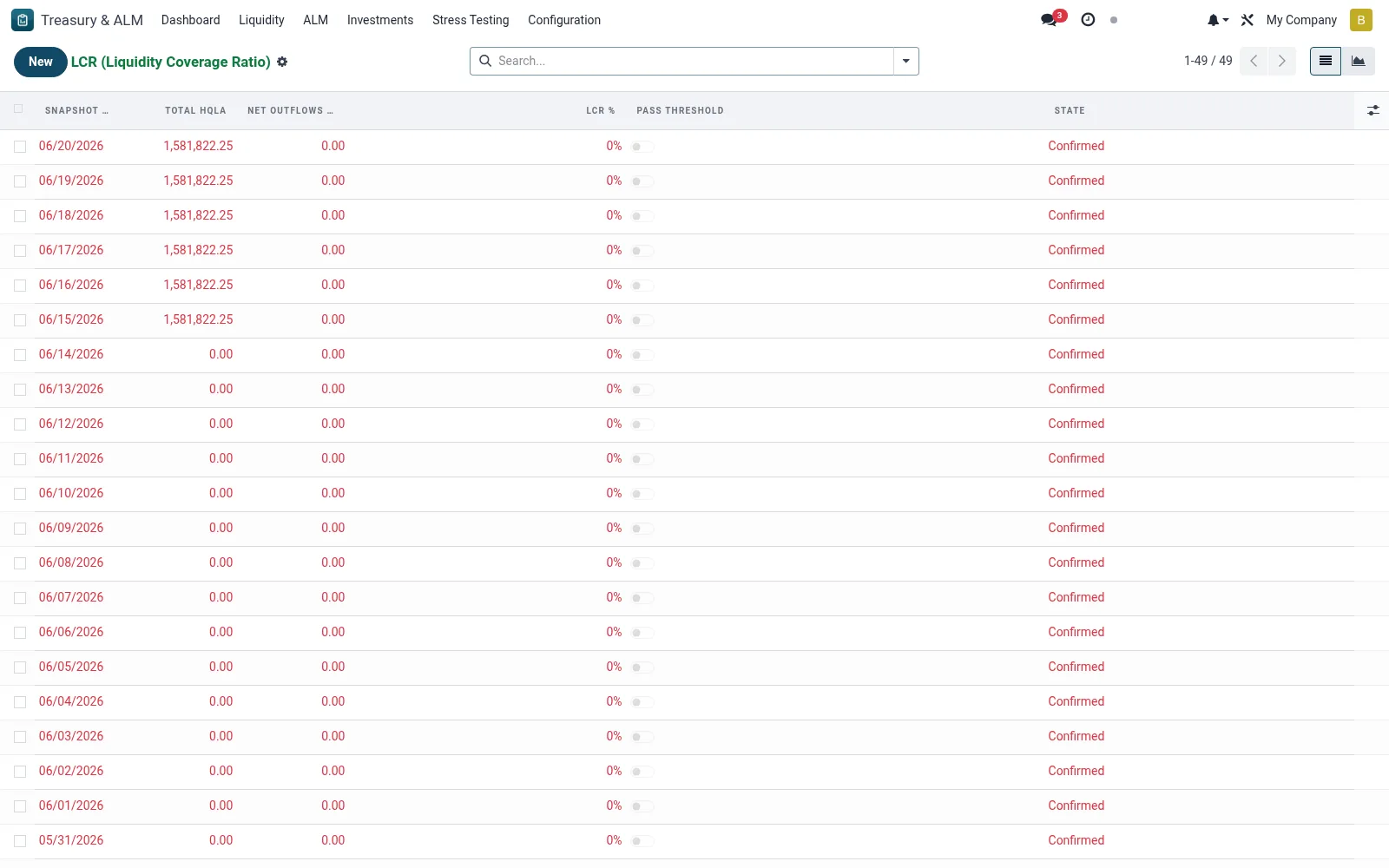
Workflow
- Open Treasury & ALM then Liquidity then LCR.
- Create or run a computation for the reporting date.
- Review the HQLA stock and the net 30-day outflow inputs.
- Compare the resulting ratio against the regulatory floor.
- Use the graph view to monitor the trend across periods.
Fields reference
Every field on this screen, drawn from the live data model.
| Field | Type | Required | Description |
|---|---|---|---|
HQLA Level 1hqla_l1 | Money | — | Cash, central-bank reserves, government securities |
Capped Inflowscapped_inflows | Money | — | Inflows capped at 75% of outflows per Basel III |
Ratioratio | Decimal | — | LCR = Total HQLA / Net Outflows. Target >= 1.00 (100%). |
Snapshot Datesnapshot_date | Date | Yes | Snapshot Date |
Has Messagehas_message | Yes/No | — | Has Message |
Namename | Text | — | Name |
HQLA Level 2Ahqla_l2a | Money | — | HQLA Level 2A |
HQLA Level 2Bhqla_l2b | Money | — | HQLA Level 2B |
Total Hqlatotal_hqla | Money | — | Total Hqla |
Expected Outflows 30Dexpected_outflows_30d | Money | — | Expected Outflows 30D |
Expected Inflows 30Dexpected_inflows_30d | Money | — | Expected Inflows 30D |
Net Outflows 30Dnet_outflows_30d | Money | — | Net Outflows 30D |
Ratio Pctratio_pct | Decimal | — | Ratio Pct |
Pass Thresholdpass_threshold | Yes/No | — | Pass Threshold |
Statestate | Choice: Draft, Confirmed | — | State |
Notesnotes | Long text | — | Notes |
Companycompany_id | Link → res.company | — | Company |
Currencycurrency_id | Link → res.currency | — | Currency |
Actions & buttons
Buttons available on this screen and what they do:
- Confirm
Status lifecycle
Records on this screen move through these statuses:
Draft → Confirmed
Notes & rules
- LCR equals high-quality liquid assets divided by net 30-day stressed outflows.
- A ratio at or above 100 percent indicates the buffer covers the stress window.
- Inflows are typically capped at a share of outflows per the prudential rule.
- Results feed the dashboard and can trigger an alarm when below the floor.
Was this page helpful?