

Notification Log
Notification Log is the complete record of every notification the system has generated and dispatched -- SMS, email and in-app -- across all users and members. It serves as proof of communication and a troubleshooting aid when a member disputes whether an alert was sent. Operations and compliance use it to audit member messaging.
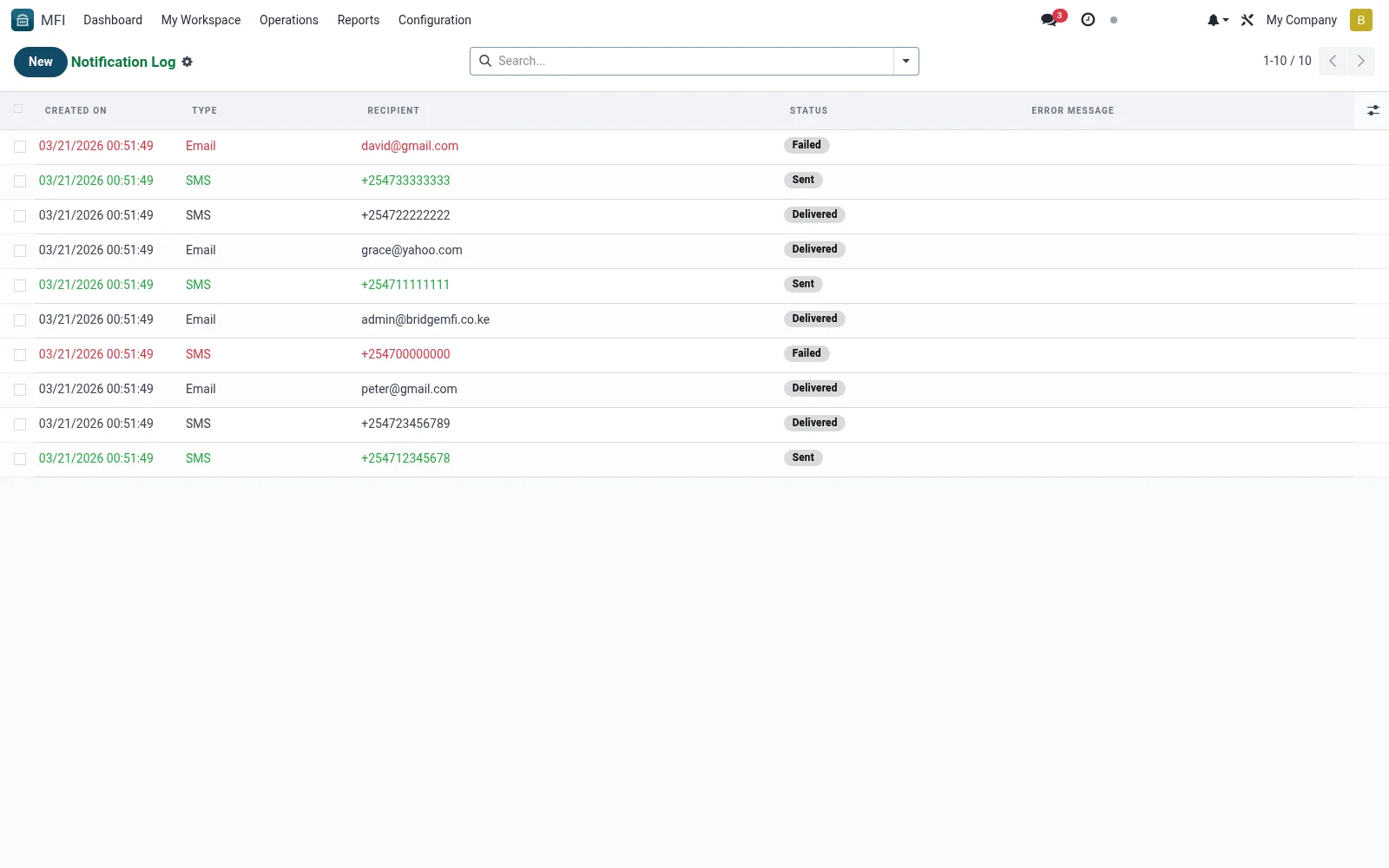
Workflow
- Open MFI > Operations > Notifications > Notification Log
- Filter by channel, date or recipient to find a message
- Open an entry to see content and delivery status
- Investigate failed deliveries and retry where supported
- Export logs for dispute resolution or audit
Fields reference
Every field on this screen, drawn from the live data model.
| Field | Type | Required | Description |
|---|---|---|---|
Typenotification_type | Choice: SMS, Email, WhatsApp, Push Notification | Yes | Type |
Recipientrecipient | Text | Yes | Recipient |
Template Usedtemplate_id | Link → mfi.sms.template | — | Template Used |
Modelmodel_name | Text | — | Model |
Record IDres_id | Number | — | Record ID |
Recordres_name | Text | — | Record |
Messagemessage | Long text | — | Message |
Subjectsubject | Text | — | Subject |
Statusstate | Choice: Pending, Sent, Delivered, Failed | — | Status |
Error Messageerror_message | Long text | — | Error Message |
Sent Datesent_date | Date & time | — | Sent Date |
Delivered Datedelivered_date | Date & time | — | Delivered Date |
Gateway Responsegateway_response | Long text | — | Gateway Response |
Companycompany_id | Link → res.company | — | Company |
Actions & buttons
Buttons available on this screen and what they do:
- Retry
Status lifecycle
Records on this screen move through these statuses:
Pending → Sent → Delivered → Failed
Notes & rules
- Model mfi.notification.log -- all channels and recipients
- Key fields: channel, recipient, status, sent date
- Related: My Notifications, SMS/Email Templates
- Used by operations and compliance staff
Was this page helpful?