

All Requests
All Requests is the institution-wide register of every approval request raised, regardless of approver, showing status, type, amount and history. It gives operations and audit a complete view of the authorisation pipeline and any bottlenecks. It is the reference point for tracing who approved what and when.
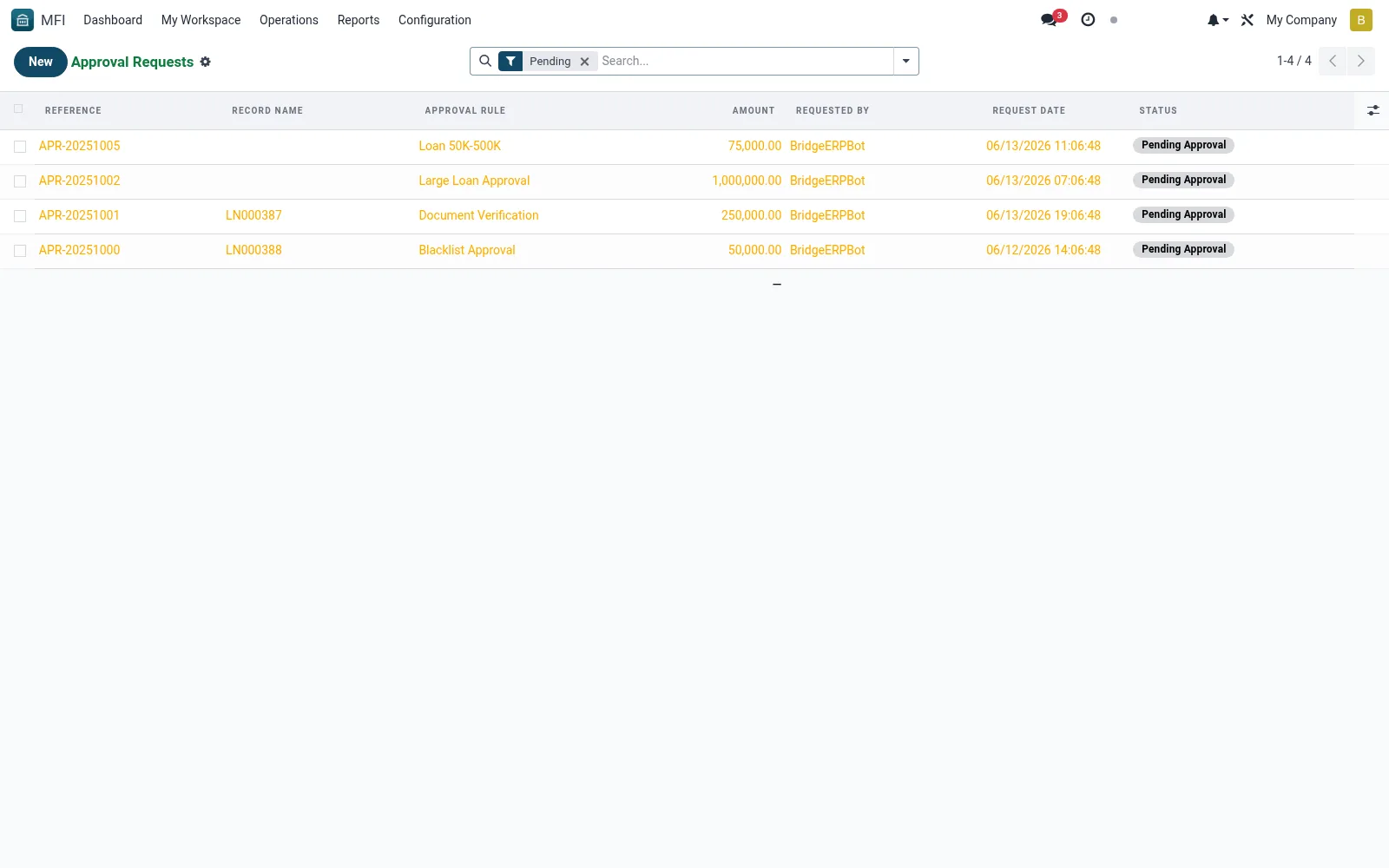
Workflow
- Open MFI > Operations > Approvals > All Requests
- Filter by state, type or branch to focus the list
- Open any request to see its routing and decision history
- Identify stalled requests and follow up with approvers
- Export for audit or management review
Fields reference
Every field on this screen, drawn from the live data model.
| Field | Type | Required | Description |
|---|---|---|---|
Website Messageswebsite_message_ids | List | — | Website communication history |
Referencereference | Text | Yes | Reference |
Approval Rulerule_id | Link → mfi.approval.rule | Yes | Approval Rule |
Modelmodel_name | Text | Yes | Model |
Record IDres_id | Number | Yes | Record ID |
Requested Byrequester_id | Link → res.users | Yes | Requested By |
Request Daterequest_date | Date & time | Yes | Request Date |
My Activity Deadlinemy_activity_date_deadline | Date | — | My Activity Deadline |
Has Messagehas_message | Yes/No | — | Has Message |
Ratingsrating_ids | List | — | Ratings |
Record Nameres_name | Text | — | Record Name |
Amountamount | Money | — | Amount |
Currencycurrency_id | Link → res.currency | — | Currency |
Branchbranch_id | Link → mfi.branch | — | Branch |
Statusstate | Choice: Draft, Pending Approval, Approved, Rejected, Cancelled | — | Status |
Approval Historyapproval_ids | List | — | Approval History |
Current Levelcurrent_level | Number | — | Current Level |
Final Approved Byapproved_by_id | Link → res.users | — | Final Approved By |
Approved Dateapproved_date | Date & time | — | Approved Date |
Rejected Byrejected_by_id | Link → res.users | — | Rejected By |
Rejected Daterejected_date | Date & time | — | Rejected Date |
Rejection Reasonrejection_reason | Long text | — | Rejection Reason |
Request Notesnotes | Long text | — | Request Notes |
Companycompany_id | Link → res.company | — | Company |
Actions & buttons
Buttons available on this screen and what they do:
- Submit for Approval
- Approve
- Reject
- Cancel
Status lifecycle
Records on this screen move through these statuses:
Draft → Pending Approval → Approved → Rejected → Cancelled
Notes & rules
- Model mfi.approval.request, unfiltered view
- Key fields: type, amount, requester, approver, state
- Related: My Pending Approvals, Approval Rules, Audit Logs
- Used by operations admins and auditors
Was this page helpful?