

Running the quarterly batch
The quarterly run is the act of computing ECL. It happens on the last calendar day of every quarter, takes about 30 minutes on a 5,000-loan book, and produces the journal that lands in the accounts. This page is the operator's checklist for getting it through cleanly.
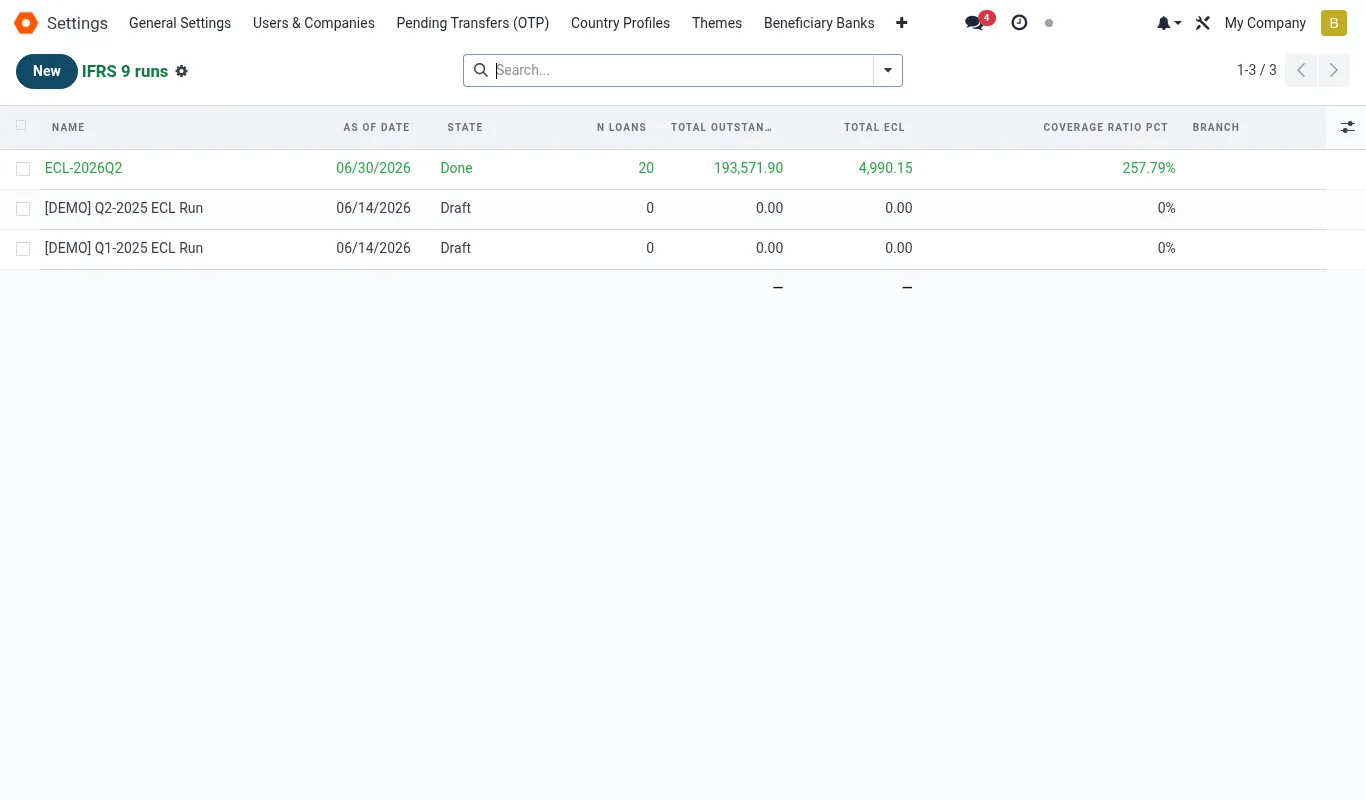
The run lifecycle
An ifrs9.run moves through seven states. Each state is owned by a different role; you cannot skip a state, and reversing only goes one step back.
| State | Owner | Trigger | Reversible |
|---|---|---|---|
| draft | Analyst | Run created | Delete |
| snapshotted | Engine (cron) | Quarter-end midnight snapshot | Re-snapshot only before stage |
| staged | Analyst | Run staging engine | Yes → snapshotted |
| computed | Engine | Run ECL compute | Yes → staged |
| reviewed | Risk Manager | Risk Manager sign-off | Yes → computed |
| approved | CFO | CFO sign-off | Yes → reviewed |
| posted | Engine (on approve) | Journal posted to GL | No — must reverse via new run |
T+0 — the snapshot
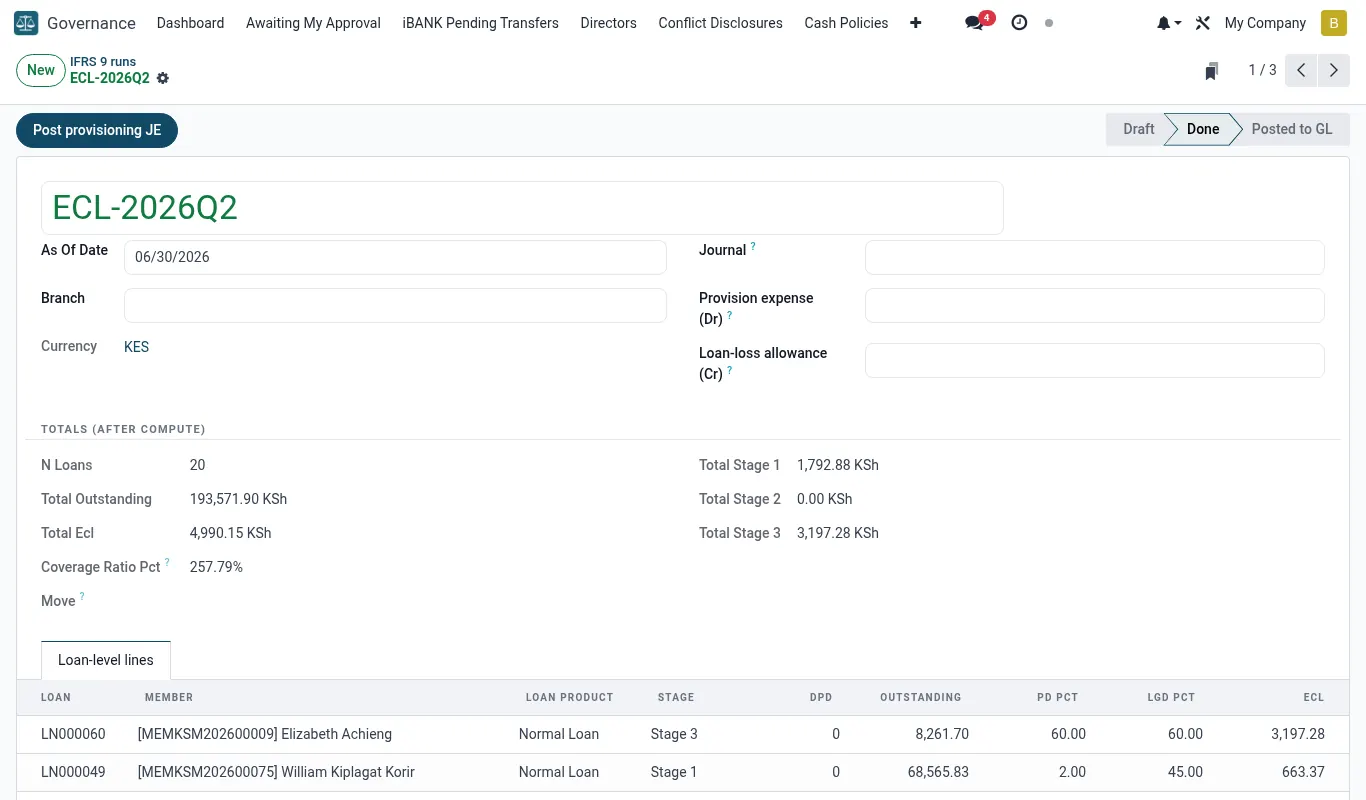
At 23:59 on the last day of the quarter a cron job creates an ifrs9.run, picks every loan that is open or closed-with-balance, and copies the data points needed for ECL into immutable run-line rows. After snapshot the book can keep moving — payments, write-offs, new disbursements — but the run sees the frozen picture.
The snapshot covers: loan id, segment, product, member, outstanding principal, accrued interest, EIR, origination PD, current DPD, last instalment date, last arrear date, restructure flag, is_forborne flag, collateral type and value, watchlist flag.
T+1 — staging
Open the run, click Stage. The engine evaluates the staging rules in sequence order against every run line and writes the resulting stage. This is fast (< 1 minute for 10k loans).
- Open the run from IFRS 9 → Runs.
- Click the Stage button (state: snapshotted → staged).
- Review the Staging tab. You'll see counts per rule and per stage, plus an exception list.
- Spot-check 5-10 lines in each stage against your manual expectation.
- If anything looks wrong, fix the rule or the loan record, then click Re-stage.
T+1 — ECL computation
Click Compute ECL. The engine runs each scenario (base, upside, downside) for every loan, computing EAD × PD × LGD discounted at EIR, and stores ECL per scenario plus a weighted ECL. This takes about 5-15 minutes on a 5,000-loan book.
The Compute step is restartable — if it crashes part way you can hit it again and it'll resume from the last completed line. Lines are computed in segments (PD assumptions are loaded once per segment), and a progress log writes to the Compute log tab.
Watching progress. Open the run record and switch to the Compute log tab — it auto-refreshes every 10 seconds with live progress.
T+2 — review
The Risk Manager reviews the computed run. Open the run and step through:
- Summary tab. Total EAD, weighted ECL, coverage ratio, comparison vs prior quarter.
- By Segment tab. Top 5 segments by ECL contribution — sanity-check the largest.
- By Stage tab. Compare stage migration vs prior quarter. Big shifts get flagged.
- Top exposures tab. The 20 largest loan exposures — eye-ball each.
- Sensitivity tab. ECL under each scenario individually — confirms the spread is plausible.
- Capture review comments in the Review notes field.
- Click Sign off — Risk Manager.
T+3 — approve and post
The CFO opens the run, reads the review notes, and clicks Approve and Post. The engine immediately:
- Locks all run lines and assumption versions referenced
- Generates one accounting journal per portfolio segment (see provisioning journal)
- Posts the journals in draft, tagged with the run ID
- Sets run state to
posted - Triggers audit pack build (async — takes ~10 minutes)
Built-in validation checks
Before allowing post, the engine runs 11 validation checks. Any failure blocks post and surfaces in the Validations tab.
| Check | Threshold | On fail |
|---|---|---|
| All loans assigned a stage | 100% | Block |
| All segments have PD assumptions | 100% | Block |
| Scenario weights sum to 1.0 | exact | Block |
| Scenario weights approved by CFO | true | Block |
| EAD vs GL outstanding reconcile | ≤ KES 1,000 diff | Warn |
| Coverage ratio plausibility | 0.3% – 15% | Warn |
| Stage 3 ratio plausibility | ≤ 25% | Warn |
| Q/Q ECL change | ≤ ±50% | Warn |
| Top 20 exposures reviewed | ticked | Block |
| Risk Manager signed off | true | Block |
| Macro scenarios within calibration range | soft cap | Warn |
Worked scenarios
Scenario — A clean Q2 run — start to finish
| Character | Role |
|---|---|
| Jane Wanjiku | IFRS 9 Analyst |
| Kimani Mwangi | Risk Manager |
| Florence Achieng | CFO |
Timeline
- Jun 30, 23:59: Cron fires. Snapshot created automatically. (ifrs9.run id=14, state=snapshotted)
- Jul 1, 08:30: Jane opens the run. Confirms 5,184 lines. (Lines count matches mfi.loan filter)
- Jul 1, 08:45: Jane clicks Stage. Engine runs in 38 seconds. Stage 1: 4,612; Stage 2: 401; Stage 3: 171. (state=staged)
- Jul 1, 09:15: Jane spot-checks 8 Stage 3 loans. All look correct (90+ DPD, distressed restructures). (—)
- Jul 1, 09:30: Jane clicks Compute ECL. Engine runs 11 minutes. Total weighted ECL: KES 10.84M. (state=computed)
- Jul 1, 11:00: Jane runs the Q/Q bridge. ECL up KES 0.42M from Q1 — entirely from new originations, no surprises. (ECL bridge attached)
- Jul 2, 10:00: Kimani reviews. Asks Jane to double-check the top-3 Stage 2 contributors. All check out. (Review notes saved)
- Jul 2, 11:30: Kimani signs off. state=reviewed. (—)
- Jul 3, 09:00: Florence opens run, reads notes, clicks Approve and Post. Engine posts 12 journal entries (one per segment). state=posted. (account.move 8842-8853 in draft)
- Jul 3, 09:10: Florence opens the accounting module and posts the 12 journals. Total impairment line: +KES 0.42M increment. (Journals state=posted)
- Jul 3, 09:45: Audit pack build completes. PDF downloaded for the Q2 board file. (Audit pack v1.0 generated)
Outcome — Q2 closed clean; full run completed in under 48 working hours; no rework needed.
Reference
Run-form buttons
| Button | Visible in state | Requires group | Action |
|---|---|---|---|
| Snapshot | draft | Analyst | Freeze loan book |
| Stage | snapshotted | Analyst | Run staging engine |
| Re-stage | staged, computed | Analyst | Re-run staging (clears computed ECL) |
| Compute ECL | staged | Analyst | Run ECL calculation |
| Sign off — Risk Manager | computed | Risk Manager | Lock review |
| Approve and Post | reviewed | CFO | Generate + post JE in draft |
| Generate Audit Pack | posted | Analyst+ | Build PDF bundle |
| Reverse Run | posted | CFO | Create reversing run for the same period |
Run-form tabs
| Tab | Content |
|---|---|
| Summary | Headline numbers + Q/Q comparison |
| Lines | Per-loan run line; filter by segment/stage/scenario |
| By Segment | Aggregates per portfolio segment |
| By Stage | Aggregates per stage + migration matrix |
| Sensitivity | ECL under each scenario individually |
| Top exposures | 20 largest exposures requiring sign-off |
| Validations | Auto-checks before post |
| Compute log | Engine execution log + timings |
| Sign-offs | Analyst / Risk Manager / CFO timestamps |
| Audit pack | Generated PDFs and supporting attachments |
Troubleshooting
| Symptom | Likely cause | Fix |
|---|---|---|
| Snapshot has fewer lines than expected. | Some loans were closed and archived before the snapshot ran; engine excludes archived loans. | Tools → Reset run → set the run period_end backwards by an hour and re-snapshot. Engine reads loan archival timestamps so true-state-at-period-end is recovered. |
| Compute step crashes mid-run with timeout. | Default worker timeout is 1200s; very large books exceed it. | Either chunk compute by segment (Compute by segment button), or raise the timeout in bridgeerp.conf (limit_time_real_cron) and restart the worker. Compute is restartable so just hit it again. |
| Validation 'EAD reconciles to GL' fails with KES 12,400 diff. | Late-posted loan transactions after the snapshot — usually a manual journal in the accounting module. | Check account.move filtered by date = period_end, look for unapproved manual entries to loan accounts. Either post + re-snapshot the run, or document the variance in the validation override note. |
| Approve and Post button is greyed out for CFO. | A blocking validation is still failing OR Risk Manager hasn't signed off. | Open the Validations tab. Any red row blocks post. Resolve it (or override with reason if it's a soft check). Then confirm Sign-offs tab shows Risk Manager green tick. |
| Audit pack build fails with 'no PDFs generated'. | wkhtmltopdf binary missing or QWeb template failure. | Raise a support case from iBANK → Get help — the platform team will inspect the PDF engine and the QWeb template on your tenant. |