

The dashboard
The dashboard is the first screen of the SACCO app. It answers three questions every morning: what needs my attention, where do we stand, and what happened in the period.
Who: Any SACCO user. The figures follow your role: loan figures show for users who may see loans, savings figures for users who may see savings..
Read it
1Open the dashboard
Click . The buttons at the top right start the three commonest jobs (New Member, New Deposit, New Loan); Refresh recalculates the figures.
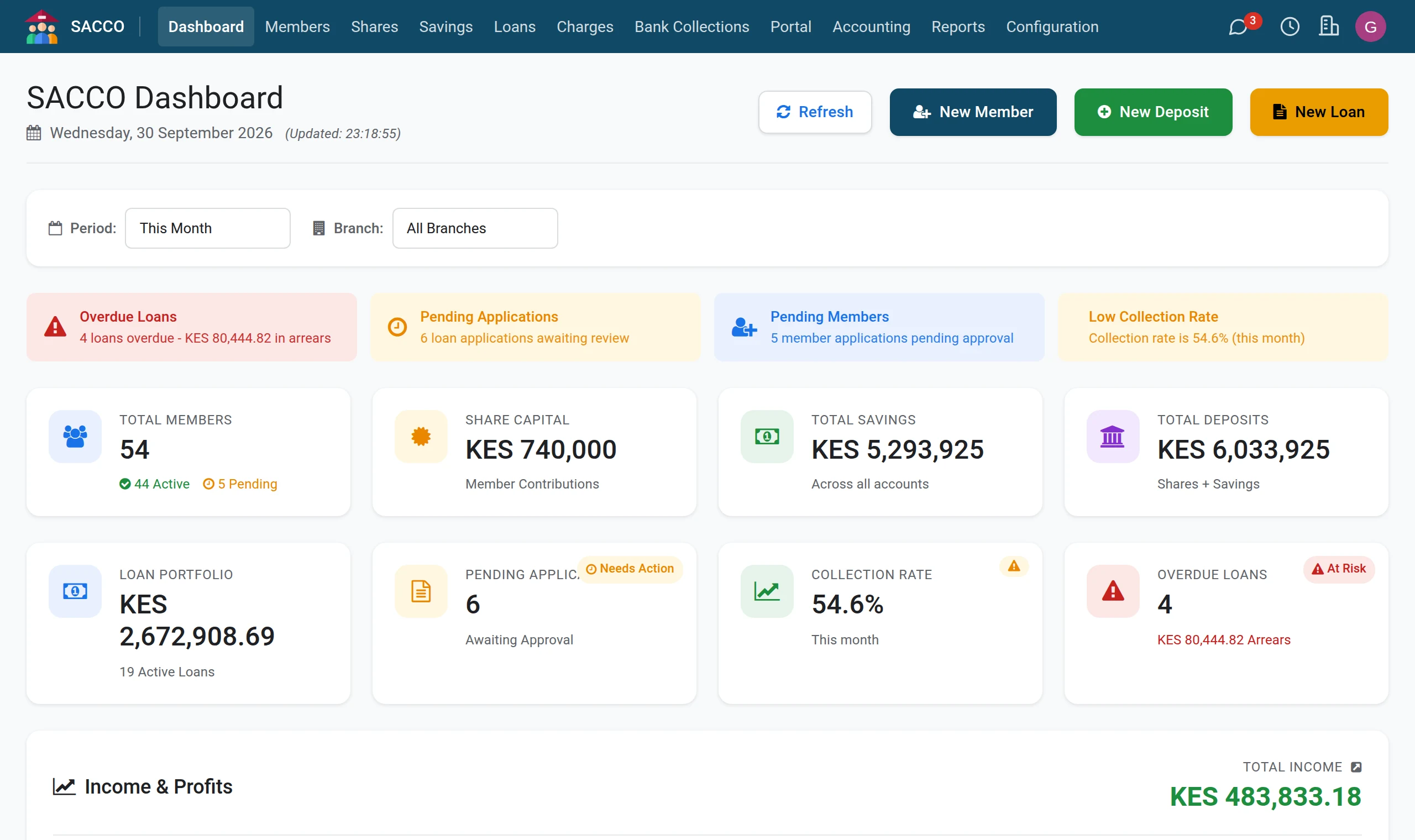
2Choose the period and the branch
Period offers This Month, Last Month, This Quarter, This Year and All Time; Branch limits every figure to one branch. Balances (members, share capital, savings, the loan book, arrears) are always as of now. What happened in a period (new members, loans disbursed, collections, income, the collection rate) follows the period you choose.
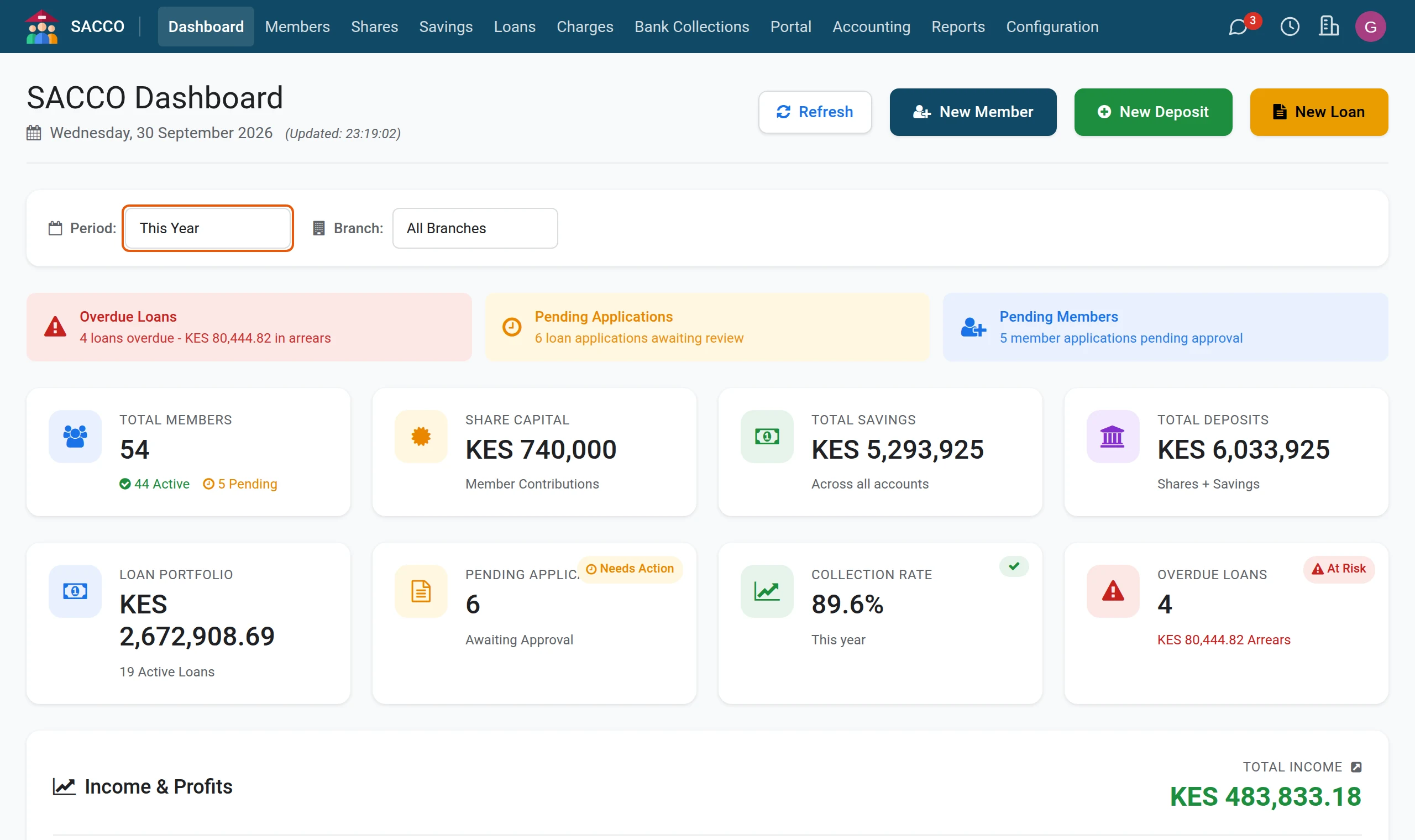
3Start with the alerts
The coloured cards under the filters are the day’s alerts: Overdue Loans with the amount in arrears, Pending Applications, Pending Members, and Low Collection Rate when less than 80% of what fell due was paid.
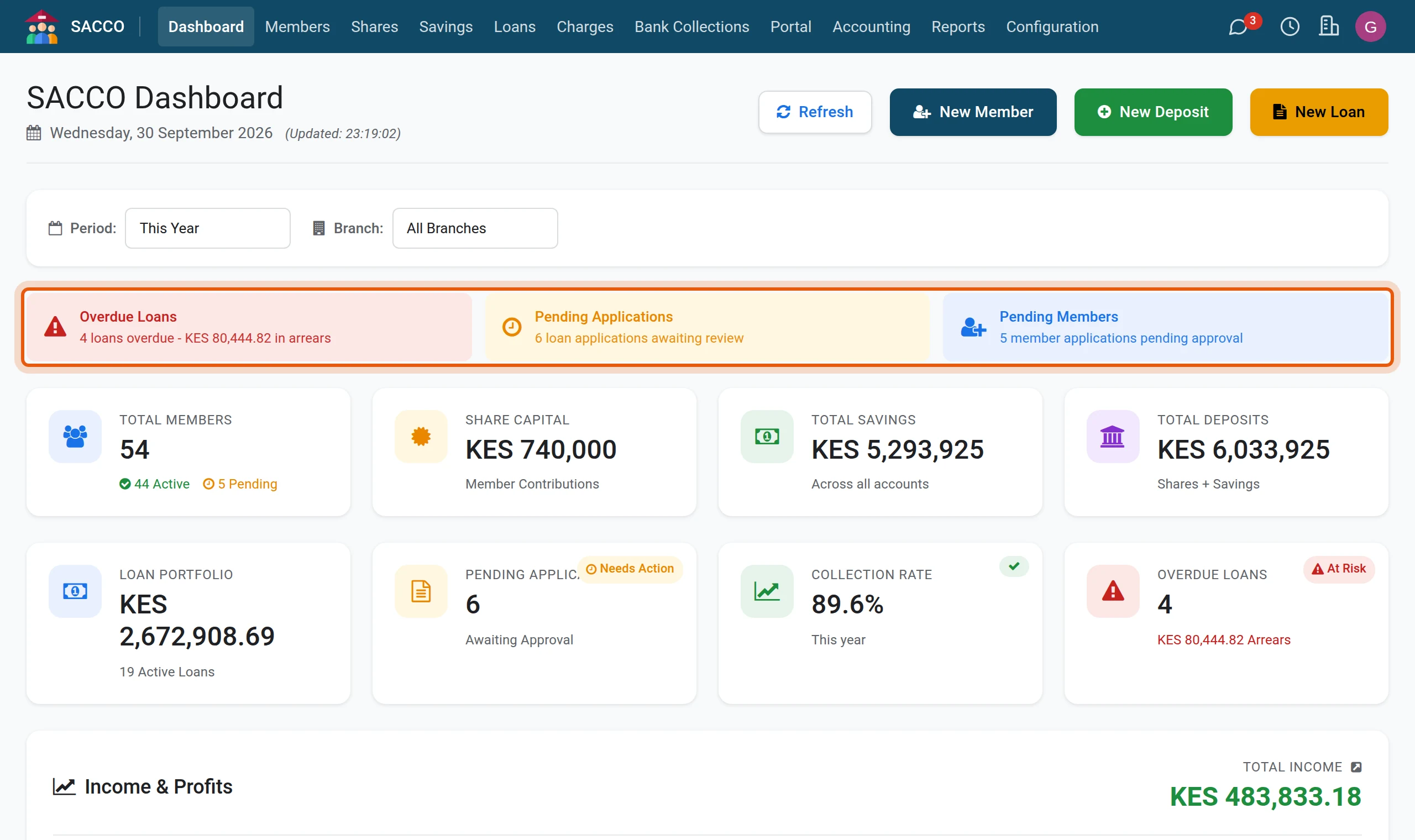
4Click a tile to see what is behind it
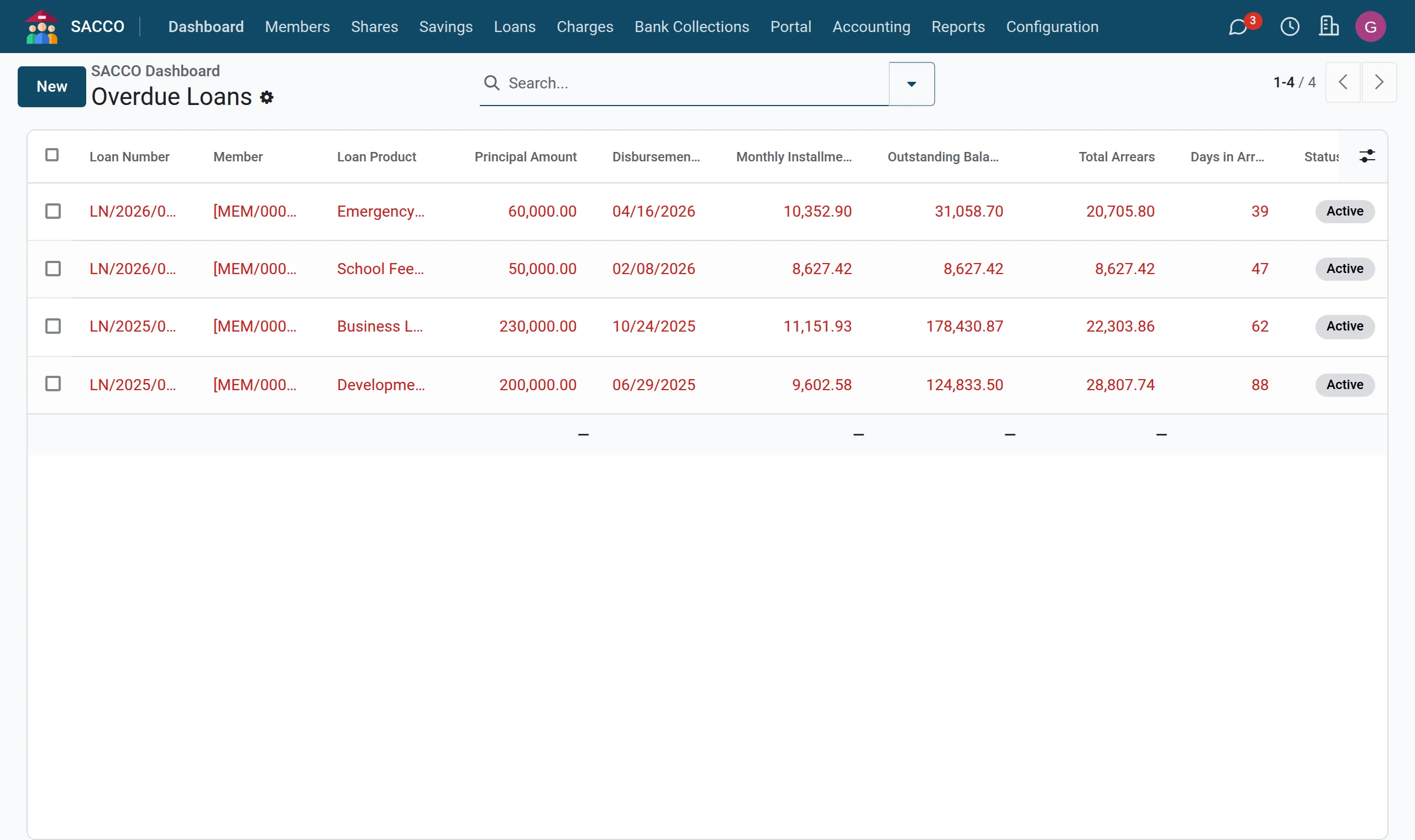
Every tile opens its list. Click Overdue Loans.
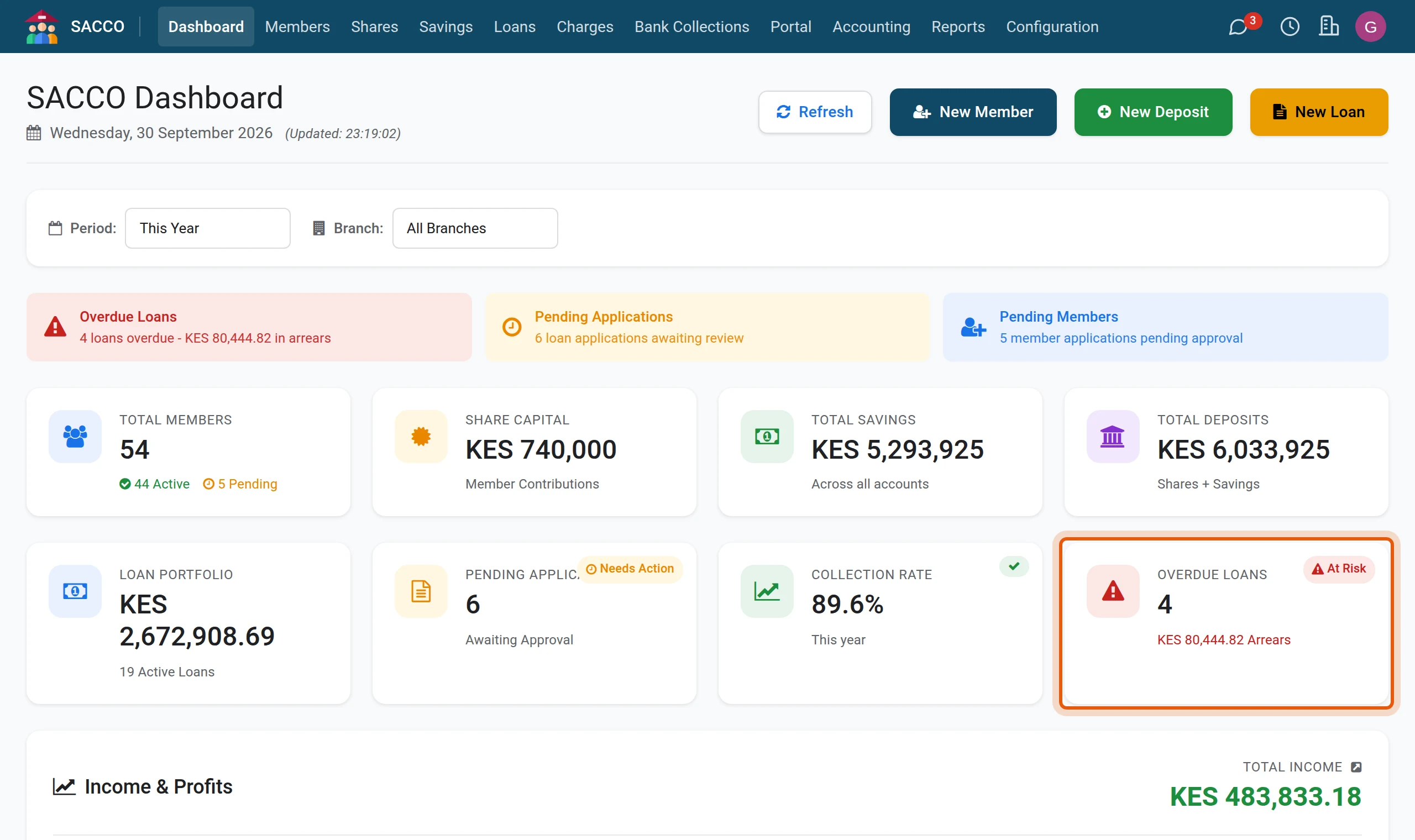
5The list behind the tile
The loans with a missed instalment open. Use the breadcrumb at the top left to come back to the dashboard.
What each tile counts
| Tile | What it shows |
|---|---|
| Total Members | Every member on the register, with how many are Active and how many wait for approval (Pending). |
| Share Capital | What active members hold in shares. |
| Total Savings | The balances of all savings accounts of active members. |
| Total Deposits | Share capital plus savings. |
| Loan Portfolio | The outstanding balance of all active loans, and how many there are. |
| Pending Applications | Loan applications not yet decided. |
| Collection Rate | Of the instalments that fell due in the period (up to today), the share that has been paid. |
| Overdue Loans | Active loans with a missed instalment, and their total arrears. |
Income
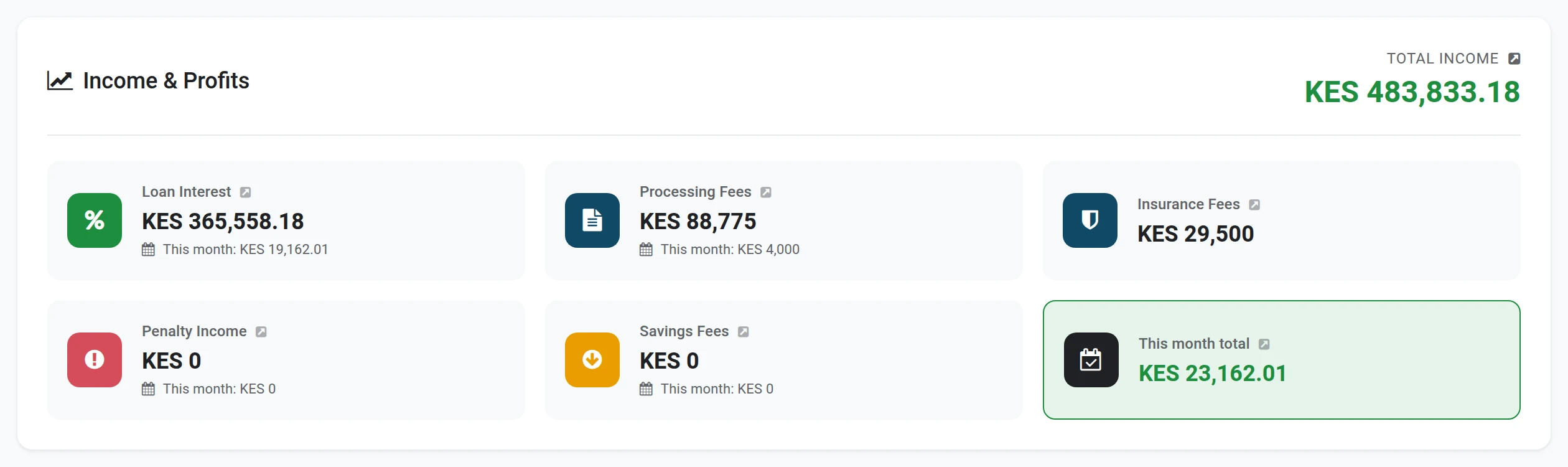
Income & Profits adds up, for the period: Loan Interest and Penalty Income received in repayments, Processing Fees and Insurance Fees on the loans disbursed, and Savings Fees. Click a card to see the records behind it.
Activity and the lists

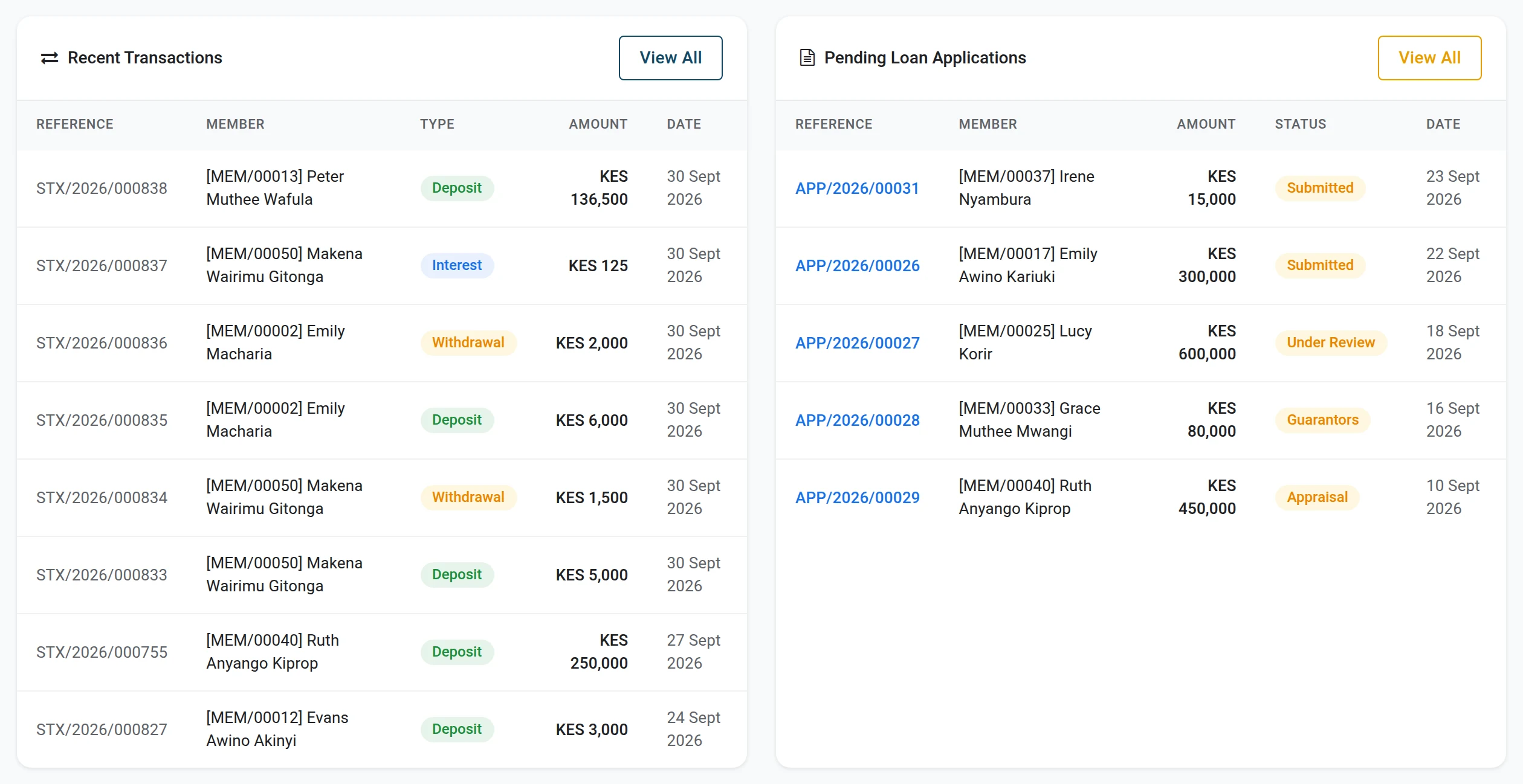
The lists at the bottom show the latest transactions, the loan applications that wait, the overdue loans and the newest members. Click a line to open the record, or View All for the full list. Products Overview counts the loans and the accounts of each product.