

Backup Profiles
Backup Profiles defines the institution's backup jobs -- target storage, schedule, retention and what to include -- so the core-banking database is captured reliably and can be restored after an incident. It records when each backup last ran and whether it succeeded, giving administrators confidence the institution's member and ledger data is protected. For a regulated financial institution, dependable backups are a baseline control.
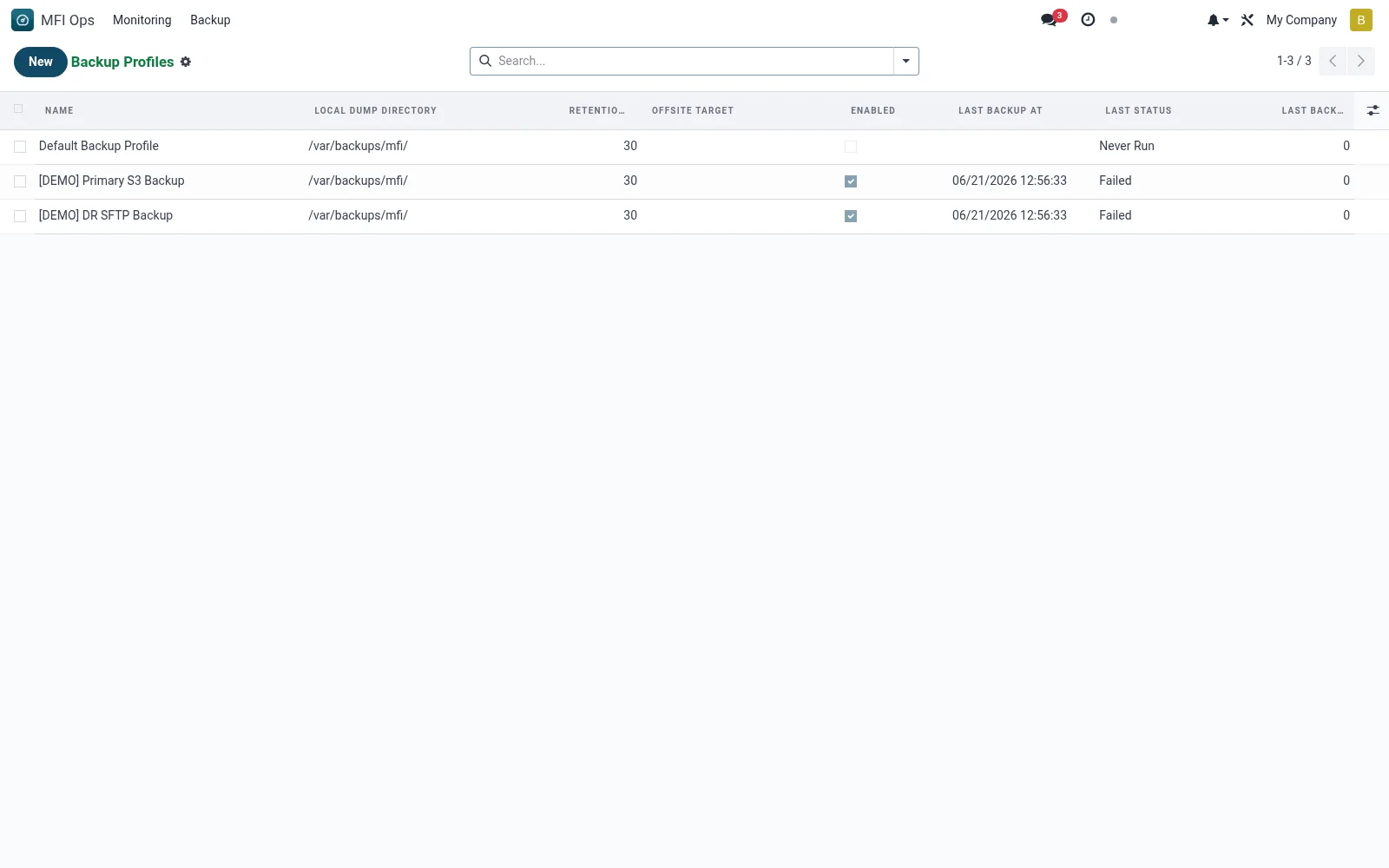
Workflow
- Open MFI Ops > Backup > Backup Profiles
- Click New and name the backup profile
- Set the destination storage and credentials
- Define the schedule and retention policy
- Save and verify the next run completes successfully
Fields reference
Every field on this screen, drawn from the live data model.
| Field | Type | Required | Description |
|---|---|---|---|
Website Messageswebsite_message_ids | List | — | Website communication history |
Offsite Targetoffsite_target | Text | — | rclone remote path, e.g. s3:mfi-backups/staging/ |
Namename | Text | Yes | Name |
Local Dump Directorypg_dump_dir | Text | Yes | Local Dump Directory |
Retention Daysretention_days | Number | Yes | Retention Days |
Has Messagehas_message | Yes/No | — | Has Message |
Ratingsrating_ids | List | — | Ratings |
Enabledenabled | Yes/No | — | Enabled |
Last Backup Atlast_backup_at | Date & time | — | Last Backup At |
Last Backup Size (bytes)last_backup_size_bytes | Number | — | Last Backup Size (bytes) |
Last Statuslast_backup_status | Choice: OK, Failed, Never Run | — | Last Status |
Last Backup Loglast_backup_log | Long text | — | Last Backup Log |
Notify on Failurenotify_user_id | Link → res.users | — | Notify on Failure |
Backup Scriptbackup_script_path | Text | — | Backup Script |
Actions & buttons
Buttons available on this screen and what they do:
- Run Backup Now
Notes & rules
- Model mfi.backup.config -- backup job definitions
- Key fields: destination, schedule, retention, last run
- Related: Cron Monitors, Audit Logs
- Used by system administrators and IT operations
Was this page helpful?