

Fines
Records the fines levied on members for lateness, absence or other breaches of group rules. Logging fines enforces the discipline that keeps joint-liability groups performing and feeds them into meeting collections. It makes peer accountability concrete and auditable.
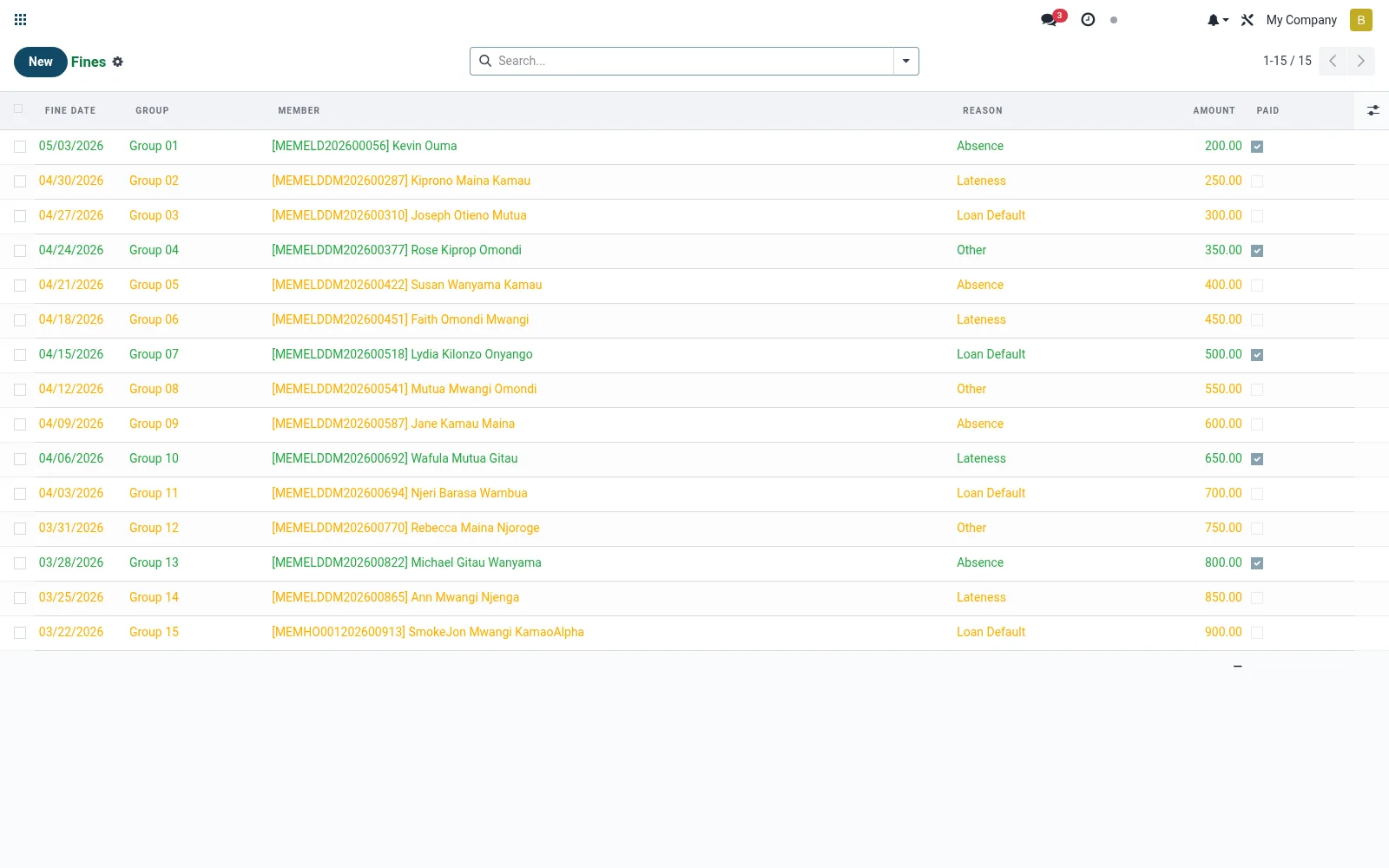
Workflow
- Open Fines under Finance.
- Create a fine against the member and group.
- Select the reason (absence, lateness, default contribution).
- Set the fine amount.
- Collect it at the next meeting and mark it settled.
Fields reference
Every field on this screen, drawn from the live data model.
| Field | Type | Required | Description |
|---|---|---|---|
Website Messageswebsite_message_ids | List | — | Website communication history |
Groupgroup_id | Link → mfi.group.group | Yes | Group |
Membermember_id | Link → mfi.member | Yes | Member |
Fine Datefine_date | Date | Yes | Fine Date |
Reasonreason | Choice: Absence, Lateness, Loan Default, Other | Yes | Reason |
Amountamount | Money | Yes | Amount |
Has Messagehas_message | Yes/No | — | Has Message |
Ratingsrating_ids | List | — | Ratings |
Namename | Text | — | Name |
Meetingmeeting_id | Link → mfi.group.meeting | — | Meeting |
Paidpaid | Yes/No | — | Paid |
Paid Datepaid_date | Date | — | Paid Date |
Notesnotes | Long text | — | Notes |
Companycompany_id | Link → res.company | — | Company |
Currencycurrency_id | Link → res.currency | — | Currency |
Actions & buttons
Buttons available on this screen and what they do:
- Mark Paid
Notes & rules
- Model mfi.group.fines; member penalty records.
- Reasons include absence, lateness and missed contribution.
- Collected through meetings; feeds the social fund or income.
- Reinforces group discipline central to repayment performance.
Was this page helpful?